NETGEAR is aware of a growing number of phone and online scams. To learn how to stay safe click here.
Forum Discussion

JB111
Dec 01, 2020Aspirant
CM500-100NAS Questions
Hi. Modem just hit 93 days. It's gone down twice recently. Any suggestions on how to troubleshoot? Comcast/Xfinity support is terrible (and there are no other high speed choices in my area). My ...

plemans
Dec 01, 2020Guru - Experienced User
A screen snip is usually the easiest to read. attach it to the post.
do you also have a screen snip of the cable connections page?
- JB111Dec 01, 2020Aspirant
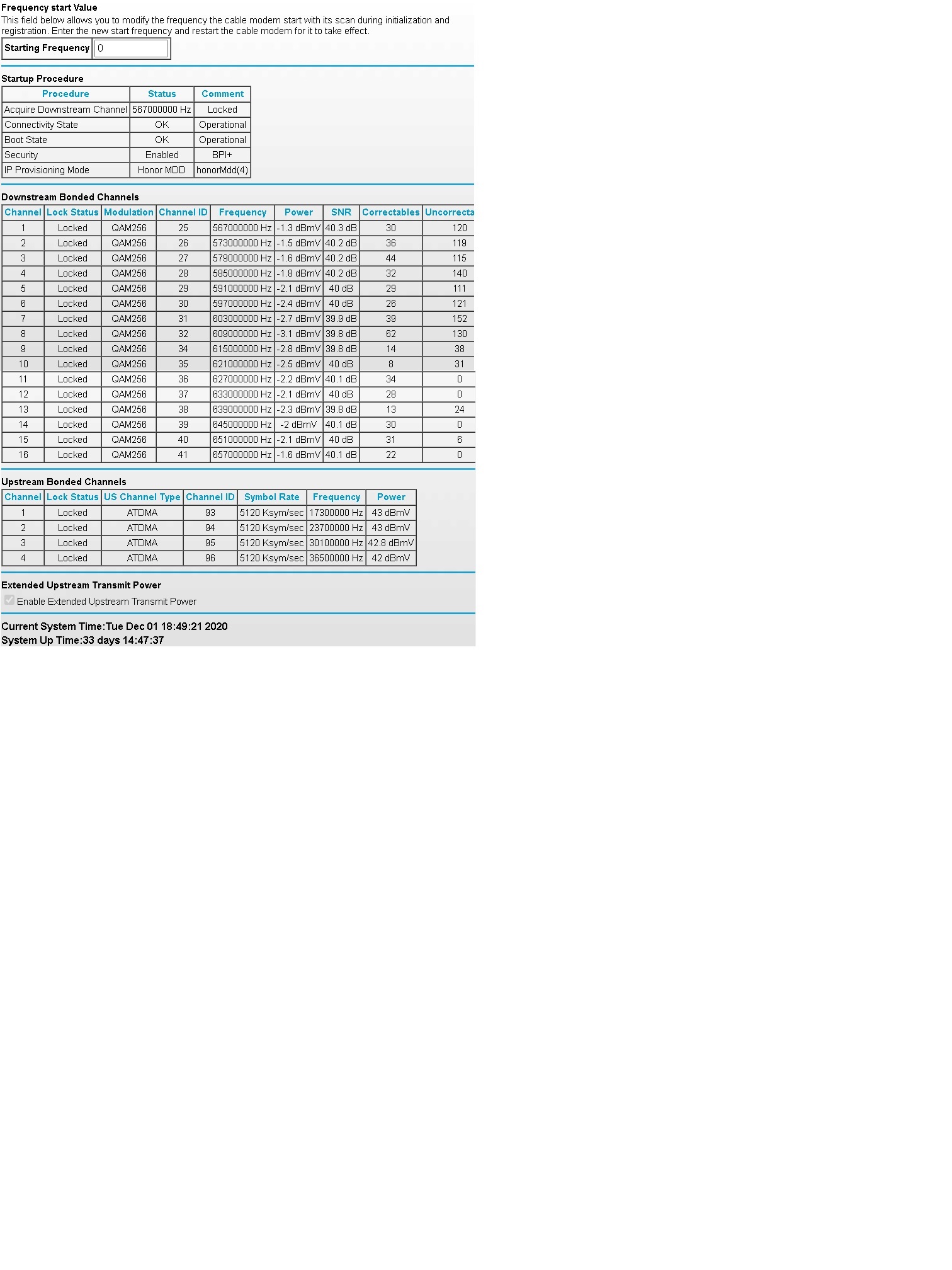
Attaching cable connections log
- JB111Dec 01, 2020Aspirant
Attaching snip of logs
- plemansDec 01, 2020Guru - Experienced User
You're caught in a catch-22. The signals strenghts/errors don't look to bad and when the logs do indicate issues, its only every couple weeks. If it truly is only every couple weeks its going to be tough for the ISP to say, yes its the line when its so infrequent.
And its tough to test changes because it does happen so infrequent. I normally tell people to direct connect a pc to the modem (to rule out router issues) and run it but from the looks of it, its rarely happening and you couldn't have 1 device connected for that long to test.
I'm not sure what a good plan for you is.
you can have the isp check it but not sure if they'll find much.
You could try a different modem. A docsis 3.1 modem might be a bit more tolerant but again, tough to say.