NETGEAR is aware of a growing number of phone and online scams. To learn how to stay safe click here.
Forum Discussion

Sewbie
Oct 06, 2015Aspirant
DoS Attacks for a week on C6300
I'm not too sure what to do here, i've got a vpn but they keep coming. Its targeting my ff02:0000:0000:0000:0000:0000:0000:0001 domain from a fe80:0000:0000:0000:0201:5cff:fe24:18c1 What exactly is going on here? I use a dynamic ip and even though my IP has changed im still getting these dos attacks.

Anyone know what i can do here?
10 Replies
ff02:0000:0000:0000:0000:0000:0000:0001 is the all-nodes, link-local IPv6 multicast address. Every IPv6 device on the link will be forced to process packets sent to that address. The C6300 is probably treating excessive traffic to that address as a DoS attack.
fe80:0000:0000:0000:0201:5cff:fe24:18c1 is a link-local IPv6 address. In other words, it belongs to a directly connected device. It's like one of those horror movies where the victim learns that the killer is making phone calls from within the house! :womansurprised:
- SewbieAspirant
So whats the solution? I'm still dealing with slow speeds and complete disconection from some online games at times. And the things connected to my router are my TV/comp, 2 phones and 1 tablet on wifi.
- Find out who is using the fe80 address. The MAC address will be 02:01:5c:24:18:c1. Then figure out why it's spewing those packets.
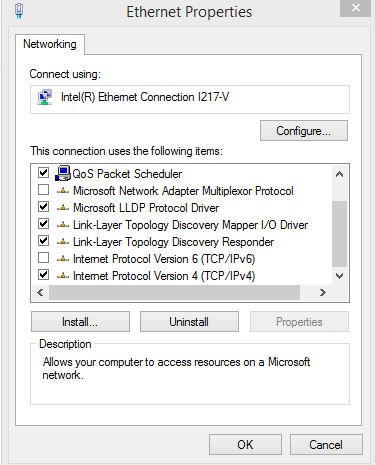
Or you can simply turn off IPv6 on your C6300.- SewbieAspirant
None of my devices has that mac adress :/ also
Ive had ipv6 disabled for a while now
- Is IPv6 disabled on the C6300?
Do you have any other devices that could be running IPv6? Smartphone? DVR? Streaming device (Chromecast, Roku, AppleTV, etc.)?