NETGEAR is aware of a growing number of phone and online scams. To learn how to stay safe click here.
Forum Discussion

MS70
Jan 17, 2024Star
I think the the CM1200 has fallen off their list
With Comcast anything is possible… I think the the CM1200 has fallen off their list. I’ve been struggling to get connection back to where it was. While they say everything looks fine on their end and...
MS70
Jan 17, 2024Star
Modem/Router Status
MS70
Jan 17, 2024Star
Modem stats...
- MS70Jan 17, 2024Star
Xbox wired to Modem... Not sure what ”dead beef” is doing in the gateway name???
- FURRYe38Jan 18, 2024Guru - Experienced User
Lots of Criticals in the logs. Any Criticals, Errors or Warnings seen in the event logs needs to be reviewed and resolved by the ISP. Indicates a signal issue on the ISP line up to the modem.
Have the ISP check the signal and line quality UP to the modem. Be sure the ISP provisions the modem correctly.
Be sure there are no coax cable line splitters in the between the modem and ISP service box.
Be sure your using good quality RG6 coax cable up to the modem.
Start with removing any amplifiers, signal attenuators, or splitters from the coax.
From there check the line for kinks, damage, moisture in the line.
Check the connectors for improperly made ends, foil touching the copper coax line, loose connections, bad/old/cheap connectors, or corroded connections. Replace them if you do.
Be sure to power OFF the modem for 1 minute then back ON.
https://community.netgear.com/t5/Cable-Modems-Routers/General-info-and-Troubleshooting-for-Cable-Modems/m-p/1530376#M12853
https://kb.netgear.com/24311/Power-level-guidelines-for-a-NETGEAR-cable-modem-router
https://www.duckware.com/tech/solving-intermittent-cable-modem-issues.html
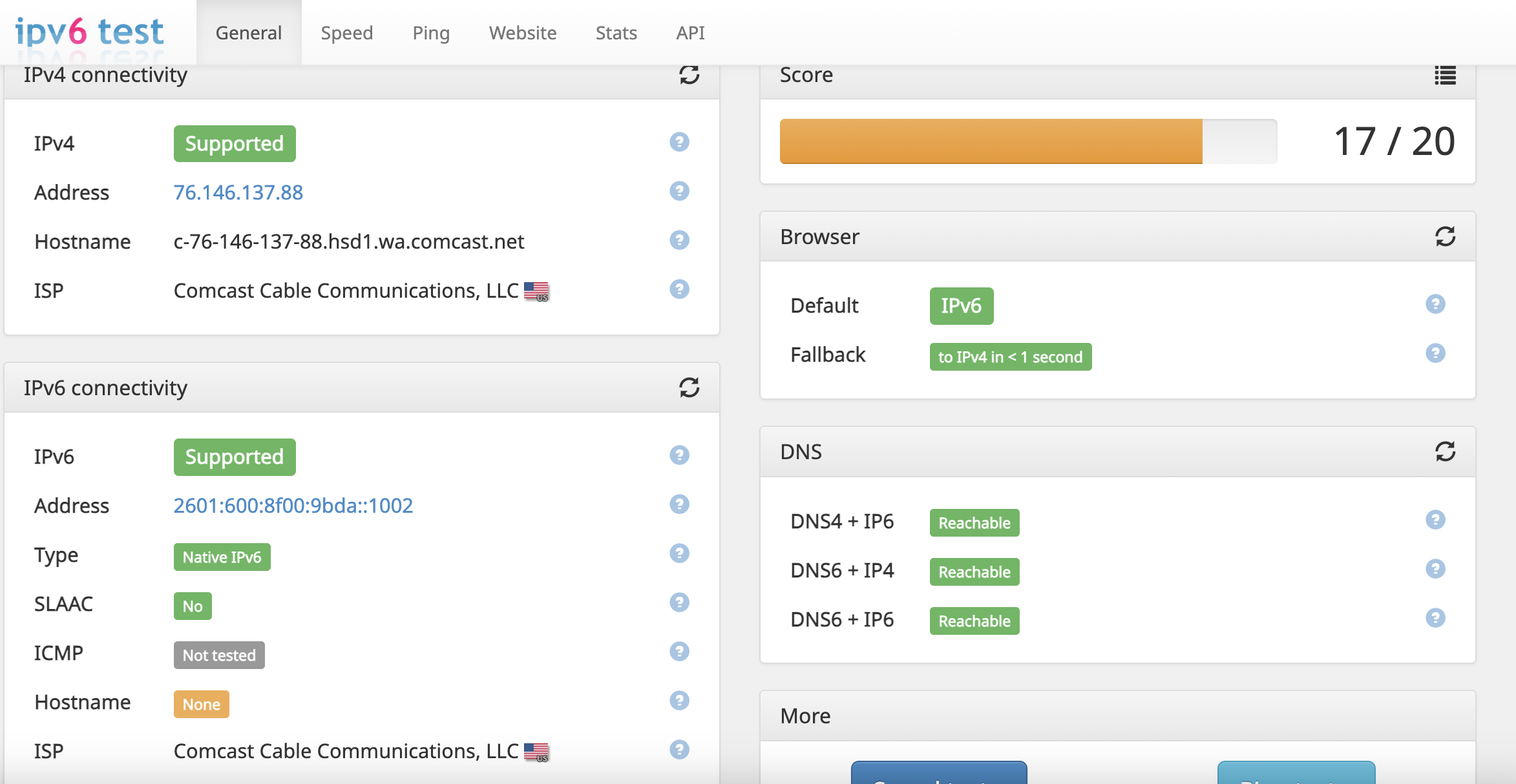
https://highspeed.tips/docsis-events/For IPv6, be sure to test this here:
- MS70Jan 19, 2024Star
Thanks for the help & info... Yeah the Xfinity Status for the modem fluctuates. Yesterday it actually recognized it and had a green light. We had a better connectivity day with our VPN and the Arlo camera actually worked again. By evening it was back to showing not connected while I did run Netflix with no picture issues.
I put in for tech appt to have someone come out and/or call from tech support to look in to the modem errors.
I ran that IPV6 test. I also did some pings using Apple Network Utility to Google & XBox and they show 60-70% packet loss. I'll try it again later with laptop direct to modem and see what that shows.