NETGEAR is aware of a growing number of phone and online scams. To learn how to stay safe click here.
Forum Discussion

BW98321
Sep 19, 2020Aspirant
Netgear Modem Packet Loss
Hey all, so I started having connection issues with my phone calls dropping and people never hearing me during teleconferences while we've been remote which prompted me to buy an entirely new network...
BW98321
Sep 19, 2020Aspirant
More pics
BW98321
Sep 19, 2020Aspirant
Event Log
- plemansSep 19, 2020Guru - Experienced User
remove any splitters, attenuators, amplifiers from your line.
Check the coax for bends, kinks, damange, old/cheap/bad connectors.
If you do all that and are still getting these numbers, your isp needs to check your line.
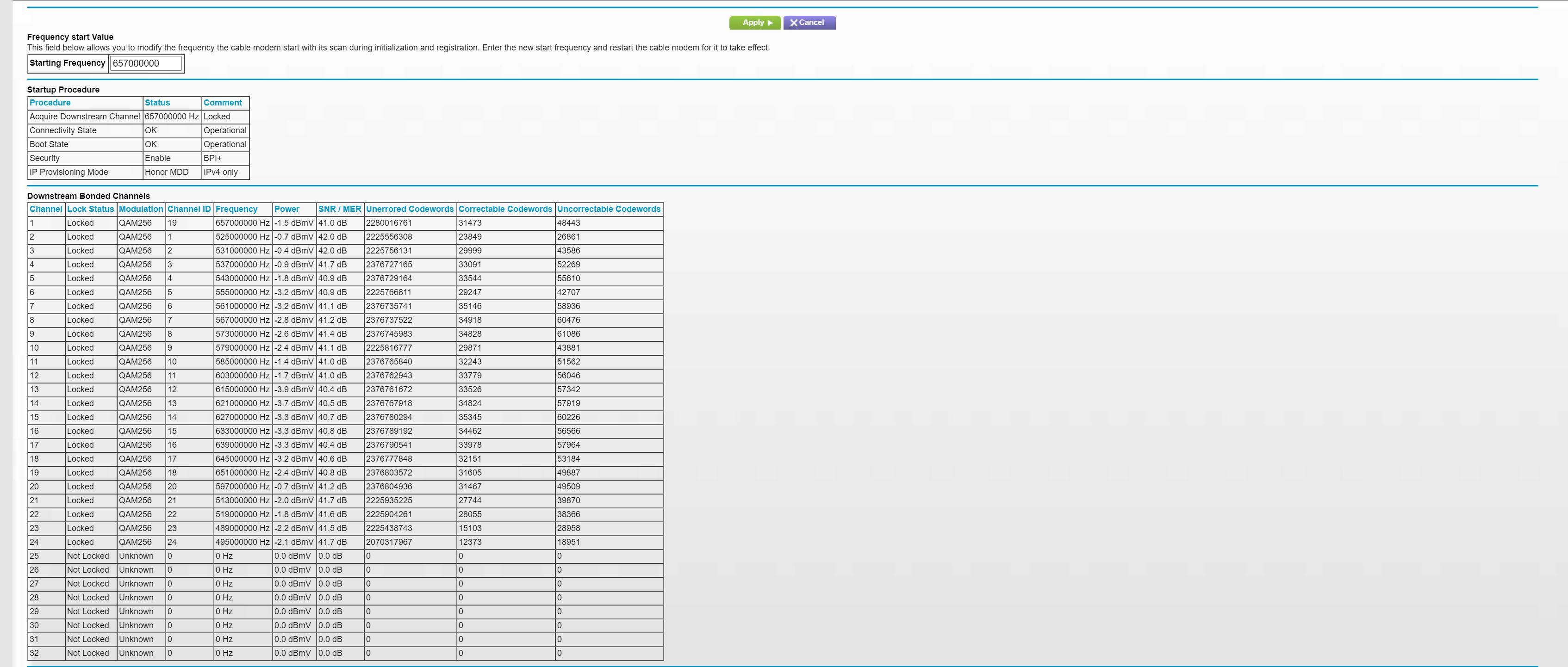
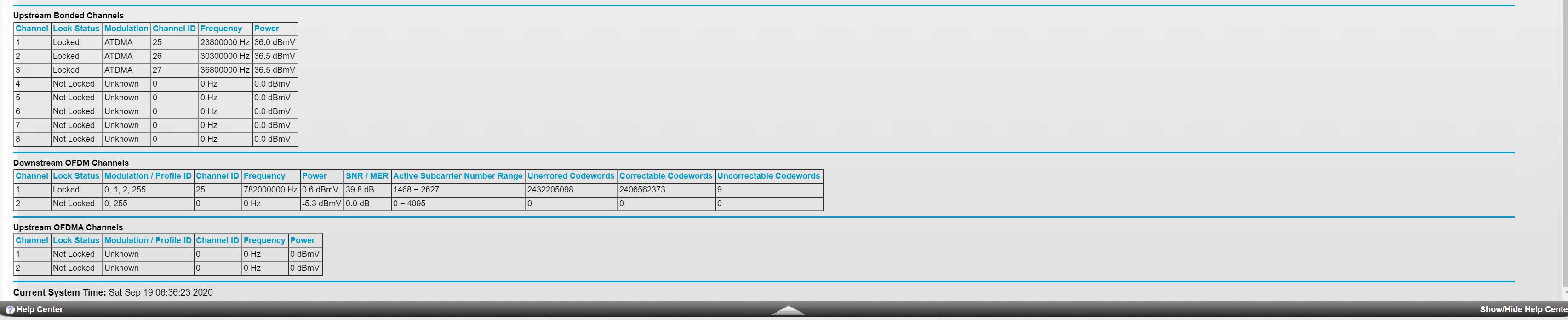
- BW98321Sep 19, 2020AspirantThanks for reply. I have no splitters, actuators, or amplifiers. The house is relatively new and had a completely separate cable line ran since internet was through 1 company and TV was through another so two different coaxial signals. I will try replacing the cable connection with a new coaxial cable and see what that does. How do my readings look on the modem?
- plemansSep 19, 2020Guru - Experienced User
Bad.
Your downstream has a lot of errors, the channels aren't all locked.
Your upstream power levels are low.
and your logs show signal issues.
Which is why I said, the isp needs to check the line if your fixes don't help. Maybe they nicked it during install, didn't tighten it properly at the hub, or something else.
- BW98321Sep 19, 2020Aspirant
Thank you! Helps a ton. Calling them now.