NETGEAR is aware of a growing number of phone and online scams. To learn how to stay safe click here.
Forum Discussion

Scotterdude
Apr 26, 2019Aspirant
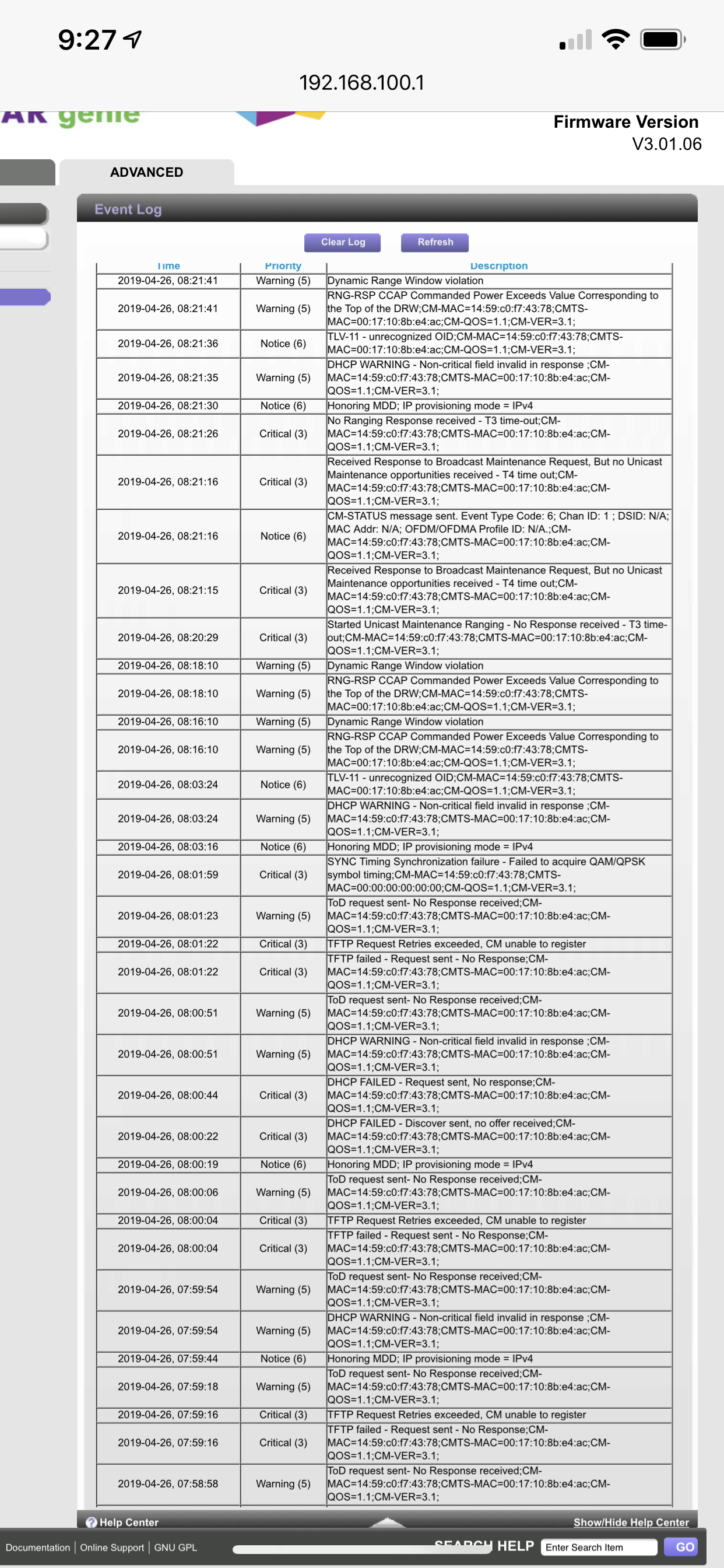
Random disconnects...here is my log
See picture, because I have NO idea what any of that says or how I can fix the random disconnects I get...
Thank you
Thank you
6 Replies
- FURRYe38Guru - Experienced User
Is this with a external router connected to the modem or just direct with a wired PC?
You need to contact your ISP to have them check the signal and service line up to the modem. Show them your logs as well.
- ScotterdudeAspirantThis is a free standing modem, that plugs into a nighthawk wireless.
Does that change anything?- plemansGuru - Experienced User
So a lot of ISP's charge you for a visit if they find the problem to be within your house. Here's what I always recommend before contacting them to try to figure out if its something internal/external to house.
1. Move the modem to right where the line comes into the house. Hook it up there. This removes the possiblities of bad splitters, reduces chances of being a bad cable, reduces chances of other interference. Internal wiring in houses cause a surprising amount of problems.
2. Check your signal strengh and logs after this is done. screenshot/snip both of these for us. Try to get all the channels and logs for us. these do help. Your signal strength can be a little high once you've removed all the splitters which is why the screenshots help with diagnostic.
3. How are they looking after the move? Still having the same issues? if so, then I'd leave the modem where it is and contact your ISP to have them check signal coming into the house. This just helps to reduce the possiblity of them charging you for a visit or blaming it on your house causing the issues. Its one of ISP's favorite tactics.