NETGEAR is aware of a growing number of phone and online scams. To learn how to stay safe click here.
Forum Discussion

hxquero
Jul 26, 2021Aspirant
Samsung TV Plus being blocked by NETGEAR
NETGEAR CAX80 Firmware V.2.1.1.5 Samsung UN50TU700DFXZA Software Version T-KTSUA2AKUC-2016.1 Purchased Netgear March 24, 2021. I trusted Netgear and didn't hesitate to drop $400 on what th...

FURRYe38
Jul 27, 2021Guru - Experienced User
Send the Private Mesages please.

tamanaco
Aug 04, 2021Apprentice
The issue with Samsung TV Plus was solved after I updated my CAX80 router firmware to version 2.1.2.6 today. WiFi calling appears to be working after this update as well
- hxqueroAug 05, 2021AspirantOMG!! I hope this works - currently on vacation - can’t wait to test it when I return!!
- hxqueroAug 16, 2021Aspirant
I have been attempting to download the firmware and have yet to be successful! It downloads as a .zip file and when extracted becomes a .bin file with PDF icon? I have been unable to manually upload the firmware...please help. I have been out of the at&t IT knowledge has been lost - guess 12 years as a 911 dispatcher will do that...I feel so inept!
- antinodeAug 16, 2021Guru
> [...] It downloads as a .zip file and when extracted becomes a .bin
> file with PDF icon? [...]What, exactly, did you download? "CAX80-V2.1.2.6.zip" contains _two_
files, "CAX80-V2.1.2.6.bin" and "CAX80-V2.1.2.6_Release_Notes.html".(I'm not responsible for the icon which your computer's operating system
associates with a ".bin" fle type. But it shouldn't matter)> [...] I have been unable to manually upload the firmware. [...]
"unable" is not a useful problem description. It does not say what
you did. It does not say what happened when you did it. As usual,
showing actual actions (commands) with their actual results (error
messages, LED indicators, ...) can be more helpful than vague
descriptions or interpretations.Did you read the instructions in the "Release Notes" file?
Visit http://netgear.com/support , put in your model number, and look
for Downloads. (For older versions, under Firmware and Software
Downloads, look for "View Previous Versions".) Find the kit(s).
Download the kit(s) you want. Read the "Release Notes" file for
instructions. (In the User Manual, look for "firmware", and,
especially, for a topic like "Manually upload firmware to the router".)Note that the CAX80 User Manual says:
Note: The correct firmware file uses an .img or .chk extension.
which is true for many models, but apparently is false/misleading for
the CAX80. - hxqueroAug 16, 2021Aspirant
> [...] It downloads as a .zip file and when extracted becomes a .bin
> file with PDF icon? [...]What, exactly, did you download? "CAX80-V2.1.2.6.zip" contains _two_
files, "CAX80-V2.1.2.6.bin" and "CAX80-V2.1.2.6_Release_Notes.html".(I'm not responsible for the icon which your computer's operating system
associates with a ".bin" fle type. But it shouldn't matter) - You are correct, it's a .bin and release notes file. The .bin file has a PDF icon - which I understand is something my computer assigned.> [...] I have been unable to manually upload the firmware. [...]
"unable" is not a useful problem description. It does not say what
you did. It does not say what happened when you did it. As usual,
showing actual actions (commands) with their actual results (error
messages, LED indicators, ...) can be more helpful than vague
descriptions or interpretations. - I logged into routerlogin.net and followed instructions. However, when I attempt to upload the .bin file it gives me the following error - Please assing the correct file. The file format is *.bin.Did you read the instructions in the "Release Notes" file? - Affirmative.
Visit http://netgear.com/support , put in your model number, and look
for Downloads. (For older versions, under Firmware and Software
Downloads, look for "View Previous Versions".) Find the kit(s).
Download the kit(s) you want. Read the "Release Notes" file for
instructions. (In the User Manual, look for "firmware", and,
especially, for a topic like "Manually upload firmware to the router".)Note that the CAX80 User Manual says:
Note: The correct firmware file uses an .img or .chk extension.
which is true for many models, but apparently is false/misleading for
the CAX80. - So I can't upload the *.bin file and I haven't been able to figure out how to change it to an .img or .chk to see if that will work for the upload. - antinodeAug 16, 2021Guru
> [...] when I attempt to upload the .bin file it gives me the following
> error - Please assing the correct file. The file format is *.bin.If you actually selected the "CAX80-V2.1.2.6.bin" file (_not_ the
original "CAX80-V2.1.2.6.zip" file), and the CAX80 complained that it
wasn't a ".bin" file, then I'd guess that either you or the CAX80 is
confused.> [...] I haven't been able to figure out how to change it to an .img
> or .chk to see if that will work for the upload.I doubt that a name change would help, especially if the error
message says ".bin". I can't see what you're doing, and, with Netgear
router firmware, almost any defect is possible, but it's easier to
believe that you selected the wrong file than that the CAX80 is that
bewildered. - FURRYe38Aug 16, 2021Guru - Experienced User
What browser are you using? MS Edge or Firefox should work.
After unpacking the .zip file. DO NOT Attempt to modify or OPEN the .bin file.
Just open the web browser and log into the CAX 80s web page (In Router mode) and there will be a FW update under Advanced tab/Administration I believe. Use the Manual FW update tab and select the Browse button. Browse out to where the .bin file is located and highlight to select it. It should populate the FW file box on the browser.
hxquero wrote:
I have been attempting to download the firmware and have yet to be successful! It downloads as a .zip file and when extracted becomes a .bin file with PDF icon? I have been unable to manually upload the firmware...please help. I have been out of the at&t IT knowledge has been lost - guess 12 years as a 911 dispatcher will do that...I feel so inept!
- hxqueroAug 16, 2021AspirantI did exactly that on both Chrome and Edge - that’s how I get the *.bin error…
- hxqueroAug 16, 2021AspirantI finally figured it out!! Thanks - updating now…
- hxqueroAug 16, 2021Aspirant
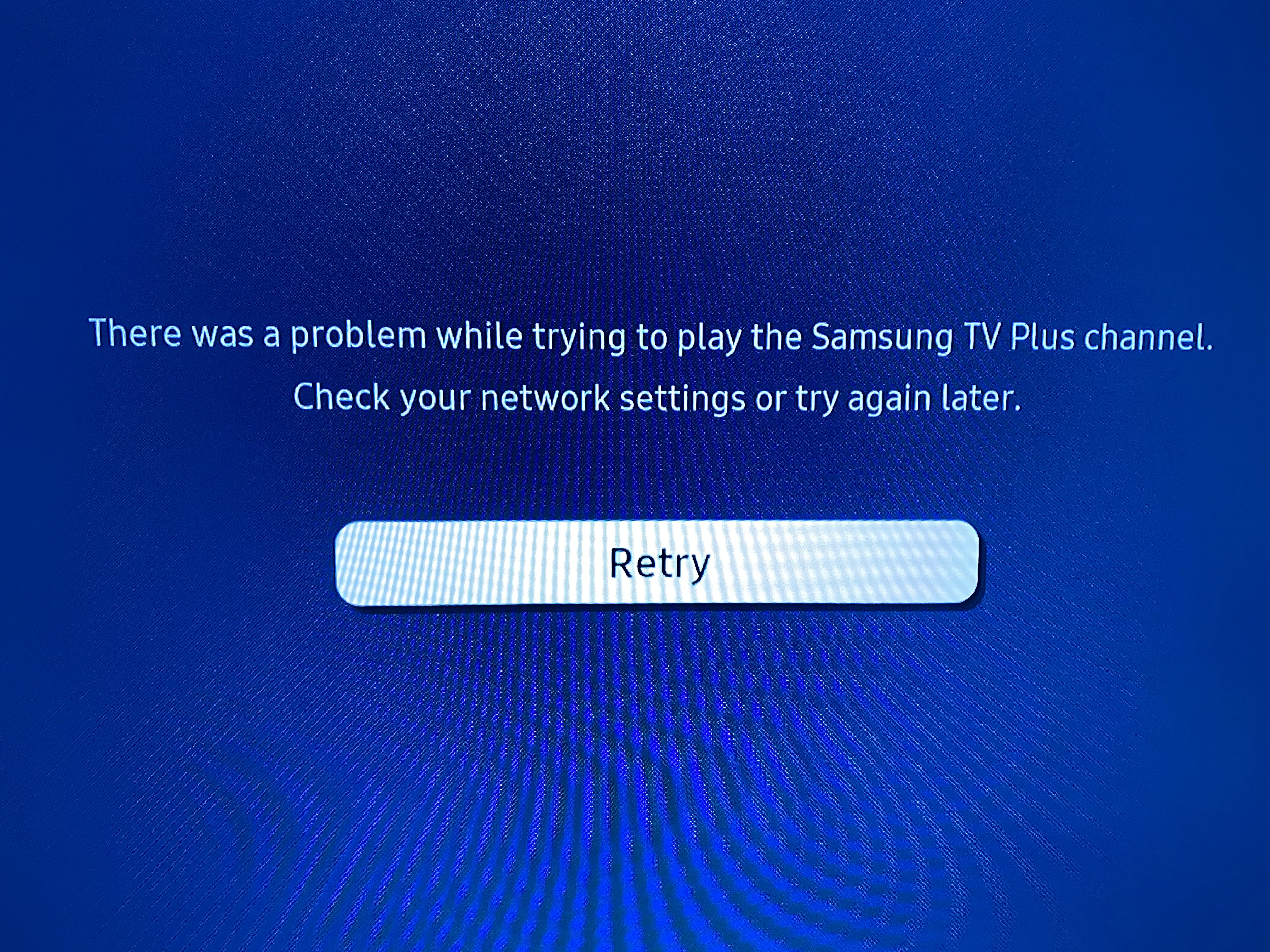
IT WORKS!! Finally updated the firmware & Samsung TV Plus works...and as soon as I finished typing works the screen blacked out on me. I can still see the SAMSUNG TV Plus logo on the upper right corner of the screen but waiting for it to load. And it's back...the blue screen of death giving me that familiar error...There was a problem while trying to play the Samsung TV Plus channel. Check your network settings or try again later. WTF!!!
- tamanacoAug 16, 2021Apprentice
Still not perfect - I noticed that most channels take a little while to load. Some take 1+ minute(s). At other times they fail to load with a "retry" screen. I've been using the Love Nature 4K (Channel 1404) to test. Sometimes it fails to load with pop up with Guide, Channel Details and Favorite option buttons or with a black screen with an icon in the lower left corner asking you to press the down arrow. I leave it alone and wait for the channel to either load or fail. It's like Bingo... some times your number comes up and some times it doesn't. But it's better than with 2.1.1.4 in my Samsung Q80R.
- hxqueroAug 17, 2021Aspirant
Stupid me - instead of clicking on the entire file and I clicked on the .bin file and uploaded that - super stupid me! However, I still have issues with the Samsung TV Plus - intermittent loading and what not.
- FURRYe38Aug 17, 2021Guru - Experienced User
Be sure to factory reset the modem and setup from scratch.
- hxqueroAug 22, 2021Aspirant
I'm so over this! I purchased a $400 router and it shouldn't be this much hassle!! I went ahead and reset the router, reset the TV, then installed the new firmware and still same issue!! Now, after updating the firmware, I notice that the wifi connectivity reliability has decreased. I also see some errors in the router logs...I regret buying this router!! Wish I had purchased it at Costco so I could just return it!
- FURRYe38Aug 22, 2021Guru - Experienced User
I'll see if we can get some help on this...
You might open a support ticket as well and let them know what is happening.
- FURRYe38Aug 22, 2021Guru - Experienced User
Can you please use the Choose File button and post a copy of a screen capture of the error seen on your TV when it attemps to connect to the CAX80?
Is there a error code listed anywhere on this screen?
hxquero wrote:
I'm so over this! I purchased a $400 router and it shouldn't be this much hassle!! I went ahead and reset the router, reset the TV, then installed the new firmware and still same issue!! Now, after updating the firmware, I notice that the wifi connectivity reliability has decreased. I also see some errors in the router logs...I regret buying this router!! Wish I had purchased it at Costco so I could just return it!
- hxqueroAug 23, 2021Aspirant
Here is the latest log.
- hxqueroAug 23, 2021Aspirant
"YELLOW" Internet PortMissing IP Settings?
- hxqueroAug 23, 2021Aspirant
I erased then reset the router. This is what the Log looks like right after reset...
- hxqueroAug 23, 2021Aspirant
I then updated the firmware and now the internet port status is yellow...
- hxqueroAug 23, 2021Aspirant
After updating firmware it appears I have no info whatsoever?
- hxqueroAug 23, 2021Aspirant
Here is the blue screen of death...
- FURRYe38Aug 24, 2021Guru - Experienced User
Ok, thank you for posting additional information. We have NG looking into this.