NETGEAR is aware of a growing number of phone and online scams. To learn how to stay safe click here.
Forum Discussion

Razor7Tech
Jan 26, 2017Aspirant
How Can I Upgrade PowerLine Firmware?
Hello-- I have had several of the older v1 of the Powerlines with no issues for years. I just bought the nano v2 and I'm having trouble with one that keeps losing its connection and I have to kee...
Razor7Tech
Jan 26, 2017Aspirant
Hmm. When I posted this it asked me. I guess it wasn't posted.
It's the Powerline XAVB5200v2, I believe. I'm not where I can check right now. Definitely the 500 series.
It's the Powerline XAVB5200v2, I believe. I'm not where I can check right now. Definitely the 500 series.

michaelkenward
Jan 26, 2017Guru - Experienced User
Razor7Tech wrote:
I'm not where I can check right now.
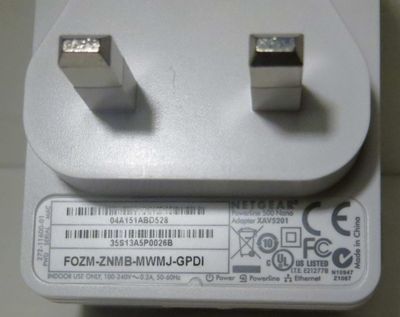
On the back. But you have to unplug it. Clever design!
- Razor7TechJan 26, 2017Aspirant
Funny guy. can't tell if you're joking or you missed the details I posted: Powerline XAVB5201 v2
- michaelkenwardJan 27, 2017Guru - Experienced User
What said was that you "think" it is a XAVB5200v2.
As there appears to be no such thing as the XAVB5200v2 – I checked before I replied – I told you where to find the correct information.
It is a bit blurry but you can still see the bit by the Adapter label.
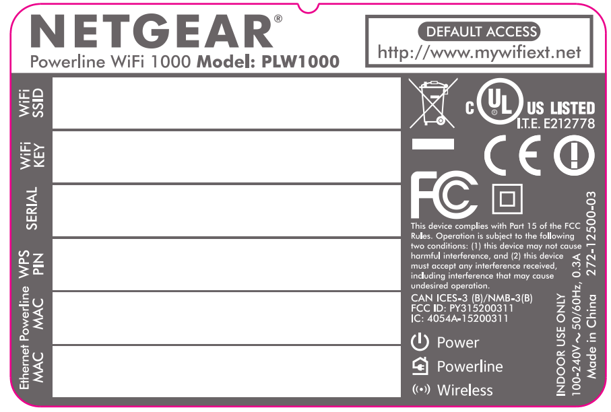
Or try this:
I asked for the model number because when you have the correct information you can throw it into this page:
and then find the manual, which should provide you with the information you need.
You will also find the powerline utility.
Perhaps this is what you have:
- Razor7TechJan 27, 2017Aspirant
XAVB5201 v2 That's what it says on the Amazon post where I bought it, and on the utility tool (sw).
Thanks!