NETGEAR is aware of a growing number of phone and online scams. To learn how to stay safe click here.
Forum Discussion

jaj38
Dec 30, 2016Follower
Powerline 500 XWN5001
My network extender has been working for a couple of years no problem. It now frequently loses connection to the access point. If I switch it off and on it will reconnect but will drop out again after...
 Jan 22, 2017
Find the IP address of your adapter by looking at 'Attached Devices' in your router settings. Alternatively connect to the wifi channel from the adapter and then go to www.mywifiext.net in a browser. Or use Netgear Genie Network Map, click on Powerline Adapters, and then right-click this adapter and select 'Configuration'.
Now you will access the adapter's GUI (default username and password are 'admin' and 'password')
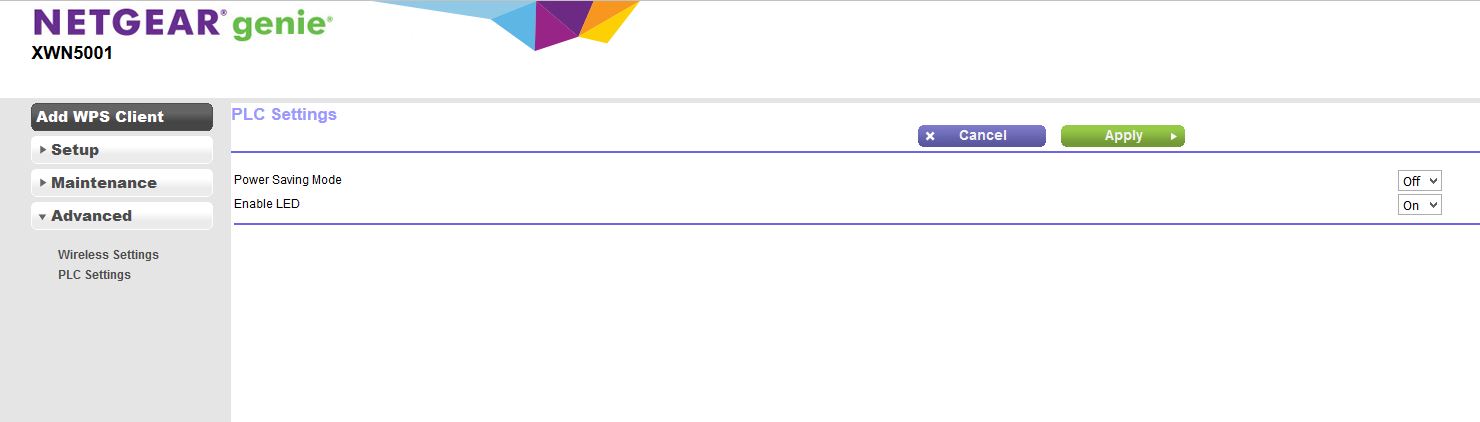
Go to 'Advanced' then 'PLC Settings' and turn off power saving mode. I find this to be temperamental on most Netgear powerline adapters, including their newer models:
Hope this helps

michaelkenward
Jan 08, 2017Guru - Experienced User
It is hard to read those screen grabs.
If you use Alt+Print Screen it will capture only the top Window.
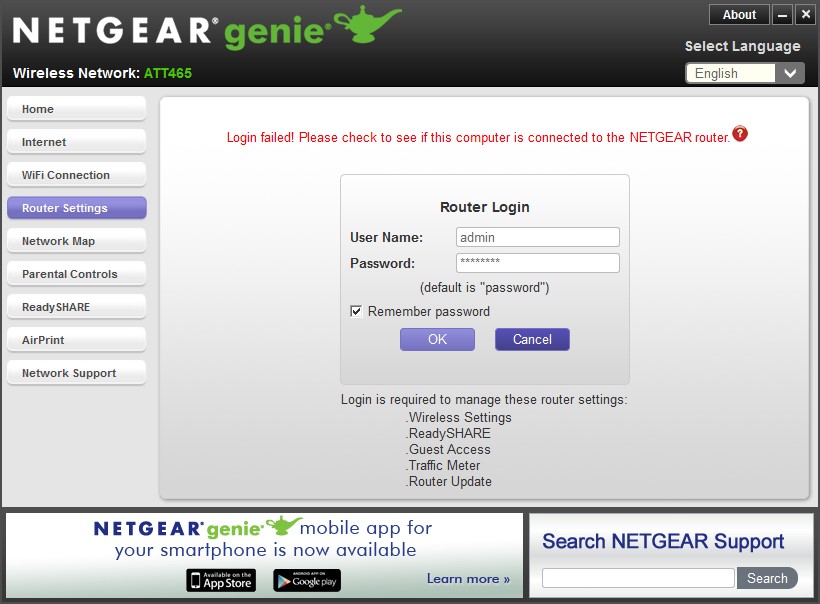
You seem to be locked out of the Router Settings. Is that because it rejects the password?
Remember, the router password is not the same as the wifi password.
As to losing wifi connections, one recent visitor found that he had better success by tweaking the wifi settings, changing the band and other settings.
Re: Netgear D6400-100UKS - 2.4GHz Network Issue - NETGEAR Communities
He also saw interference from nearby wifi networks.
The symptoms he saw were identical to those described here, the wifi worked fine for a bit and then fell over.
OMATIC73
Jan 08, 2017Aspirant
Thanks for the tip on the screen grabs. They are below. I have made no changes to the password and have been entering the default.
I attempted to factory reset the units, but that doesn't seem to be working. Do I need to have them plugged in to reset them? Any particular order?
What can cause the drop in connection via ethernet?
I appreciate your assistance. Thanks!
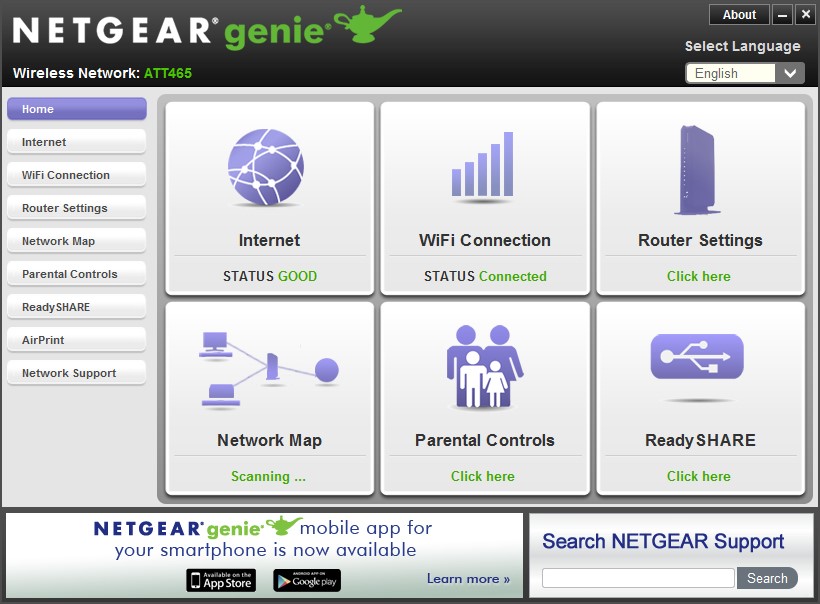
- michaelkenwardJan 09, 2017Guru - Experienced User
What is the "Send" plug in the powerline network attached to?
The Netgear genie isn't likely to be much use with hardware from other makers.
- OMATIC73Jan 09, 2017Aspirant
I'm not sure what you mean. It's connected to an AT&T gateway via ethernet and connected directly to the wall. I've removed the ethernet connection from the receiver and only connected to wifi now.
- michaelkenwardJan 09, 2017Guru - Experienced User
OMATIC73 wrote:I'm not sure what you mean.
I mean what is the "host" for the powerplugs?
I assume that you feed the LAN from the AT&T gateway, whatever that is, into the powerline's source plug.
You seem to be trying to use the Netgear genie to connect to the AT&T gateway through the wifi. You won't get into "router settings" if it isn't a Netgear router.
If you look at the top of your second screen grab, you'll see that it says
Please check to see if the computer is connected to the NETGEAR router
You won't get very far trying to connect to an AT&T device with the Netgear genie.