NETGEAR is aware of a growing number of phone and online scams. To learn how to stay safe click here.
Forum Discussion

Dugite
Aug 04, 2015Guide
A6200 timing out Windows 10
Hi All, hope I'm not starting a new thread, surely I can't be the only one here with this issue. After upgrading (???) to WX I have found that my WiFi Network icon gets a red X on the top left hand...

JamesGL
Sep 08, 2015NETGEAR Employee Retired
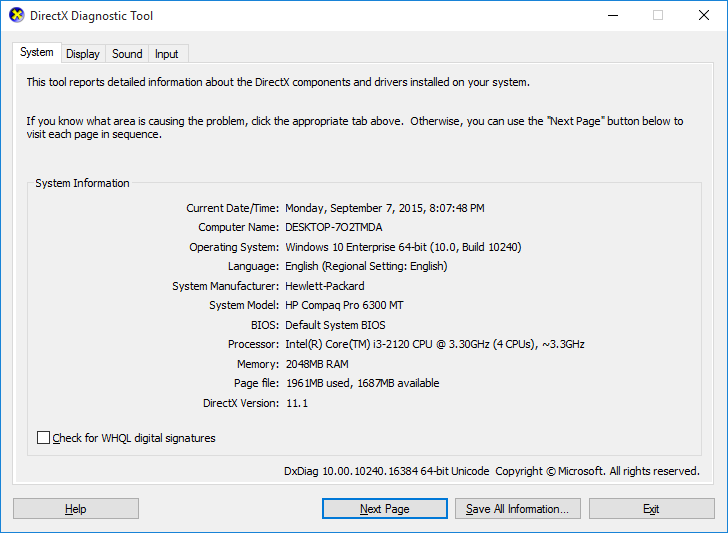
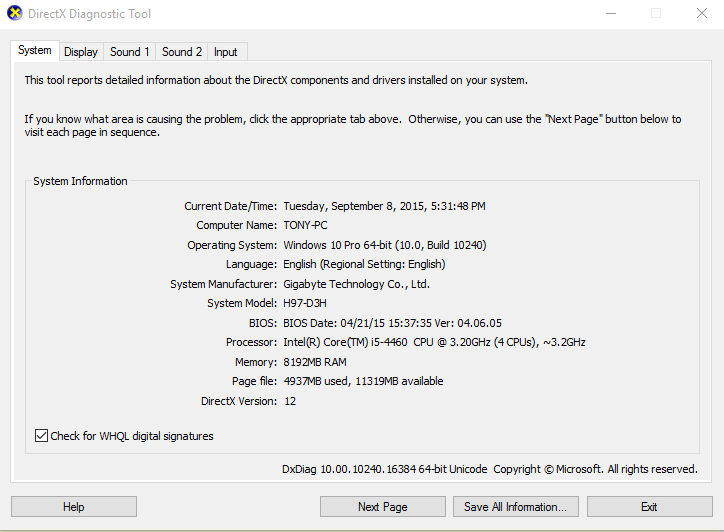
I need the information of yous system. See sample below. You can just type dxdiag on your search bar.
Regards,
JamesGL
Community Team
Dugite
Sep 08, 2015Guide
- DugiteSep 10, 2015Guide
Here's something new, I read in another post from a different netgear product related to WX and drivers timing out. They suggested to go into advanced properties and uncheck the "allow windows to put device to sleep" which was checked. I have unticked this box and will report back if it changes. I'd never selected this and must have been something some tosser at MS decided was a good default setting for all drivers. I mean, we're all using notebooks right???? doh, seriously, ..... any way, here's hoping...
- DugiteSep 10, 2015Guide
Preliminary results would indicate I've found the culprit, its inside WX, it was putting my device to sleep. 6 hours uninterrupted and still going :smileylol: Lets hope it stays up, I'll leave my system running as I always do over night because it crunches SETI data, I'll report back in the morning. So far so good
- DugiteSep 10, 2015Guide
Nah, never lasted the night, but after unchecking the sleep function it seemed to last longer, but when I looked just now it was "off line" back to the drawing board