NETGEAR is aware of a growing number of phone and online scams. To learn how to stay safe click here.
Forum Discussion

smithassoc1
Feb 22, 2019Aspirant
CANNOT LOG INTO ex6100 extender
Hi,Can somebody PLEASE Help
I received a email from Netgear about a update for Ex6100
a Couple of Problems,I had this Extender sey up prior to the NBN & when it went on,it changed the IP address ...
- Mar 24, 2019
After getting help from a service organisation from experts from India yesterday,they came into my Computer & went into my Netgear Genie
& opened the Ip Address of my Extender & once it opened,(very Slow) I logged in under my email address & the Password was password which enabled me to log in & update the Extender & make any Changes within the Extender(like changing the Email address(if you have others) & also to Change the password to what every you want
I hope that Helps
Darryl

Christian_R
Feb 27, 2019NETGEAR Employee Retired
Hi smithassoc1 - You can try factory resetting the extender by pressing on the small black button with a pin. After doing so, connect to the "NETGEAR_EXT" wifi network, browse to www.mywifiext.net again using the default credentials I mentioned earlier, and run through the setup instructions.
Please provide an update with the outcome.
~Christian
smithassoc1
Mar 02, 2019Aspirant
Hi Christain
I cannot Log in at all even by Default,which does not exist,YES I have Reset the EX6100 by Inserting a Paper Clip into reset & it Does not Help at all
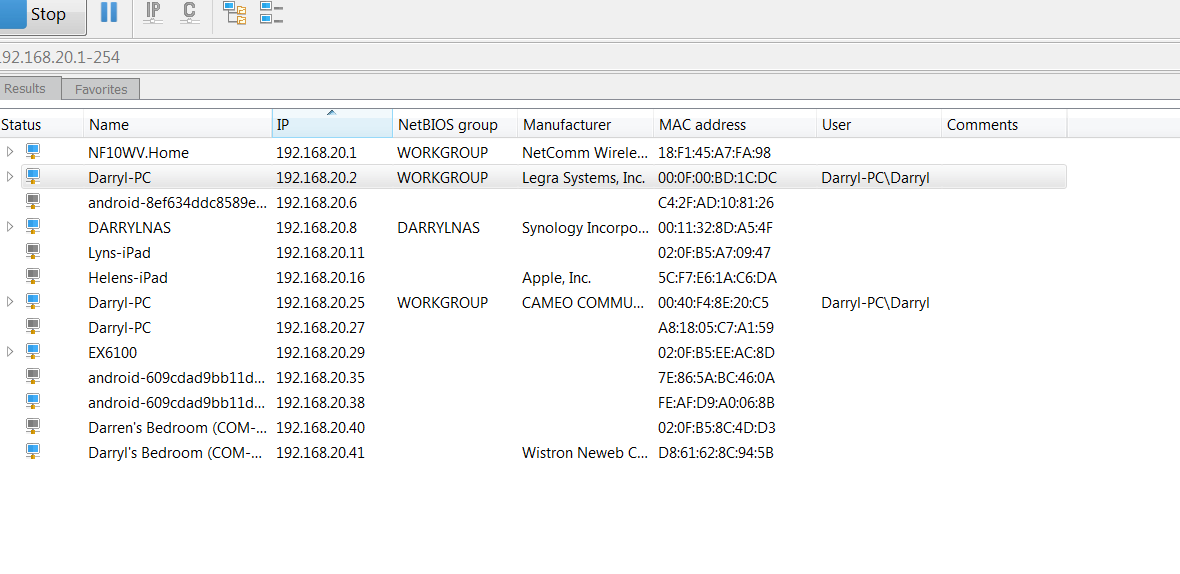
BUT I can see my Ex6100 when I do a IP Scan
- Christian_RMar 05, 2019NETGEAR Employee Retired
Hi smithassoc1,
Would you mind providing the error that occurs when you attempt to login to www.mywifiext.net using the default credentials.
~Christian- smithassoc1Mar 05, 2019Aspirant
Hi Christain,
Thank you for your kind assistance
I attach a copy of my IP addresses(with most crossed out for Privacy)
I also attach a copy of when I try to log into mywifi extender
In the off chance I can go to set up,I feed in all the information that is required & then accept & then it throws me back to the Start again,I have try this at least 10 times & I had a Computer Tech here last week & explained my problem & he tried,but came up with the same
The Extender Ex6100 is working,as I can receive Wifi through out the House
The Wifi is Broadcom_4888,Broadcom_4888_2GXT & Broadcom_4888_5GXT
as This Program will only allow me to upload 1 file at a time,I will send 2 emails (No 2)
Thanks
Darryl.Smith.
- smithassoc1Mar 05, 2019Aspirant
Hi Christain,
Email No 2