NETGEAR is aware of a growing number of phone and online scams. To learn how to stay safe click here.
Forum Discussion

RobinB
Aug 25, 2015Initiate
EX 6200 as ethernet wired access point
I have purchased an EX 6200 to use as a wired WiFi access point. Before I did this I called Netgear Support to make sure it supported this type of operation. I was assured it did. I was very clea...
RobinB
Aug 26, 2015Initiate
I fell a bit foolish really, it does work as an A/P.
I plugged the EX6200 into my router in one of the 5 ports and my PC into another and then turned the EX6200 on. I opened IE and it went straight to the EX6200 set up page.
It had a quick look at how it was connected and up popped two boxes "EXT" and "AP". I ticked AP and then went on to set up SSID, encryption, passwords etc...
Works well
Thanks

nhann
Aug 26, 2015NETGEAR Employee Retired
Sorry for the confusion. Glad you got it working!
- jpmerronOct 30, 2015Aspirant
I am using the EX 6200 as a wired access point but it seems devices connected to the EX 6200 access point cannot communicate with devices connected directly to the router - even though they are on the same subnet?
For example if I ping a device on connected to the router (on ip address 192.168.1.12) from my macbook connected to the EX 6200 (on ip address 192.168.1.45) there is no reply. But it works OK if I connect the macbook to the router's wireless newtork (on ip address 192.168.1.45 ).
Have you seen this issue?
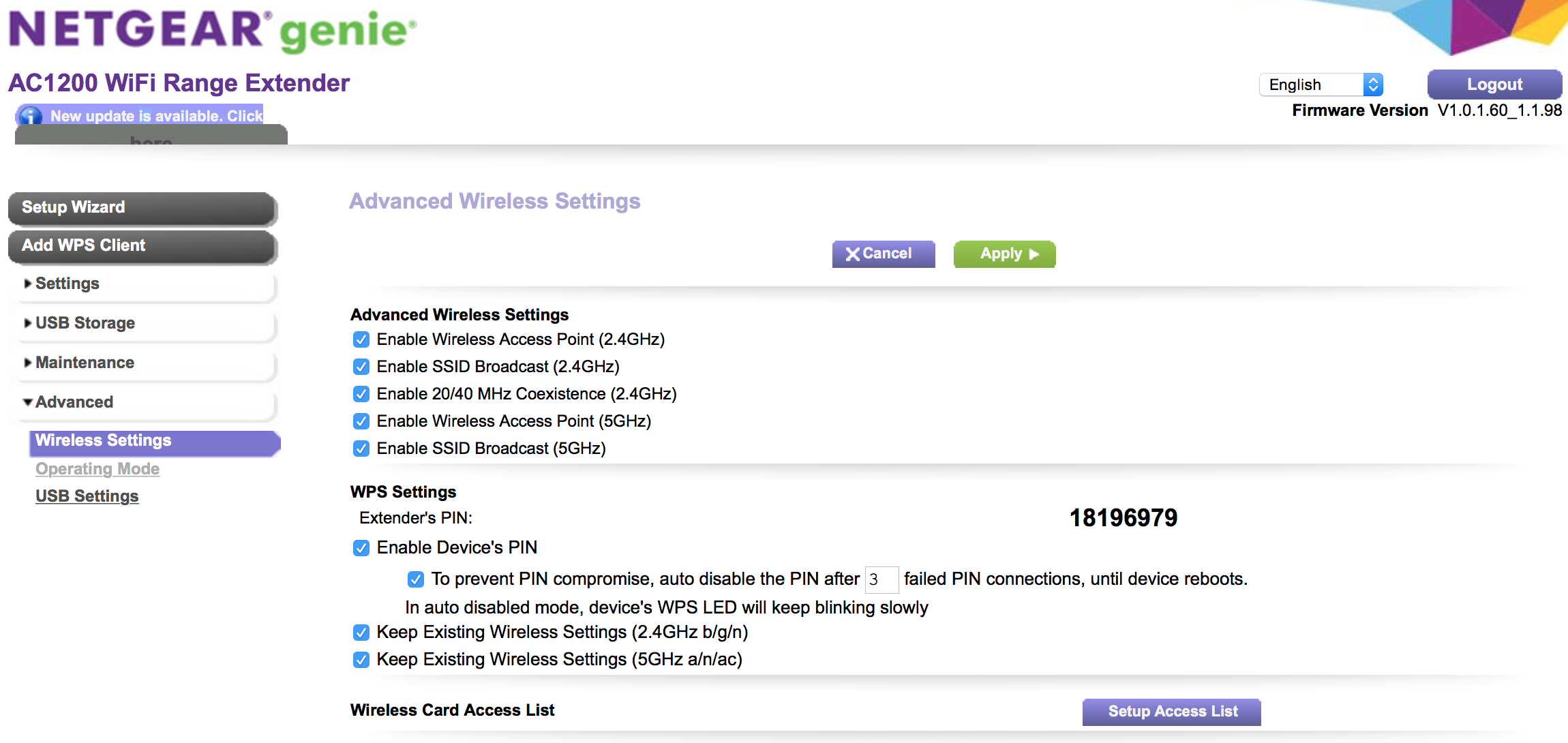
I am running Firmware Version V1.0.1.60_1.1.98.
There is a later version but when I installed it the GUI was different and I couldn't see an option for Access Point(Wired) so I down graded again.
Any help would be appreciated.
- nhannOct 30, 2015NETGEAR Employee Retired
Hi jpmerron,
Which router is connected to the EX6200?
You may have Wireless Isolation enable. Please disable this. For an example, the NETGEAR WNDR3400v3, under Advanced < Setup < Wireless Setup, disable Wireless Isolation
You can try to temporarily disable your firewall and ping again.
- jpmerronOct 30, 2015Aspirant
Thanks for the prompt response
The router is a Livebox 2 - supplied by Orange France.
This is the Advanced Wireless Setup screen
I don't see any option for Wireless Isolation - but it sounds like a good possibility if there is such a setting
Thanks