NETGEAR is aware of a growing number of phone and online scams. To learn how to stay safe click here.
Forum Discussion

TristanW
Sep 30, 2021Aspirant
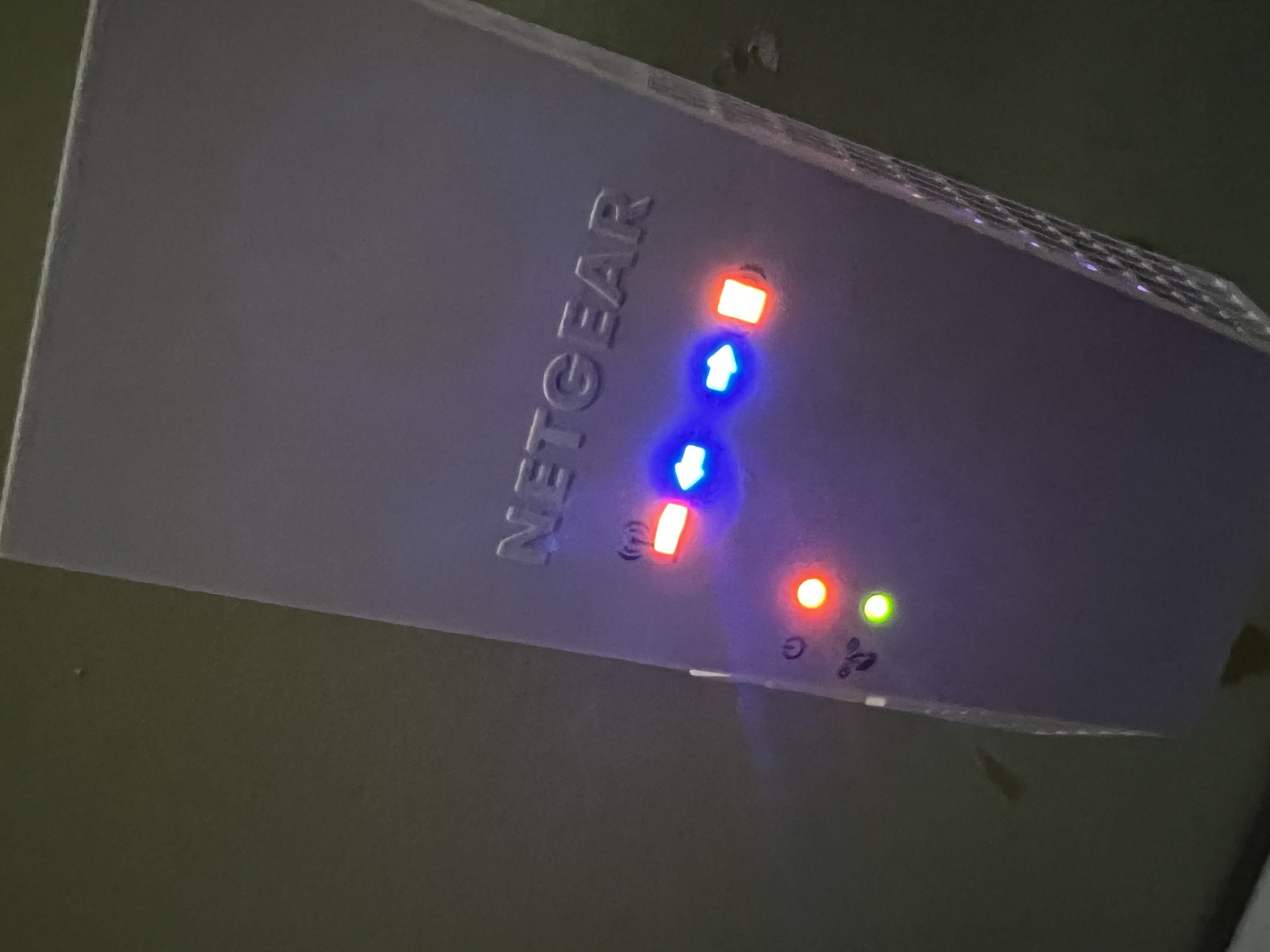
EX6250 Extender all lights are on when plugged in can't factory reset
Plugged extender out of wall before going on vacation, came back a week later, plugged it back in and now all the led lights are on & solid. Factory reset button doesn't work either. Anyone has suggestions on a fix? Picutre of what the router looks like is attached. Thanks.
7 Replies
- plemansGuru - Experienced User
When you reset, did you push and hold it for 30 seconds while it was powered on?
- TristanWAspirant
Yes. I pressed and hold for 30 seconds. Called Netgear and went through the troubleshooting but all they did was place me on hold and transfer me around until the phone got disconnected. I have yet any solid answers on how to get a replacement from them unfortunetly. I only had the mesh extender for little under a month now.
- plemansGuru - Experienced User
You can try recoving it with tftp or nmrpflash.
are you on windows? if so, follow this guide
https://kb.netgear.com/000059634/How-to-upload-firmware-to-a-NETGEAR-router-using-Windows-TFTP
just make sure you enable tftp
https://www.thewindowsclub.com/enable-tftp-windows-10
and here's a video walk through using a tftp client. Use the built in one for windows 10 though. the video is more of an example of how its done.
https://www.youtube.com/watch?v=R9DLrLQrpaw
and if that doesn't work, you can try using nmrpflash
https://github.com/jclehner/nmrpflash
- AangsCabbagesAspirant
I ended up having to just replace it. All attempts at trying TFTP (including downloading the client and just enabling it through windows) failed because the device doesn't boot up. It just.. Turns on and all of the LEDs come on as well.
Tried using a different outlet but that didn't work either. Holding the factory reset button for about a minute also doesn't do anything. The only button that worked was the power button, but turning it back on afterwards just brings you back to the image that OP posted above.
- robertkjr3dAspirant
I have the exact same problem. I was having power issues at the home, although it was behind a UPS, but even the UPS had run out so it lost juice a few times. As I didn't hook up the Generator fast enough, or get it running. It should never have surged though. I would think those large APC-UPS devices would deliver clean-power ...On or off. But still this happened to mine. I think when you see this, your NETGEAR is Bricked. And the 'Netgear' people go through useless steps trying to solve it... we would have to open the thing up with the screws and do some real changing... and it might actually be a chip or something inside.