NETGEAR is aware of a growing number of phone and online scams. To learn how to stay safe click here.
Forum Discussion

Dickdc
May 26, 2017Follower
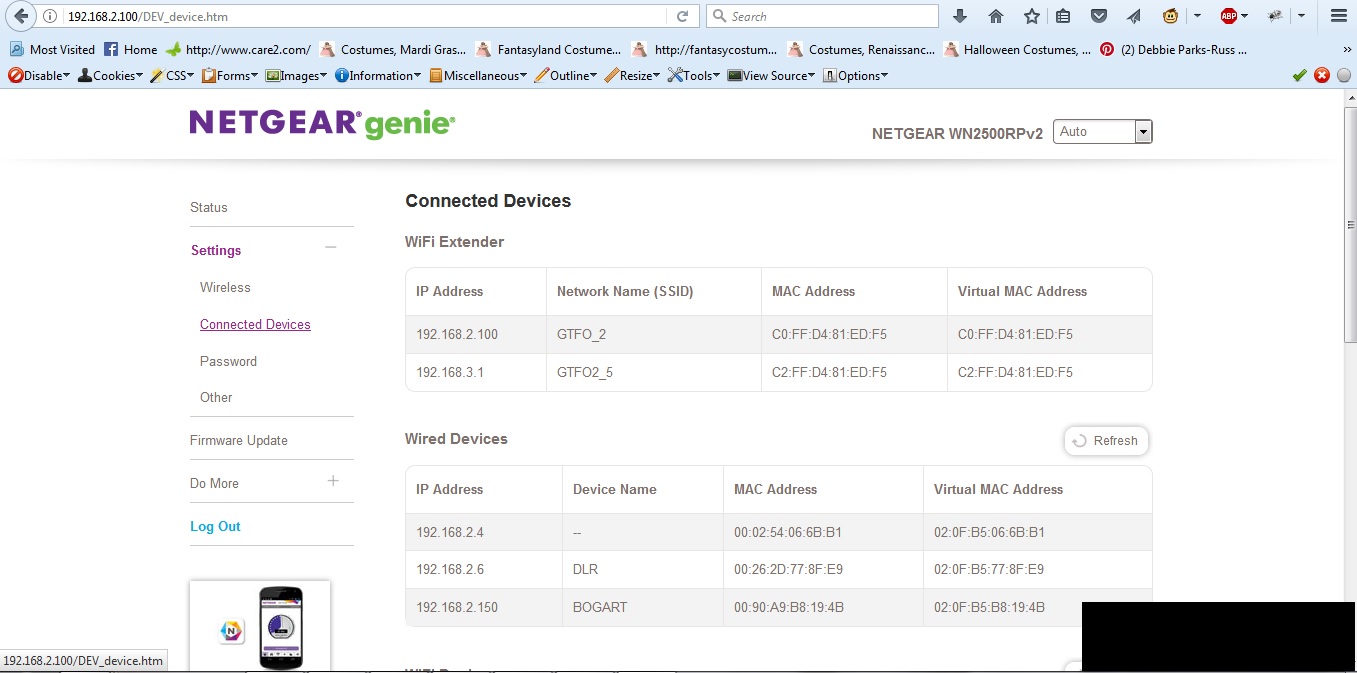
WN2500RPv2 Sets up Wrong IP Address on 5Ghz
I just downloaded new firemware for my WN2500RPv2 and now it is setting up the 5Ghz network with an IP (192.168.3.1) outside of my network (192.168.2.xxx). How do I fix this?
Also, I can not log in to 5Ghz...
1 Reply
 DarrenMSr. NETGEAR Moderator
Hello Dickdc
You may want to factory reset the extender since you updated the firmware and then do the setup again and see if the 5ghz is still getting that Ip.
DarrenM