NETGEAR is aware of a growing number of phone and online scams. To learn how to stay safe click here.
Forum Discussion

SuperChargedPT
Mar 07, 2022Follower
Complete Router Freeze on R6120
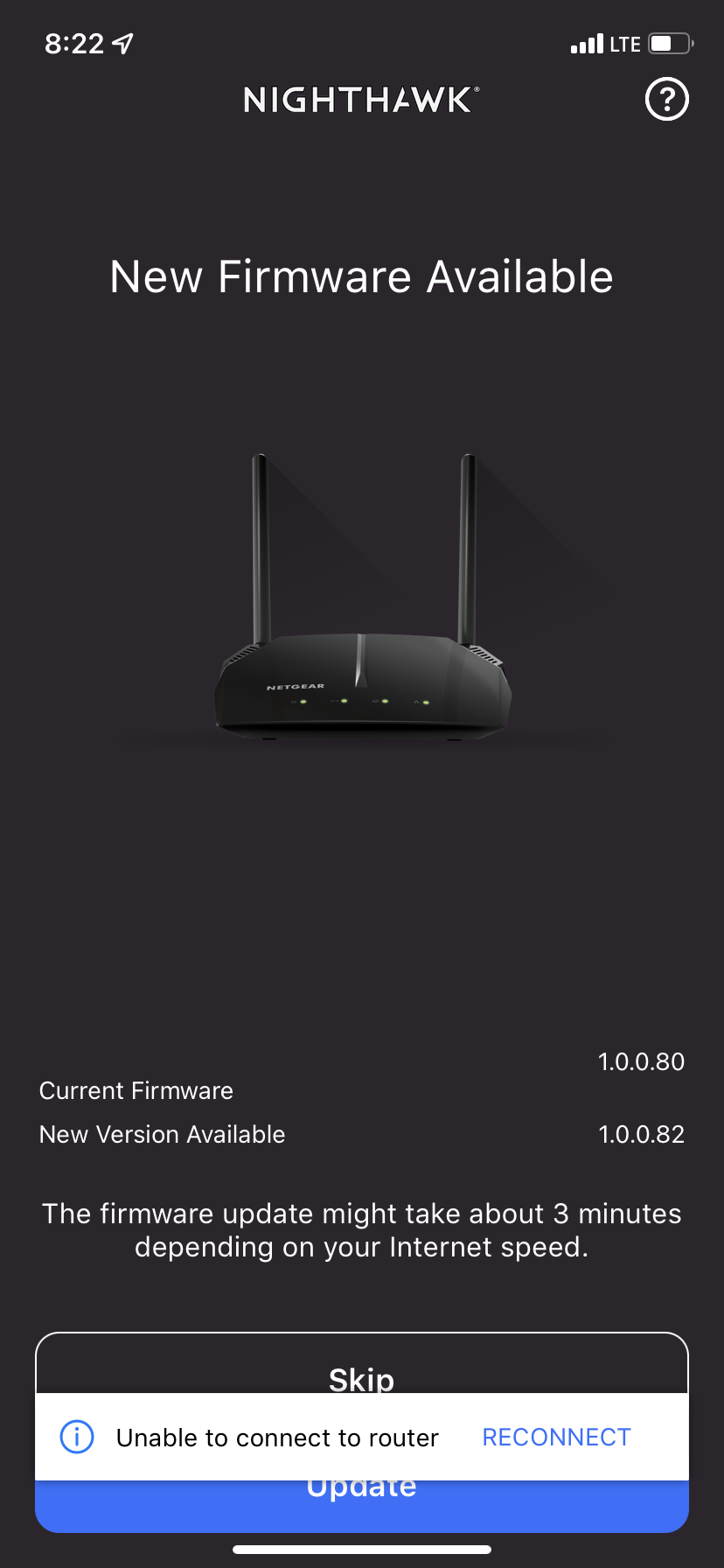
So within the past 2 hours I have attempted to update the firmware on my R6120 after I saw in supplied photo that an update was available through my Nighthawk app on my iPhone XR. However, when attempting to download the file through the app, the download completely called it quits and it completely turned off my wifi. I have tried a couple ways, from the reported 30/30/30 trick I’ve read online, to just literally unplugging it and re-plugging it in, but I either get the power light flashing once (and I let it sit there for at time of 3, 5, 10, and even 20 minutes flashing in this state) to the power light and the ethernet port flashing.
I’m at a complete lost for words on what happened, and I don’t have any expertise on this subject.
Any help would be grateful.
The serial number is 64E211B8A40BD, also.
I’m at a complete lost for words on what happened, and I don’t have any expertise on this subject.
Any help would be grateful.
The serial number is 64E211B8A40BD, also.
1 Reply
- plemansGuru - Experienced User
If it failed during a firmware update, you might have corrupted the firmware.
You can try recoving it with tftp or nmrpflash.
are you on windows? if so, follow this guide
https://kb.netgear.com/000059634/How-to-upload-firmware-to-a-NETGEAR-router-using-Windows-TFTP
just make sure you enable tftp
https://www.thewindowsclub.com/enable-tftp-windows-10
and here's a video walk through using a tftp client. Use the built in one for windows 10 though. the video is more of an example of how its done.
https://www.youtube.com/watch?v=R9DLrLQrpaw
and if that doesn't work, you can try using nmrpflash
https://github.com/jclehner/nmrpflash