NETGEAR is aware of a growing number of phone and online scams. To learn how to stay safe click here.
Forum Discussion

o1nk
Dec 29, 2016Tutor
Config WNDR3300 to talk to other router
Hi all I bought the WNDR3300 as an access point to an upstairs room for 2 PC's an an android tv box, via a powerline from the router downstairs (BT Homehub 5.0) I can access the internet with e...
 Dec 29, 2016
Remove whatever is under the WAN tab. If that does not work, reset the WNDR3300 to factory default. Don't plug into the network until it is configured (directly connect to WNDR3300 with ethernet conected laptop only). When WNDR3300i s successfully configured, plug your powerline Ethernet cable into a LAN port on the WNDR3300, not the WAN port, the pther end on a BT LAN port.
o1nk
Dec 29, 2016Tutor
Thanks netwrks
We are half way there. A little bit of confusion
BT Homehub on 192.168.1.253
It serves downstairs units (Sky / Android box / PC and phones etc)
WNDR3300 on 10.0.0.1
It serves units upstairs with 10.0.0.x ip's (2 PC's / PS4 / Android box / tablets)
These are connected by a powerline and work fine
ALL units have internet access (upstairs and downstairs)
Internet access is not the issue, my home network is
Dilemma is on the fact that I run a file server on the Homehub via the USB
Upstairs can't access as they are on 10.0.0.x and not 192.168.1.x
I'll give a shot to what you said and provide pics
Thanks
o1nk
Dec 29, 2016Tutor
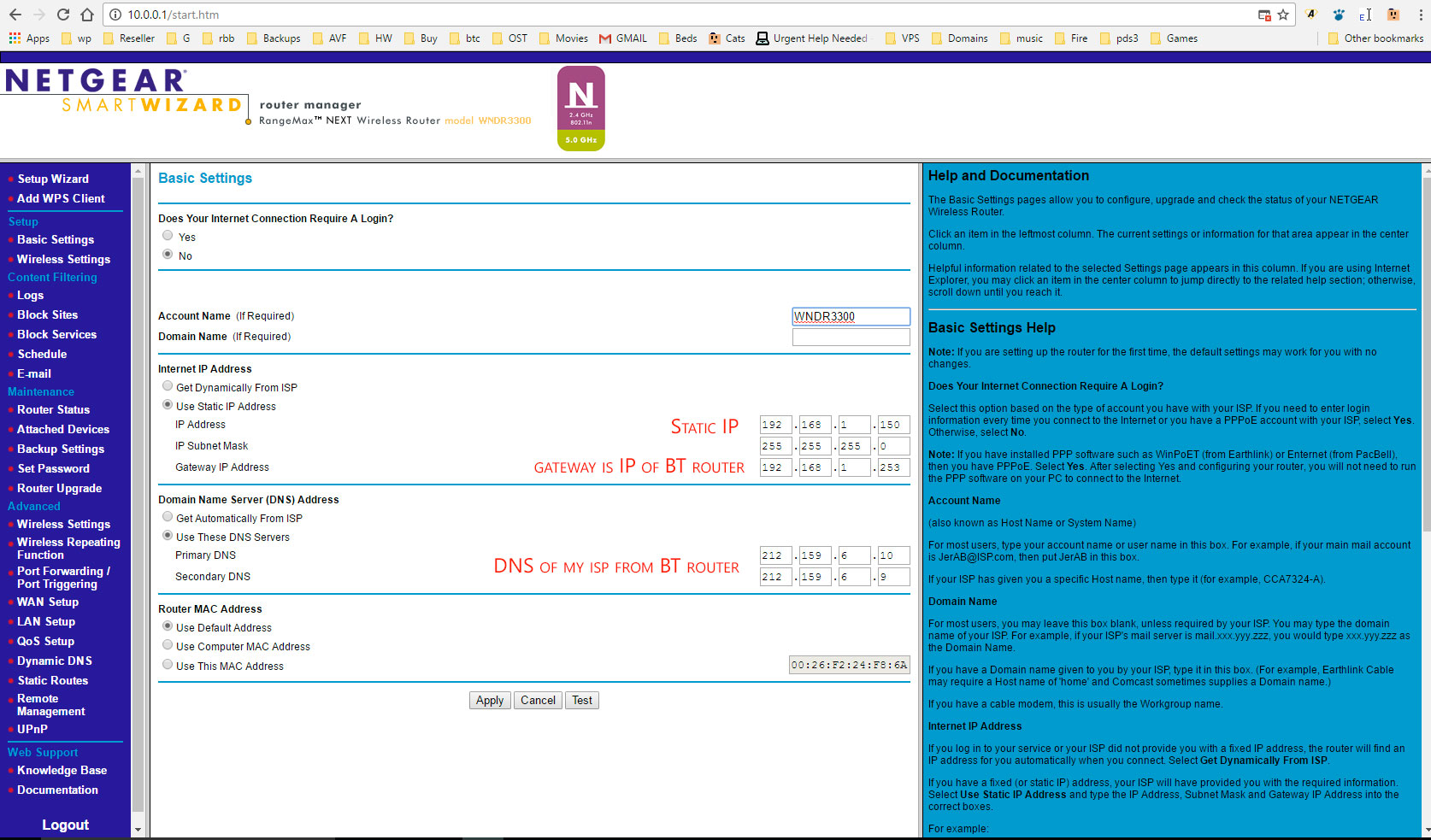
Given it a static IP of 192.168.1.150
BT Homehub shows as the same
BT gateway is 192.168.1.253
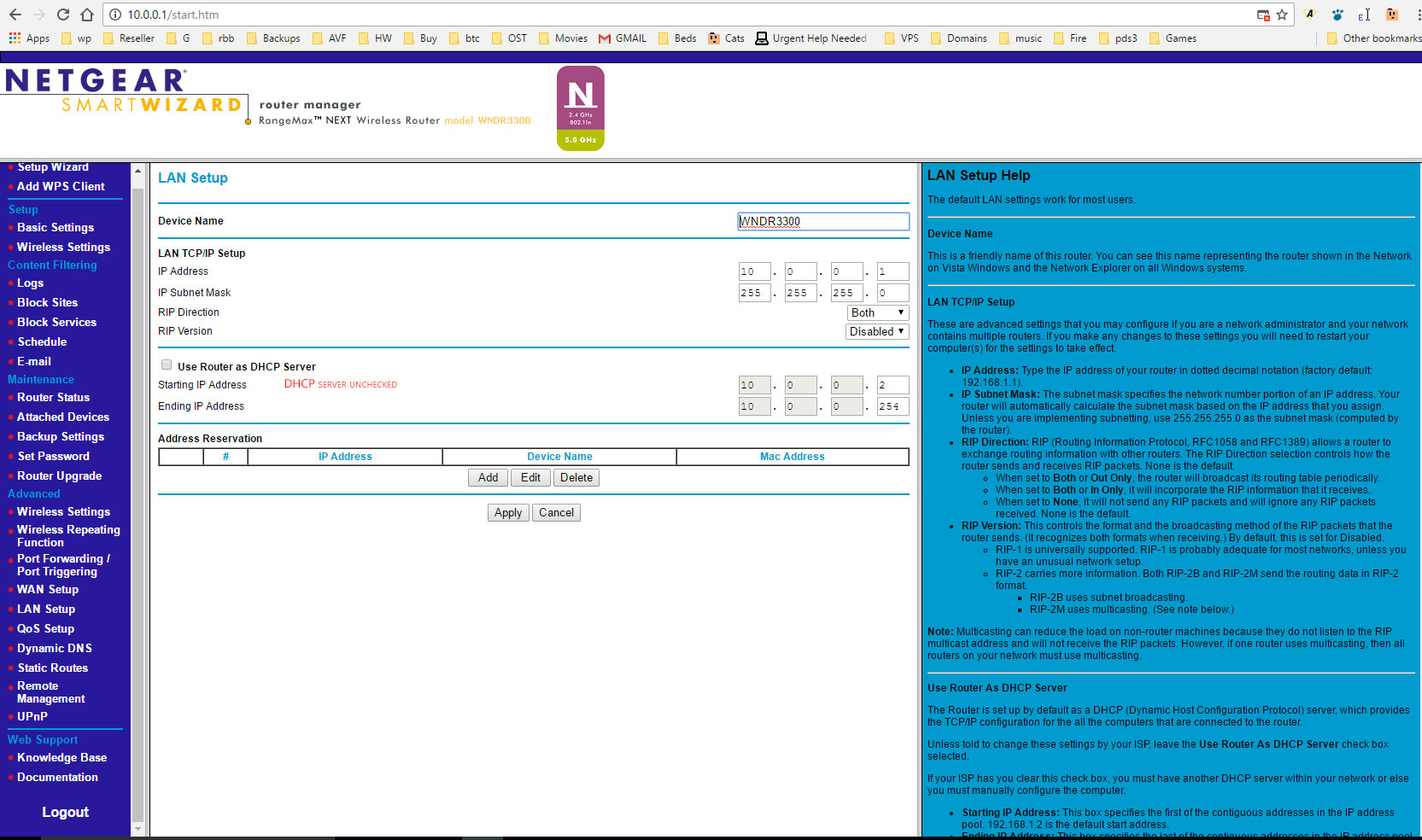
DHCP server unchecked
If I try to change the LAN IP setup to 192.x, it says it conflicts with WAN setup and I can't edit WAN - greyed out
- netwrksDec 29, 2016Master
Remove whatever is under the WAN tab. If that does not work, reset the WNDR3300 to factory default. Don't plug into the network until it is configured (directly connect to WNDR3300 with ethernet conected laptop only). When WNDR3300i s successfully configured, plug your powerline Ethernet cable into a LAN port on the WNDR3300, not the WAN port, the pther end on a BT LAN port.
- o1nkDec 30, 2016Tutor
Absolutely brilliant
How stupid of me to put it in the WAN and not the LAN
Works superbly.
Thanks netwrks