NETGEAR is aware of a growing number of phone and online scams. To learn how to stay safe click here.
Forum Discussion

kryptonix
Sep 26, 2018Guide
How to unbrick the Nighthawk R7000 using OS X and TFTP
Hi,
After spending a night on unbricking my R7000 and how I struggled to work with all the manuals out there but none of them actually worked. I thought I should share what actually worked for ...
 Sep 27, 2021
HOLY COW IT WORKED!!!
nmrpflash worked!!! Switching to a Static IP address and turning my Wifi off did the trick!!
Also, recommend using -vvv to double check when it works. Took me two tries to nail the timing because the router has to finish restarting for the packet transfer to begin before the command times out.
brunomartorella
Sep 27, 2021Tutor
Super silly question coming from someone who is not well versed with terminal (or any coding)... how do I actually install nmrpflash? I downloaded it for Mac OS, navigated to the directory where it's at in Terminal, but then typing "nmrpflash -L" gives me nothing...
-->xxxxxx:~/Downloads$ nmrpflash -L
-bash: nmrpflash: command not found
itsmevgupta
Sep 27, 2021Aspirant
There is no silly question brunomartorella . Infact, I was running into this exact same issue earlier. The key is to copy the downloaded files onto the desktop. and then execute the steps below:
1. Download the latest firmware from the Netgear website and extract it to your desktop. I had the .chk file on my desktop.
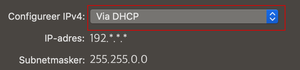
2. Follow the instructions here to set a static IP. FWIW, I left my Router entry blank.
3. Use an ethernet cord to connect to the router (one of the LAN ports, not the internet port).
4. Download macOS file here: https://github.com/jclehner/nmrpflash/releases
5. Extract the zip file to your desktop as well
5. Open terminal, type
cd desktop
6. Then, I followed the instructions in the github page. These are the commands I used specifically:
./nmrpflash -L
to pull up the list of connections and find the name of my ethernet port connected to the router (Find the one with IP 192.168.1.10)
7. Then you turn OFF the router.
8. For the rest of this example, let's assume that your router is connected to eth2, and that you want to flash a firmware image named R7000-V1.0.11.128_10.2.112.chk.
sudo ./nmrpflash -i eth2 -f R7000-V1.0.11.128_10.2.112.chk
Enter your mac password if you are asked for it.
Then I got the response
Waiting for physical connection
9. And then I turned on my router. I did have the reset button pushed in while turning it on. Release the button after about 10 seconds.
After that, it should do its thing. You will see some messages in terminal but sometimes there will be a minute or two with no updates, just wait. It took about 5 minutes, I just had to wait. Once nmrpflash tells you to reboot your device, do so and it should work now.
10. The last step I had to do was to reconfigure my router as I am using it as a repeater.
Hope this helps. Let me know if there are any questions.
- brunomartorellaSep 27, 2021Tutor
Gahhh I was missing the ./ oops
Anyway, tried it and it doesn't work. Both with and without the reset button. I think the router and its very short reboot cycle don't allow it to transfer the file, which is the same problem as I had with tftp. It's funny because I execute it in verbose mode and it seems like it's transferring data out "<< DATA (n)" where n changes every few seconds to n+1. But then it keeps on doing that even after I power the router down, which means it's really not doing anything.
- brunomartorellaSep 27, 2021Tutor
HOLY COW IT WORKED!!!
nmrpflash worked!!! Switching to a Static IP address and turning my Wifi off did the trick!!
Also, recommend using -vvv to double check when it works. Took me two tries to nail the timing because the router has to finish restarting for the packet transfer to begin before the command times out.
- itsmevguptaSep 27, 2021Aspirant
brunomartorella Great job!! Glad we were able to motivate each other :smileyvery-happy: