NETGEAR is aware of a growing number of phone and online scams. To learn how to stay safe click here.
Forum Discussion

dougwms
Mar 03, 2019Aspirant
R7800 login problems following a successful login.
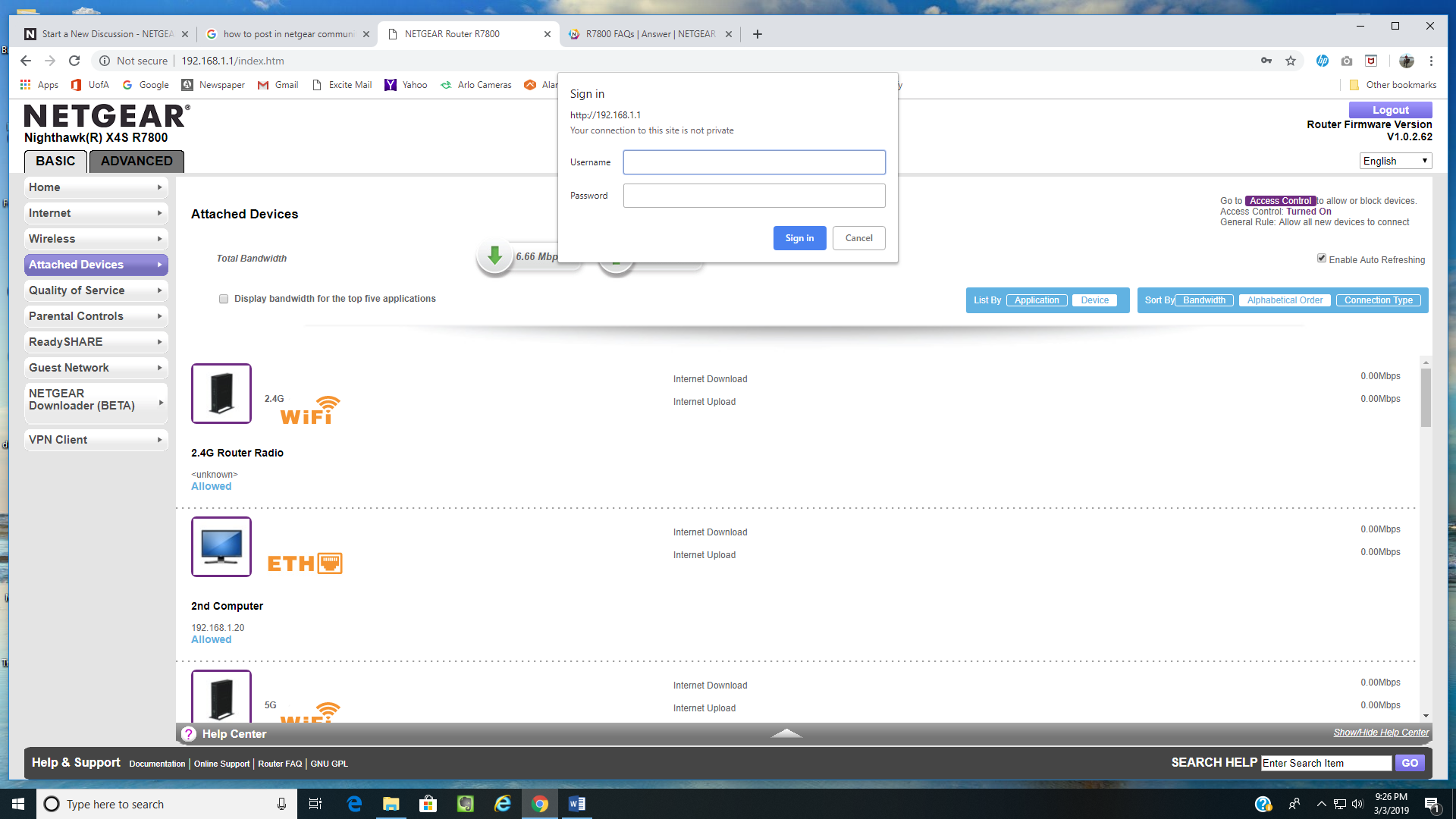
Running upgrade v1.0.2.62, I log into my router at http://192.168.1.1 and enter the program successfully. However, as soon as I make a selection from the BASIC or ADVANCED menu such as ATTACHED DEVICES or anythin else, the very same "Sign in" pop-up appears again requiring another sign-in. It shows the USERNAME and PASSWORD fields already filled in, and looks exactly like the pop-up window that appeared when I signed in only seconds before. If I press the SIGN IN tab, the pop-up reappears with both username and password fields empty.
I enter the very same username (admin) and password that I used in the first place to get me into the BASIC and ADVANCED menu area, but the pop-up continues to appear and I cannot get beyond it, thereby never being able to enter and work within any sub-menu area. The only thing possible to do is close out the window itself and give up. It's hard to understand how my name and password can log me in once, but cannot be entered again to get past this second login pop-up. Also, why does this second login pop-up appear anyway? I'm already logged in. I'm new at this, but will try to attach a screenshot.
My password has some special characters, but they always worked in the past. Unless the latest upgrade has problems with ones like @ or $ or !, I am at a loss as to what is going on. But I'm dead in the water for the time being. Any help would be appreciated. Thanks.
Thanks again for all the help. I have resolved my original issue by following the suggestions provided here for factory reset, manual configuration, and a less complicated password. I have since learned that my R7800 and ZyXel C1100z are not properly configured. I have gone to the links provided by michaelkenward and realize that I need to make setup changes in order to maximize the capabilities of my R7800. I will do my best to configure the changes, but also realize that's a different problem than my original one and there are good resources for that elsewhere in this forum. So I am going to post this and then indicate that this problem has been solved - thanks.
8 Replies
 microchip8Master
I'm on the same firmware version (.62) and do not have that problem. I suggest doing a factory reset and using a password without special characters and also clear your browser's cache. After factory reset, configure things manually - don't import a backup settings file as this defeats the purpose of the reset
- michaelkenwardGuru - Experienced User
Likewise. No problems here.
To rule out other issues, it might also help if you told people what the modem is in front of this router. The model number could be useful.
- dougwmsAspirant
The modem in front of the router is a Zyxel c1100z. I'll try to remember to include that in future posts. Problems began after I updated to Firmware v1.0.2.62 and GUI v1.0.0.352. BTW is that the correct GUI, which is verified in ADVANCED - ROUTER SETTINGS page? Also, after update I was informed that my password wasn't secure enough, and that I needed a change. I went from a rather secure 11-char to an even more secure 14-char pw both with about the same number of special characters, although I now wish I had declined to change password. Just to make sure it wasn't browser related like cache issues, I tried in both IE and Chrome, and then from a 2nd desktop. The issue continued. So I believe the factory reset is my next step. I have never done this, but suppose I need to look through all setup pages and note my settings - or is there a better way? Any caveats? Thanks for all help responses.
- microchip8Master
if you go for factory reset, you need to manually configure everything. Do not import a backup settings file as it defeats the purpose of the reset (since it introduces the same values that may be causing the problem)