NETGEAR is aware of a growing number of phone and online scams. To learn how to stay safe click here.
Forum Discussion

Davedutkowsky
May 09, 2018Aspirant
Cannot access ADMIN page in Readycoloud 6.9.1
I cannot access the ADMIN page in this device. I have tried shutting down the NAS and restarting. I would like to update the firmware and make adjustments to my backup file size but cannot do so un...

Marc_V
May 09, 2018NETGEAR Employee Retired
Welcome to the Community!
Are you connected on your LAN? if you are, You can use the NAS IP Address by entering http://NAS-IPADDRESS on your browser. You can also go to the Discover tab on your ReadyCloud portal and click on Manage button on the corresponding ReadyNAS system. Installing RAIDar is also one way of discovering and accessing your NAS on your LAN.
Clearing cache on your Web browser will also help if you are having issues loading the Admin page.
If you want to remotely access the ReadyNAS Admin page you will have to install the ReadyCloud Desktop app for Windows or Mac to access the Admin page remotely.
Accessing ReadyNAS Admin page through ReadyCloud
Hope this helps!
Regards
- DavedutkowskyMay 09, 2018Aspirant
Here are my answers
Are you connected on your LAN? Yes
if you are, You can use the NAS IP Address by entering http://NAS-IPADDRESS on your browser. I did this. This gets me to a static Netgear Readynas page with the firmware version 6.9.1. (see attached file) But I cannot get to any other ADMIN pages.
You can also go to the Discover tab on your ReadyCloud portal and click on Manage button on the corresponding ReadyNAS system. I did this. Same result as above.
Installing RAIDar is also one way of discovering and accessing your NAS on your LAN. I ca see my NAS on the LAN and can access data on the NAS. Just cannot get toth admin page.
Clearing cache on your Web browser will also help if you are having issues loading the Admin page. I did this on my Chrome browser. It did not make any fdifference.
If you want to remotely access the ReadyNAS Admin page you will have to install the ReadyCloud Desktop app for Windows or Mac to access the Admin page remotely. I can do this as well from my desktop via my wifi network.
Accessing ReadyNAS Admin page through ReadyCloud
What should I try now?
 StephenBMay 09, 2018Guru - Experienced User
Can you download the logs with RAIDar?
- DavedutkowskyMay 09, 2018Aspirant
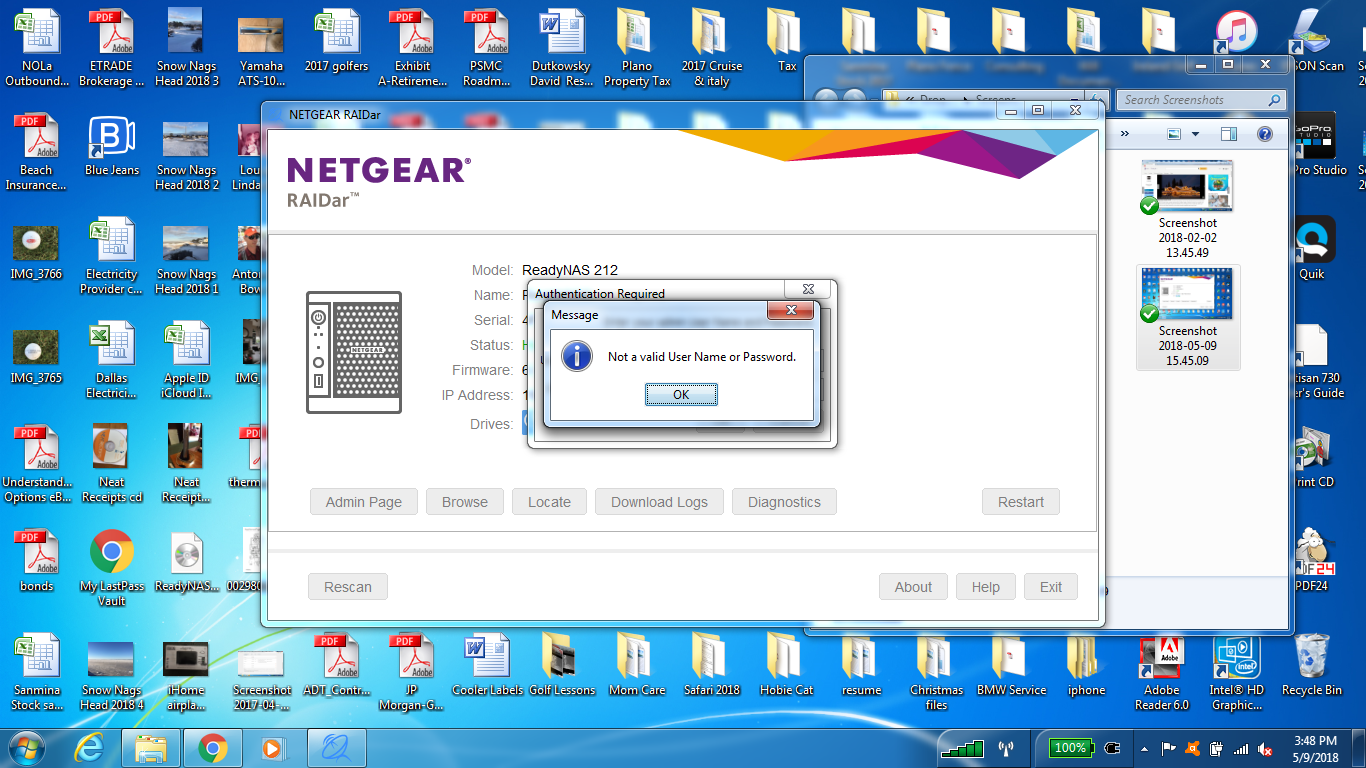
I cannot getpast the user / password request. I am sin the same ser and password that I use for readycloud but tthey are not working. Is that correct or do i need to create ew ones for Raidar?
Related Content
NETGEAR Academy

Boost your skills with the Netgear Academy - Get trained, certified and stay ahead with the latest Netgear technology!
Join Us!