NETGEAR is aware of a growing number of phone and online scams. To learn how to stay safe click here.
Forum Discussion

tomiaurednik
Mar 29, 2017Tutor
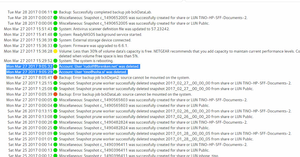
User has been Auto deleted - all data lost
Netgear RN10400 , fw: 6.6.0, 2 x 1TB, RAID 1. User has been Auto deleted - all data lost. Can not acces local user home dir?!? Can someone check this? Or tell me, in which log can I check th...
- Apr 11, 2017
Please if you haven't already. Have a read of Having ReadyCLOUD problems since 3/30/17?
This announcement has been updated over time.
I'm going to mark this as the solution to make sure those visiting this thread see this post.


coloatty
Apr 03, 2017Luminary
You won't see the Cloud tab or the Admin Page unless you have local network access to the NAS.
If you do not have data in cloud user home folders that is critical and/or not otherwise backed up, then you can restart the ReadyCLOUD service at your leisure. Data in shares outside the home folders does not appear to be affected.
If you are concerned about data loss in cloud user home folders, you may want to minimize any further risk of overwriting deleted data in the home folders by shutting off scheduled backups, snapshots, etc., and booting the Volume as Read Only.

cbrinkley71
Apr 03, 2017Tutor
READYCLOUD IS A VERY UNRELIABLE SERVICE. In the year I have owned a ReadyNAS, I have been able to access it through Readycloud for less than 6 months. NETGEAR "pay for support" must be a very profitable bussiness.
Related Content
NETGEAR Academy

Boost your skills with the Netgear Academy - Get trained, certified and stay ahead with the latest Netgear technology!
Join Us!
