NETGEAR is aware of a growing number of phone and online scams. To learn how to stay safe click here.
Forum Discussion

fremske
Dec 14, 2015Guide
HOME AUTOMATION - Request to build Pulse station deb. package
Hello community,
I am explorering the possiblities to use my ReadyNAS 102 as a home automation center.
Currently I found two open source options:
1. http://www.pulse-station.com/faqs/how-to-install-on-synology-nas/ (there is all ready a package for the Synology nas).
2. https://domoticz.com/ (GitHub: https://github.com/domoticz/domoticz)
Now the question,
Who can make a compatiable deb. package which can be installed on the ReadyNAS OS 6 platform?
I hope someone can help because I really would like to implement this.
Thank you!
Cheers,
Fremske
6 Replies
Replies have been turned off for this discussion
Hi Fremske,
I have successfully installed OpenHab on a ReadyNAS 102.
If you like I could assist.
Cheers
Björn
 fremskeGuide
Hey Bjorn,
Thanks a lot for your reply!
I am very interested to find out how you installed OpenHAB on the Readynas 102.
Did you perhaps create a deb. package which I can install from the Frontview page of the NAS?
Please let me know.
Again thanks and I hope to hear from you soon.
Cheers,
Fremske. TrakilaAspirant
Hi
ExtrabanniesI would really appriciate if you could write some simple tutorial on how to do it. I currently have my ReadyNAS104 running a Tellstick Duo with HomeAutomation, but it would be great to use it with OpenHab.
Hi Trakila,
Maybe this helps.
Please advise if you need any further help.
Cheers
Björn
1. ====== SSH Access ======
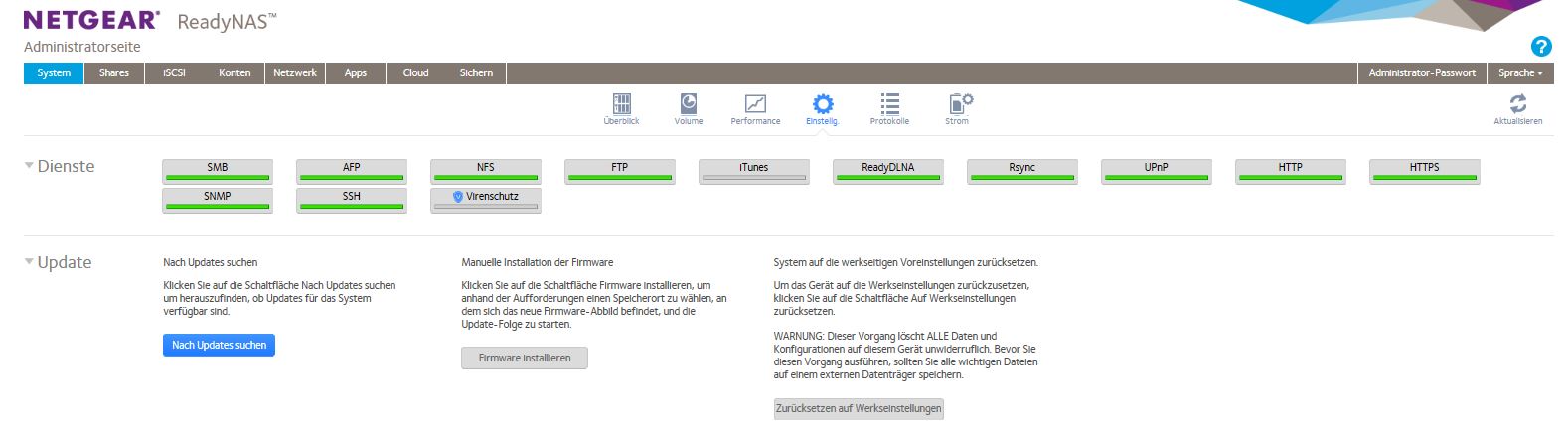
SSH Access is installed on ReadyNAS102 again via the Administration Page.
Follow: System -> Einstellg. and tick the SSH button.
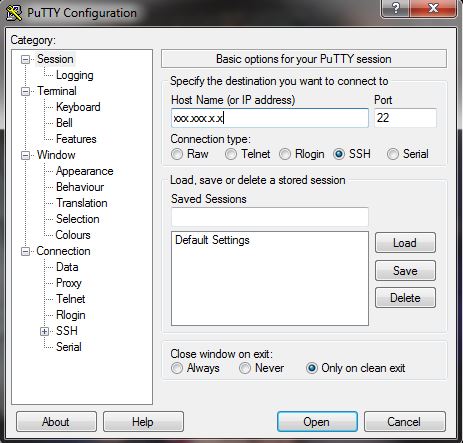
After you have done that you can access the operation system via your favorite ssh and telnet client, e.g. PuTTY.
Access ReadyNAS as follows:
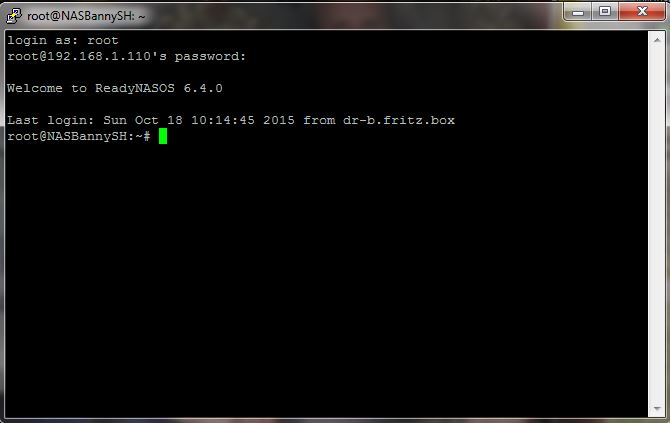
Following commands (for example in regard to the installation of Lava) can be put in the console window after log in:
2. ====== Installing JAVA ======
Check Hardware with
uname -a
Check Java Version with
java -version
On RedayNAS 102 you will most probably find: bash: java: command not found.
We'll need to get a java runtime environment installed on the ReadyNAS. We'll also need an ARM based java library in place.
apt-get install openjdk-7-jre (there is already openjdk-8 available)
(Acc. to http://minimserver.com/ejre-installer.html Oracle Java SE Embedded Java Runtime Environment (EJRE) isn't compatible with the current ReadyNAS series (models 102, 104, 312, 314, 316, 516 and 716).)
3. ====== Installing MySQL ======
OpenHAB supports several stores. However, MySQL is simple and a lot of people know SQL.
Installing it is done via ReadyNAS Adminsitration Page – Apps (MySql Server). To easily access the server via Web-Browser, PHPmyAdmin[1] must be also installed via the ReadyNAS Administration Page.
This will take a few minutes.
When it's done installing, you can connect to the MySql Server via
http://localhost:7082
Username is “root” password is left blank.
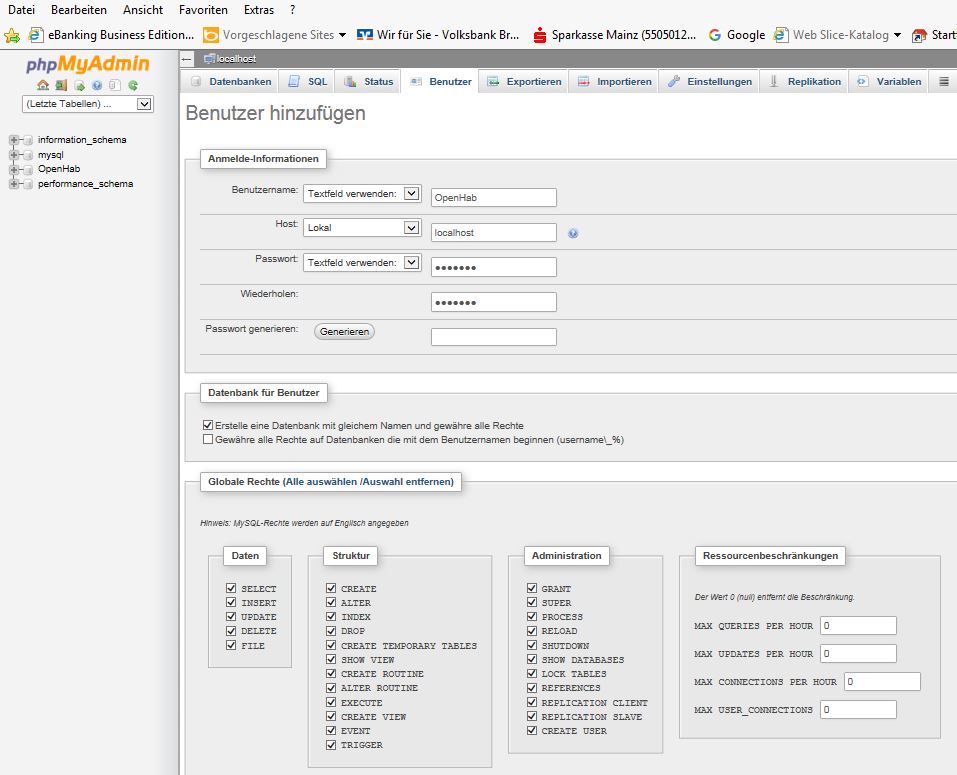
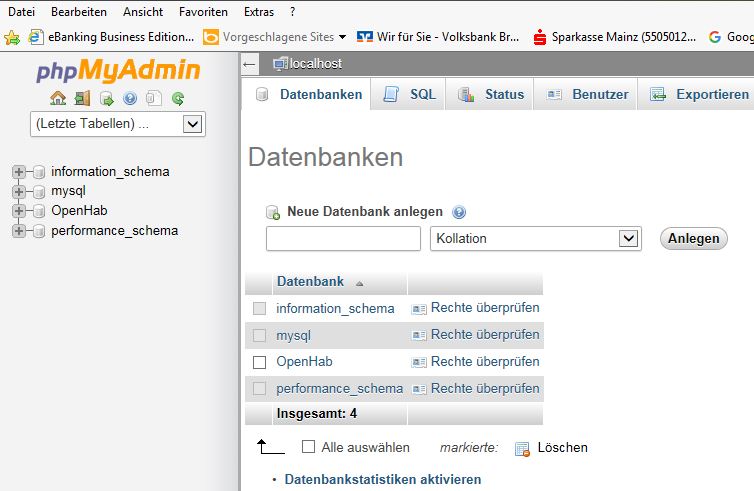
With the following commands you add an "OpenHab" database, and then check again to make sure it was added.
Check that all access rights (global and locally) have been granted.
Check that database has been created:
To actively store data in MySQL, either OpenHab can be used via the MySql binding or via a short php script (Benutzername, Password and Datenbank are as defined during the creation of the OpenHab database afore):
$db = mysqli_connect("localhost", "Benutzername", "Password", "Datenbank");
if(!$db)
{
exit("Verbindungsfehler: ".mysqli_connect_error());
}
$E1 = date("Y.m.d H:i:s");;
$E2 = $Parameter2;
$E3 = $Parameter3;
$eintrag = "INSERT INTO Tabelle (Date, P2, P3) VALUES ('$E1', '$E2', '$E3')";
$eintragen = mysqli_query($db, $eintrag);
#or die("Anfrage fehlgeschlagen: " . mysqli_error());
Tabelle is a table created and defined during the storage of the data. Normally MySql creates this table automatically during the execution of this php script.
4. ====== Installation of OpenHab ======
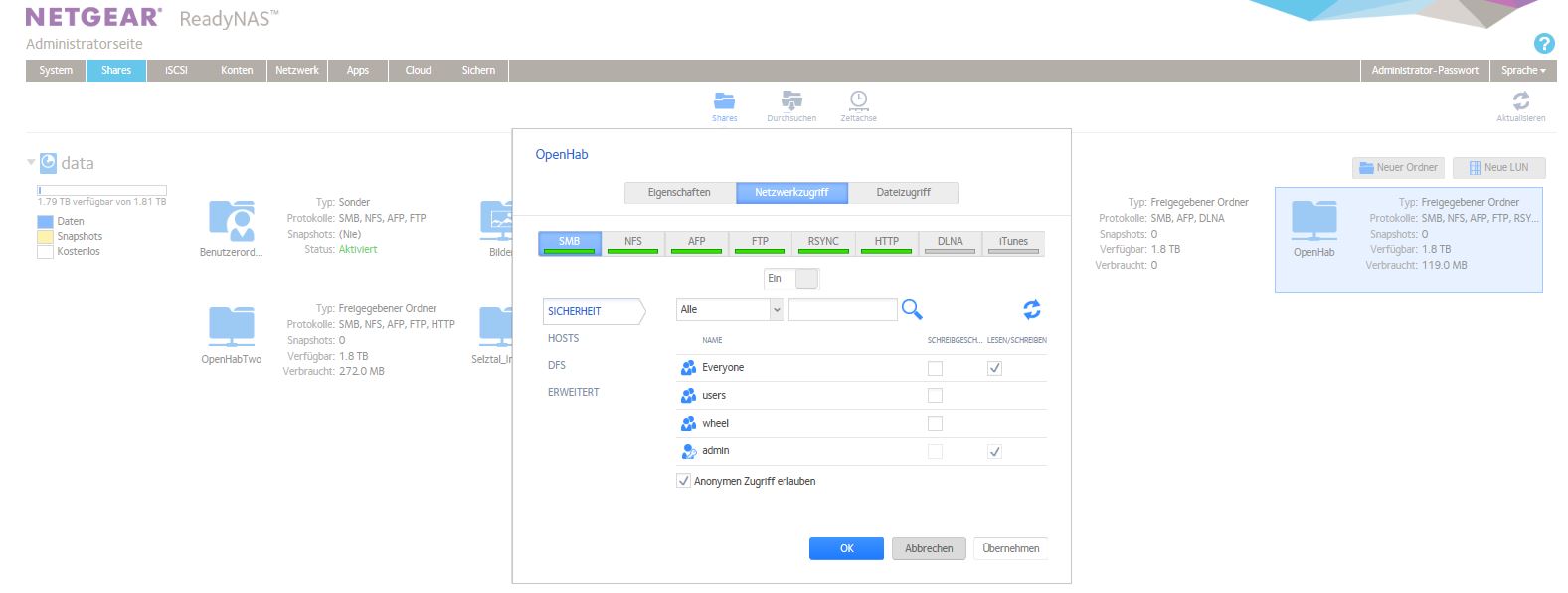
Create a share folder OpenHab via the Administration Page of the ReadyNAS.
Ensure that access is granted on all levels for the relevant users.
Download the Runtime core, Addons and evtl. the Demo Setup from http://www.openhab.org/getting-started/downloads.html and save them in the OpenHab folder.
Continue as explained in http://www.openhab.org/getting-started/index.html.
Make sure that you only upload the addons that you really need, otherwise the loading of OpenHab takes ages!!!
5. ====== Start, Kill and Autostart OpenHab ======
To include autostart for OpenHab execute “vi /etc/init.d/OpenHab.sh” and add the following lines:
#! /bin/sh
### BEGIN INIT INFO
# Provides: starts openhab from home
# Required-Start: $network $remote_fs $syslog
# Required-Stop: $network $remote_fs $syslog
# Default-Start: 2 3 4 5
# Default-Stop: 0 1 6
# Short-Description: Kurze Beschreibung
# Description: Längere Bechreibung
### END INIT INFO
# Author:
# Aktionen
case "$1" in
start)
cd /data/OpenHab
fuser -k -9 8080/tcp
nohup ./start.sh
;;
stop)
fuser -k -9 8080/tcp
;;
restart)
echo "does not work"
;;
esac
exit 0
Make the file executable and include OpenHab.sh via
chmod +x /etc/init.d/OpenHab.sh
Include in rc.d files via
update-rc.d OpenHab.sh start 99 2 3 4 5 stop 01 0 1 6
Reboot the ReadyNAS via
reboot
and check if OpenHab has been started via connection by the web-UI “http://xxx.xxx.x.x:8080/openhab.app?sitemap=DeineSitemap”.
6. ====== Build-Tools ======
Open
[1] https://www.phpmyadmin.net/ - phpMyAdmin is a free software tool written in PHP, intended to handle the administration of MySQL over the Web

Related Content
- Aug 31, 2022Retired_Member
NETGEAR Academy

Boost your skills with the Netgear Academy - Get trained, certified and stay ahead with the latest Netgear technology!
Join Us!
