Forum Discussion

karl_w_w
Aug 11, 2015Aspirant
Can't get rid of app, Logitech Media Server
Hi I installed Logitech Media Server on my rn104, but I don't need it. I tried to remove it from the web UI but it is still visible to computers on my network and still accessible on port 9000. When ...
- Aug 11, 2015
Sent you a PM.


JennC
Aug 11, 2015NETGEAR Employee Retired
Hello karl_w_w,
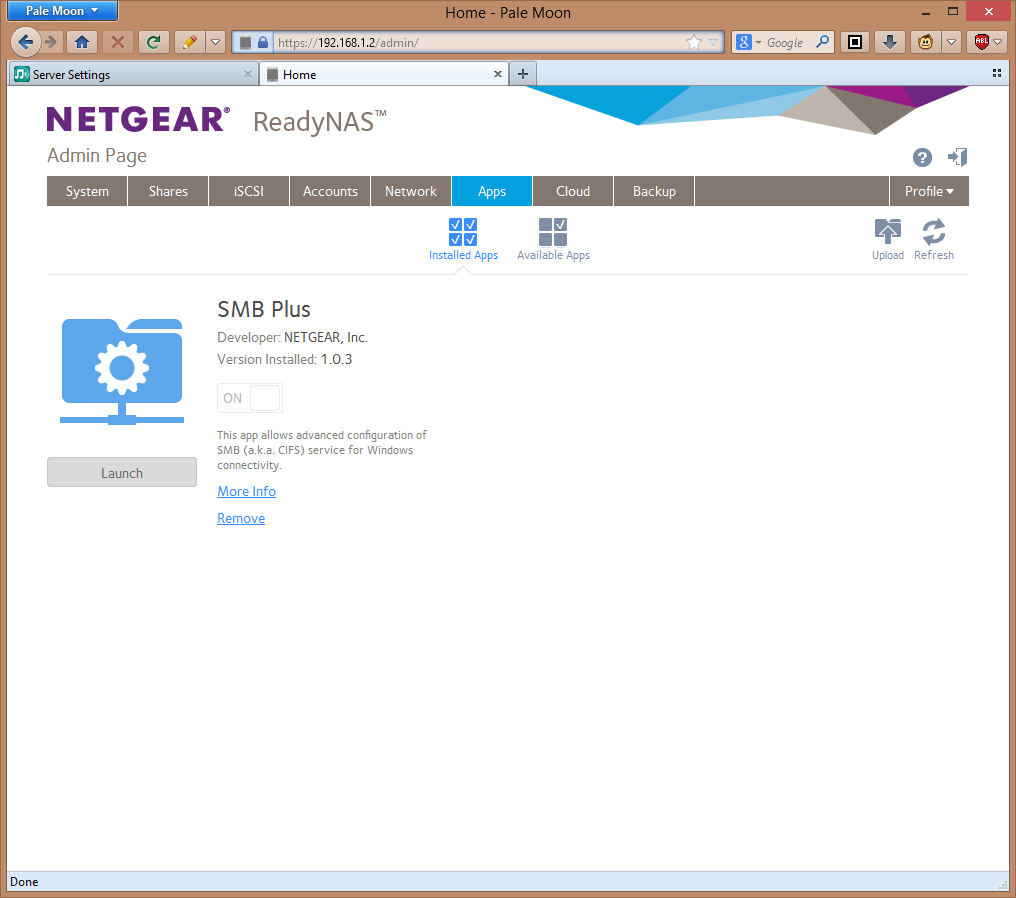
Is this what's shown from the admin page of the NAS under Apps > Installed Apps? Should show Developer and Version installed.
If you have an update option, please try to update then once done, see if you will be able to remove.
Regards,

karl_w_w
Aug 11, 2015Aspirant
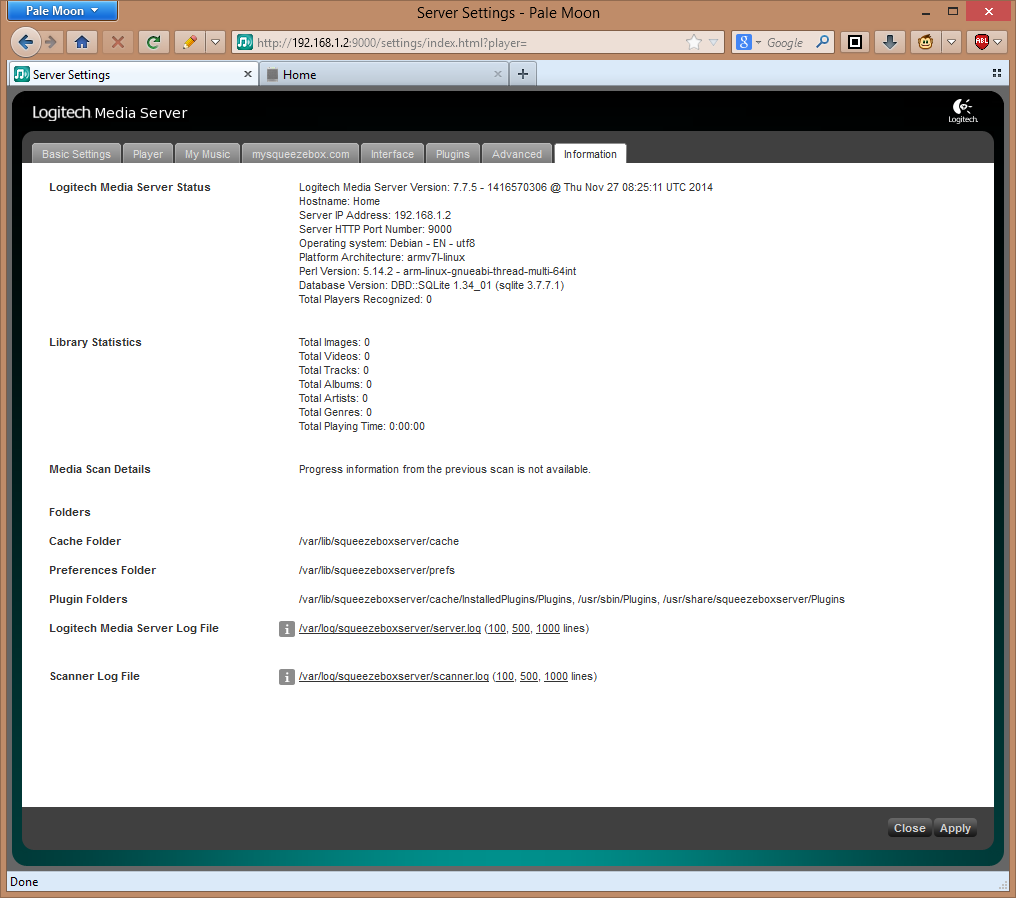
It is shown inside the Logitech interface, it hasn't reappeared under apps yet.
- JennCAug 11, 2015NETGEAR Employee Retired
Hello karl_w_w,
If the app is still installed it should show under Apps > Installed App and Overview > Apps.
Does your Logitech interface point to the IP address of the NAS as a server? Maybe best if you give us a screenshot.
Regards,
- karl_w_wAug 11, 2015Aspirant
Sorry if they are really big, not familiar with this forum.
- JennCAug 11, 2015NETGEAR Employee Retired
Hello karl_w_w,
Thanks for the screenshots. The size is okay :)
The LAN IP address of the NAS is 192.168.1.2 it appears you have no Logitech installed under Apps but you are still able to access the UI for Logitech server via http://192.168.1.2:9000. Please check if all machines on the same LAN can access this. It is also possible that it is jsut a cache, try clearing the cache or use another web browser.
Looking forward to your update.
Regards,
Related Content
NETGEAR Academy

Boost your skills with the Netgear Academy - Get trained, certified and stay ahead with the latest Netgear technology!
Join Us!
