NETGEAR is aware of a growing number of phone and online scams. To learn how to stay safe click here.
Forum Discussion

GG-accel
Apr 16, 2025Aspirant
admin password discrepancy. ReadyNas 4312
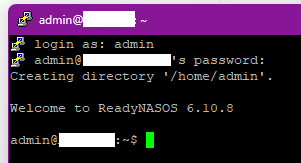
I may or may not have fixed my initial problems by upgrading FW from 6.10.8 to 6.10.10. I will try to explain this password issue. I can logon to the webGUI. I do have the admin password for the...
- Apr 24, 2025
An OS re-install does nothing to your data, so long as that's what you actually do. If you accidently do a factory default instead, it wipes the data.
But if you have that level of concern about the data, you need a backup plan. RAID is insufficient to insure your data is safe. You need it also in an entirely different place (USB drive(s), backup NAS, cloud storage). For protection against flood, fire, theft, etc., that backup should be offsite.


StephenB
Apr 24, 2025Guru - Experienced User
GG-accel wrote:
PROBLEM: the RAIDar utility said the webGUI user and password was incorrect, when I tried Diagnostics button.
I tried "password" too and other known company passwords, but RAIDar kept reporting incorrect username or password.
You need to enter the the NAS admin password (the same one you use with the Web UI).
GG-accel wrote:
Could that be because the password is 19 characters alpha-num-punctuation?
That would be my guess too. But the only way to find out is to temporarily change the password to something simpler and shorter, and see if that works.
If it is the length or characters used, then of course it would be a bug in RAIDar. But all ReadyNAS are end-of-life, so I doubt Netgear willl do anything to fix it.
- schumakuApr 25, 2025Guru - Experienced User
Aware RAIDar (the discovery utility, this is what it is supposed to be) was updated to v6.1 earlier this year?
Most notably, the RN (Last Updated:01/06/2025 | Article ID: 30243!) says:
===
It is currently available for download from the ReadyNAS Downloads. RAIDar 6.1 is independent from RAIDar 4.3.8, so users will not receive a request to update.
===
Many things are becoming confusion now to me:
Netgear used to talk (and publish) RAIDar 6.1 years ago, followed by RAIDar 6.5 a long time ago before.
QA and the team responsible (which dissipated a long time ago unfortunately?) was obviously one more out of the office, Left hand doesn't know what the right hand is doing or what please?
Screenshot above is taken from https://kb.netgear.com/20684/ReadyNAS-Downloads Last Updated:09/02/2023 | Article ID: 20684
- StephenBApr 25, 2025Guru - Experienced User
schumaku wrote:
Aware RAIDar (the discovery utility, this is what it is supposed to be) was updated to v6.1 earlier this year?
You can't tell much from the "last updated" field in the KB articles - that just tells you when the KB article itself was republished. There's an older version of the article you are looking at here (published Dec 2016):
No idea what Netgear updated, as the 2016 text looks the same to me as the current article. The text is outdated, since it refers to ReadyCloud.
Note there is also this article - "last updated" in 2022:
As far as the utility goes, you can see the dates if you look inside the deb (Linux) and dmg (MacOS) files with 7-zip. Unfortunately you can't see that in the Windows package.
- The date inside the 6.1 deb file is December 2015.
- The date inside the 6.5 dmg (MacOS) file is January 2019.
So no changes here for many years.
FYI, mods no longer monitor this subforum. You can try posting this in the forum feedback section if you want to call Netgear's attention to this.
- GG-accelApr 25, 2025Aspirant
This ongoing thread offered me a clue.
RAIDar didn't work when I set the password to "password" but I noticed that when I changed it back to long-password with special characters including a hyphen, OS6 complained that the password was too short. OS6 was happy when I removed the hyphen.
RAIDar v6.5.0 still responded with "incorrect user or password", for both "password" and the new password.
(this is not a huge concern for me at the moment, no worries)
It's possible that RAIDar v6.5.0 has compatibility issues with ReadyNas 4312. I see 6.1 is for Linux, maybe I can find a safe and valid copy of v6.1 for Windows on The Internet Dot Com.

Related Content
NETGEAR Academy

Boost your skills with the Netgear Academy - Get trained, certified and stay ahead with the latest Netgear technology!
Join Us!
