NETGEAR is aware of a growing number of phone and online scams. To learn how to stay safe click here.
Forum Discussion

dikshabhaumik
Jan 31, 2025Aspirant
Default Home Folder settings not showing to share with anyone in NETgear Ready NAS 214
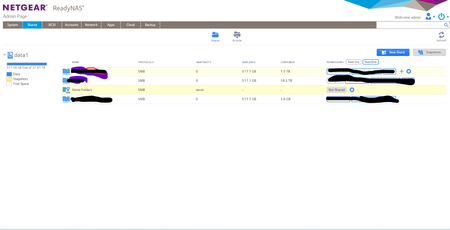
[ Spoiler ] After updating firmware in nas not able to share Home Folders.
dikshabhaumik
Jan 31, 2025Aspirant
Yes i am able to see all folder from browser but any windows ad user is trying access it gives error.

StephenB
Jan 31, 2025Guru - Experienced User
dikshabhaumik wrote:
Yes i am able to see all folder from browser but any windows ad user is trying access it gives error.
How long has this been happening?
Have you tried just turning off SMB on home, and then turning it back on?
- dikshabhaumikJan 31, 2025Aspirant
Around 2-2months...i have tried all things reset permission and remove from ad and again adding but issue same
- SandsharkJan 31, 2025Sensei
Have you tried rolling back to 6.10.9? There probably aren't a lot of people still using AD and a ReadyNAS, so it could be a bug that wouldn't affect most users.

Related Content
NETGEAR Academy

Boost your skills with the Netgear Academy - Get trained, certified and stay ahead with the latest Netgear technology!
Join Us!
