Forum Discussion

gwhite
Mar 04, 2024Guide
Using WinNUT Client with ReadyNAS 312?
I have a new CyberPower UPS, which I have connected via USB to my RN312. It is all set up to shutdown the NAS using the "Auto" threshold, which I believe is 5 minutes of remaining run-time. I al...
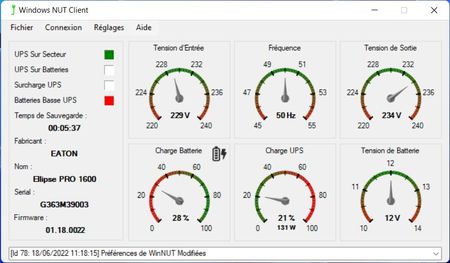
 Mar 04, 2024
It turns out the version I got was from an older "fork" on GitHub, and I needed to get the latest version here:
https://github.com/nutdotnet/WinNUT-Client?tab=readme-ov-file
I installed this one, and configured the communications window like this:
No login info required. I only put in the NAS IP address, and changed the UPS name. It connected immediately!
The only other important settings I changed were the Shutdown Options:
The default shutdown runtime was set to 120 seconds. If the NAS shuts down at 5 minutes remaining runtime, that will be a problem. I set the PC shutdown time to 6 minutes so it will shut down first. Without that load, the run time should jump way up, and the NAS will run a lot longer.
It looks like it's all working. I'm not sure I have the nerve to test it at the moment...
I hope this info helps others. I think this approach is WAY simpler than all the others I investigated.
gwhite
Mar 04, 2024Guide
It turns out the version I got was from an older "fork" on GitHub, and I needed to get the latest version here:
https://github.com/nutdotnet/WinNUT-Client?tab=readme-ov-file
I installed this one, and configured the communications window like this:
No login info required. I only put in the NAS IP address, and changed the UPS name. It connected immediately!
The only other important settings I changed were the Shutdown Options:
The default shutdown runtime was set to 120 seconds. If the NAS shuts down at 5 minutes remaining runtime, that will be a problem. I set the PC shutdown time to 6 minutes so it will shut down first. Without that load, the run time should jump way up, and the NAS will run a lot longer.
It looks like it's all working. I'm not sure I have the nerve to test it at the moment...
I hope this info helps others. I think this approach is WAY simpler than all the others I investigated.

StephenB
Mar 05, 2024Guru - Experienced User
gwhite wrote:
It looks like it's all working. I'm not sure I have the nerve to test it at the moment...
A safe way to test it is to connect the NAS power directly to the main power, and then connect a different load to the UPS. For instance, a fan or perhaps an incandescent light bulb if you have one.
Then disconnect the UPS from main power. You should see the appropriate status on the PC client, and both the PC and the NAS should shut down when the UPS battery drains. Since power is not removed during this test, there is no chance of an unclean shutdown.
- gwhiteMar 05, 2024Guide
Thanks! That's a nice way to safely check things.
I'll try that at some point, but this whole adventure has put a big hole in my schedule. The exercise started when my APC UPS killed another battery, and I decided to switch to a CyberPower. They seem to kill batteries MUCH slower than APC's do. In the process of shutting down the NAS for the swap, I discovered one of the mirrored drives had died... I had changed my email password a while back & hadn't noticed I wasn't getting notifications.
Related Content
NETGEAR Academy

Boost your skills with the Netgear Academy - Get trained, certified and stay ahead with the latest Netgear technology!
Join Us!
