NETGEAR is aware of a growing number of phone and online scams. To learn how to stay safe click here.
Forum Discussion

OnlineUser
Aug 12, 2022Aspirant
ReadyNAS Ultra 6 (RNDP600U) stuck at ReadyNAS boot screen two days after OS6 (6.10) upgrade
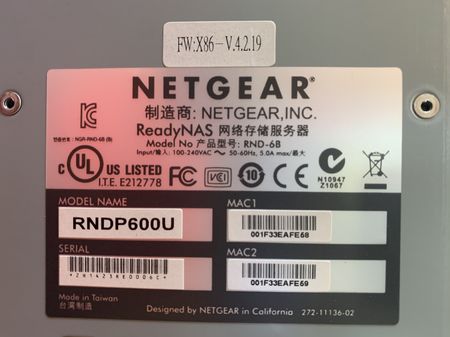
Very similar to this thread, I upgraded my ReadyNAS Ultra 6 (RNDP600U) from OS4 (v4.2.31) to OS6 (v6.9.5) only because I lost access to the ReadyNAS Admin console from modern-day internet browsers. ...

OnlineUser
Aug 13, 2022Aspirant
You guys are working on a similar issue here.
I am also stuck at the ReadyNAS screen (see the picture in the original post). Can't get to Boot Menu. Fans are running at 100%...
Anything else I should try?

Sandshark
Aug 14, 2022Sensei
If you can't get to the boot menu, Flash corruption is a possibility. USB recovery for a legacy unit converted to OS6 requires that you create an OS4.2.x style recovery media but with the OS6 image file or that you recover to OS4.2.x (using a spare drive) and then convert again to OS6. Unfortunately, with that level of flash corruption, your VPD file may also be corrupt, which only Netgear can repair.
Of course, there are also a lot of non-repairable things it can be. The display will say "ReadyNAS" with just 5V present -- the NAS doesn't even have to try to boot. Adding a VGA cable to the internal VGA header can help in further diagnosis.
- OnlineUserAug 14, 2022Aspirant
This was an interesting idea on trying the VGA cable. I popped the case open but could not find any (obvious) VGA ports on the motherboard. (See the attached picture of the motherboard).
 StephenBAug 14, 2022Guru - Experienced User
OnlineUser wrote:
This was an interesting idea on trying the VGA cable. I popped the case open but could not find any (obvious) VGA ports on the motherboard. (See the attached picture of the motherboard).
VGA header, not VGA port. You need an adapter. Not something I've used myself, but I believe the VGA header is here:
There is some more info on this here: https://www.truenas.com/community/threads/freenas-on-readynas-pro-6.24666/
- SandsharkAug 15, 2022Sensei
That's the location for the Pro6 and Ultra 6 Plus. It looks the same, but is in another location, on the Ultra 6. The title of the thread is confusing, because it says Ultra 6 but gives the part number for an Ultra 6 Plus.
Related Content
NETGEAR Academy

Boost your skills with the Netgear Academy - Get trained, certified and stay ahead with the latest Netgear technology!
Join Us!
