NETGEAR is aware of a growing number of phone and online scams. To learn how to stay safe click here.
Forum Discussion

OnlineUser
Aug 12, 2022Aspirant
ReadyNAS Ultra 6 (RNDP600U) stuck at ReadyNAS boot screen two days after OS6 (6.10) upgrade
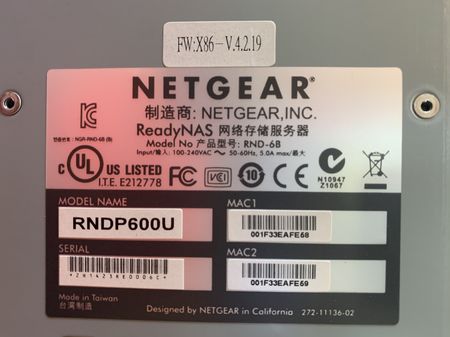
Very similar to this thread, I upgraded my ReadyNAS Ultra 6 (RNDP600U) from OS4 (v4.2.31) to OS6 (v6.9.5) only because I lost access to the ReadyNAS Admin console from modern-day internet browsers. ...

Sandshark
Aug 22, 2022Sensei
USB recovery is not a means to upgrade, it's a means to recover -- normally to the same version OS that you've been using. I don't know where you saw any caution about downgrading from OS6 back to OS4.2.x on a legacy machine, but there is no issue doing so. Of course, just as with the upgrade, you have to factory default to re-use the drives. So, maybe something you don't want to do using your actual volume.
You have to create an OS4.2.x style USB recovery, but use an OS6 file. The one you used to originally convert would work fine. But this is something else you might want to do with a scratch drive volume, not your main one. Then you can update back to the one you are currently running before you re-install your normal drives.
That error may be because you have a USB drive installed and the boot is seeing it.
Are you seeing it stop after loading initrd.gz in normal boot or support mode? Support mode on your NAS will have an OS4.2.x base, and OS4.2.x doesn't normally have any display on the console after that, so it may be normal for support mode. But another reason it can stop there is lack of proper identification that it's running on genuine Netgear hardware, which is via the VPD file on legacy machines. While that's in flash as well, USB recovery can't restore it. The mods here will usually help you, so long as you can get the unit into support mode so they can access it.

OnlineUser
Oct 07, 2022Aspirant
Sandshark: You practically lost me there. Let me start from the beginning.
I upgraded the firmware on my ReadyNAS Ultra 6 (RNDP600U) from v4.2.31 to v6.10.x.
The upgrade completed fine, I configured the RAID, and the unit worked for about 24 hours and froze after I copied ~5TB of data to the NAS.
I had to hard-reboot. At that point and upon a hard reboot, all I could see/hear was this: fans running at top speed, ReadyNAS message displayed and "frozen", and I could not boot into any modes.
I purchased the VGA cable, which revealed that the NAS was stuck at the "MBR H error" message.
I created a USB flash drive in an effort to (re)flash the firmware back to v4.2.31 to v6.10.x, but booting from this USB drive freezes at the "Loading inird.gz......ready" message.
I am trying to recover, not upgrade. I am stuck: I cannot recover using the USB recovery drive/utility which does not boot, nor I can get into the Support Mode because of the "MBR H error".
It's also with noting that I am not an experienced user. I am learning everything as I poke around following the community's suggestions.
- How can I get the firmware flash USB past the "Loading inird.gz......ready" message?
- What does the "MBR H error" message mean and how to recover from the error?
Thanks in advance!
Related Content
NETGEAR Academy

Boost your skills with the Netgear Academy - Get trained, certified and stay ahead with the latest Netgear technology!
Join Us!
