NETGEAR is aware of a growing number of phone and online scams. To learn how to stay safe click here.
Forum Discussion

fifer55
Jul 09, 2013Apprentice
Updating Couch Potato Server - ReadyNAS-centric
Hey Guys, like some of you, I have been unable to update my Couch Potato Server for some time now. It was kinda driving me nuts.
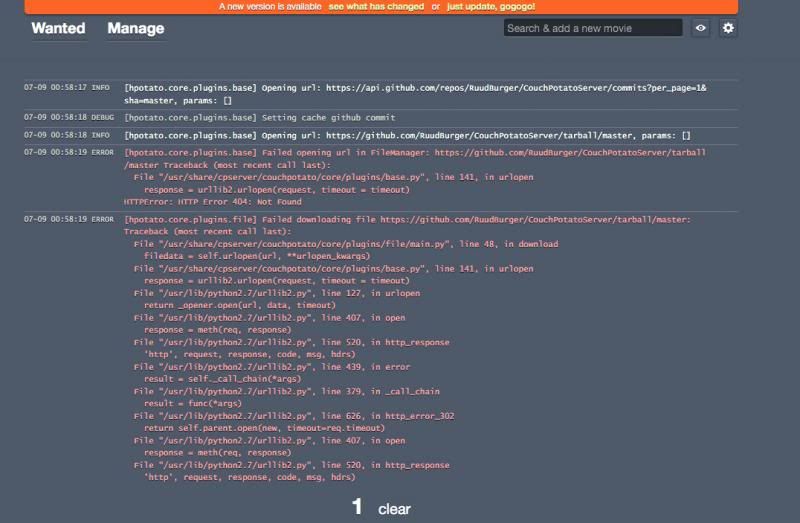
This is what I was seeing over and over:
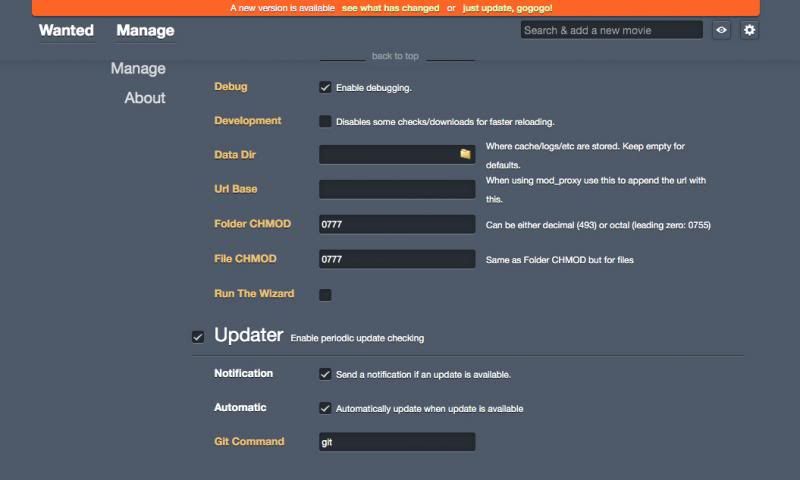
Anyway, I think I figured out how to update, but still seems I am missing a few things. Here is how I did it.
First, I found a few websites that gave me some clues:
https://couchpota.to/forum/viewtopic.ph ... b79e0f0c4e
https://github.com/RuudBurger/CouchPota ... ssues/1701
https://github.com/RuudBurger/CouchPota ... issues/670
https://couchpota.to/forum/viewtopic.php?f=5&t=2077
If you look at the sites, it just loops back to the same topic. To me, this did not really answer my question of "how to update". Now, I know some of you Linux gurus' will say "It is right there, manually update". But what does this mean? Well I might have bullied my way through it.
First, download the tarball from here:
https://github.com/RuudBurger/CouchPota ... all/master
You can download one of two ways:
1) Use your web browser and sve it to your local drive, then copy the tar file onto a share on your ReadyNas.
2) do a wget from SSH.
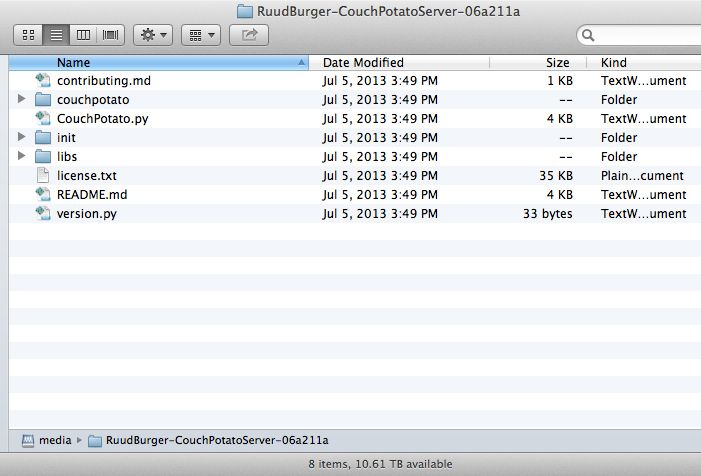
I personally found the first option the easiest. Once I downloaded the TAR file, I unTAR'd it on my Mac, which gave me a folder:
Next, I shut down Couch Potato Server via FrontView on the ReadyNAS. Once the service has stopped, I SSH into the box.
First thing is first, change the user and group ownerships of the file you just downloaded to:
In my case, I saved the unTAR'd folder in the default media drive. The above will change the user and group ownerships to what cpserver is expecting on the ReadyNAS.
Once that is done, update permissions:
Last thing I did was remove any sticky bit from the directories:
Let's make a copy of all the contents of our current /usr/share/cpserver/ contents, just in case (call me paranoid):
This way, if there is a mistake made, one can just copy it back, no harm, no foul :)
Ok, good to go. Now we are ready to copy the contents of the downloaded, unTAR'd files into the ReadyNAS:
Done and done. You can restart your Couch Potato Server via Frontview. Mine started up right away and all my settings were intact!
First thing I noticed was the updated GUI. Nice. But it still gave me a download new version message? I check the logs, some ERRNO (permission denied)! Yes, this is an easy fix! Chown to the rescue again. I found myself doing a bunch of manual ones, so I said.. a the heck with it and did:
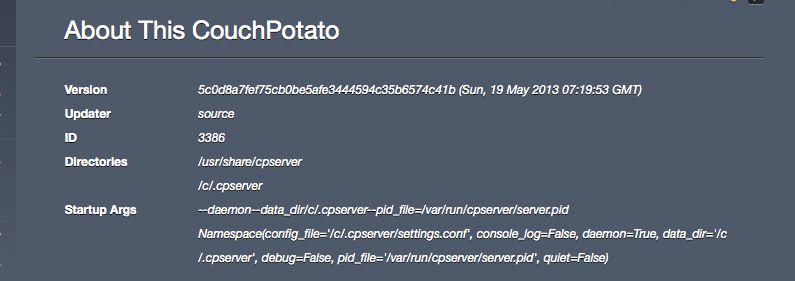
Ran the updater and all was well! Here is the version I was running versus what I am running after the above:

Here are some screenshots of the new GUI and no more errors and the updater works now :)
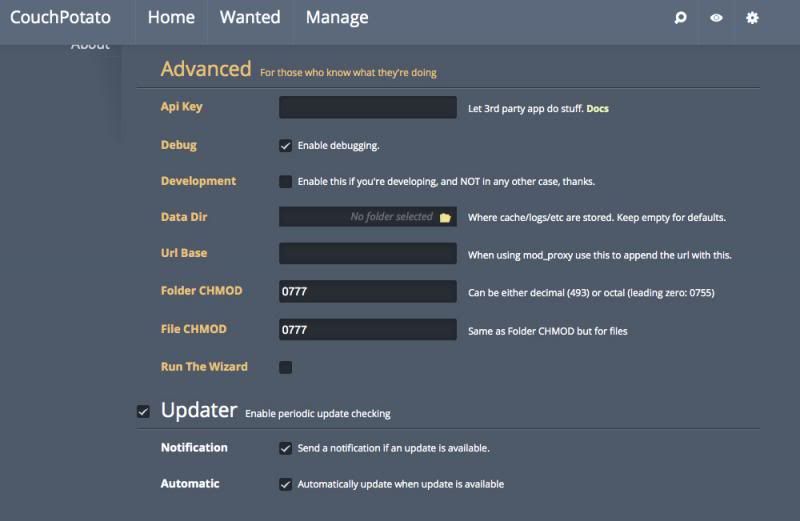
Here is the general tab, specifically on the updater portion -- no GIT commands!
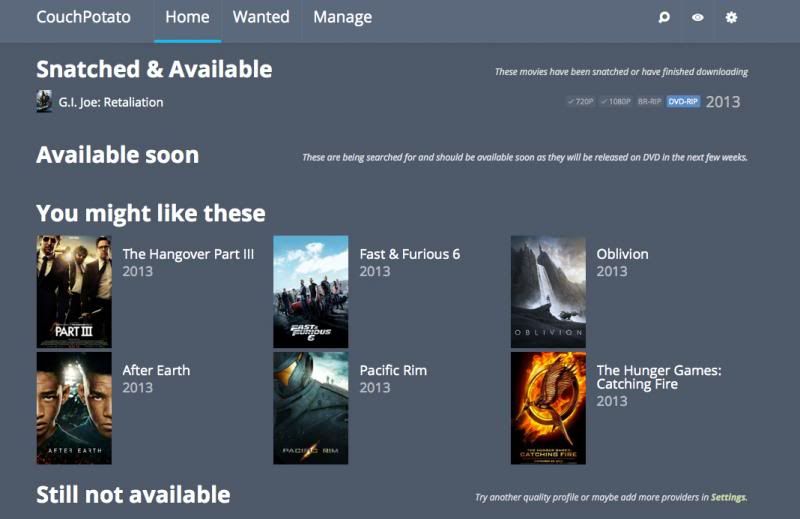
Here is the new home page/tab. I likey :)
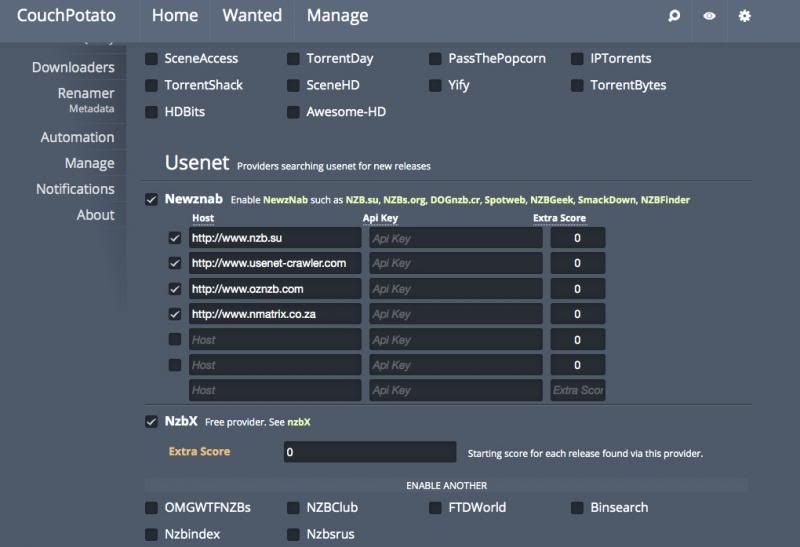
New Search Provider section:
Anyway, you guys get the idea.
This might not be a big deal for some of you, but it was for me, especially since I am getting more comfortable on CLI's.
I decided to put this up since there were no tutorials on how, specifically to do it on the ReadyNAS platforms.
If this helps one person, I am happy :)
This is what I was seeing over and over:
Anyway, I think I figured out how to update, but still seems I am missing a few things. Here is how I did it.
First, I found a few websites that gave me some clues:
https://couchpota.to/forum/viewtopic.ph ... b79e0f0c4e
https://github.com/RuudBurger/CouchPota ... ssues/1701
https://github.com/RuudBurger/CouchPota ... issues/670
https://couchpota.to/forum/viewtopic.php?f=5&t=2077
If you look at the sites, it just loops back to the same topic. To me, this did not really answer my question of "how to update". Now, I know some of you Linux gurus' will say "It is right there, manually update". But what does this mean? Well I might have bullied my way through it.
First, download the tarball from here:
https://github.com/RuudBurger/CouchPota ... all/master
You can download one of two ways:
1) Use your web browser and sve it to your local drive, then copy the tar file onto a share on your ReadyNas.
2) do a wget from SSH.
I personally found the first option the easiest. Once I downloaded the TAR file, I unTAR'd it on my Mac, which gave me a folder:
Next, I shut down Couch Potato Server via FrontView on the ReadyNAS. Once the service has stopped, I SSH into the box.
First thing is first, change the user and group ownerships of the file you just downloaded to:
chown -R admin:admin /c/media/RuudBurger-CouchPotatoServer-06a211a
In my case, I saved the unTAR'd folder in the default media drive. The above will change the user and group ownerships to what cpserver is expecting on the ReadyNAS.
Once that is done, update permissions:
chmod -R 777 /c/media/RuudBurger-CouchPotatoServer-06a211a
Last thing I did was remove any sticky bit from the directories:
chmod -R a-s /c/media/RuudBurger-CouchPotatoServer-06a211a
Let's make a copy of all the contents of our current /usr/share/cpserver/ contents, just in case (call me paranoid):
cp -r /usr/share/cpserver/* /c/media/cpserver/
This way, if there is a mistake made, one can just copy it back, no harm, no foul :)
Ok, good to go. Now we are ready to copy the contents of the downloaded, unTAR'd files into the ReadyNAS:
cp -r /c/media/RuudBurger-CouchPotatoServer-06a211a/* /usr/share/cpserver/
Done and done. You can restart your Couch Potato Server via Frontview. Mine started up right away and all my settings were intact!
First thing I noticed was the updated GUI. Nice. But it still gave me a download new version message? I check the logs, some ERRNO (permission denied)! Yes, this is an easy fix! Chown to the rescue again. I found myself doing a bunch of manual ones, so I said.. a the heck with it and did:
chown -R admin:admin /usr/share/cpserver/*
Ran the updater and all was well! Here is the version I was running versus what I am running after the above:
Here are some screenshots of the new GUI and no more errors and the updater works now :)
Here is the general tab, specifically on the updater portion -- no GIT commands!
Here is the new home page/tab. I likey :)
New Search Provider section:
Anyway, you guys get the idea.
This might not be a big deal for some of you, but it was for me, especially since I am getting more comfortable on CLI's.
I decided to put this up since there were no tutorials on how, specifically to do it on the ReadyNAS platforms.
If this helps one person, I am happy :)
3 Replies
Replies have been turned off for this discussion
 jenzbeAspirantYou ... are .... awesome! :shock:
Thank you very much for your help.
Greetings from a fellow linux-noob from Belgium. gibxxiGuideThis method no longer works correctly with RNXtras.com version of CouchPotato V2 (add-on version 0.4.0).
The upgrade in and of itself works, but a lot of things in the resulting install end up broken. I think somewhere along the line the db structure has changed, and a forced update like this is causing issues.
The only solution is a scratch install from source (without frontview support) or an updated version from WhoCares. plunderisleyAspirant
gibxxi wrote: This method no longer works correctly with RNXtras.com version of CouchPotato V2 (add-on version 0.4.0).
The upgrade in and of itself works, but a lot of things in the resulting install end up broken. I think somewhere along the line the db structure has changed, and a forced update like this is causing issues.
The only solution is a scratch install from source (without frontview support) or an updated version from WhoCares.
OK. I got the add-on yesterday and noticed the problems with it. I'll see if WhoCares will update the add-on. If not, I'll have to do a fresh install of it.
Related Content
NETGEAR Academy

Boost your skills with the Netgear Academy - Get trained, certified and stay ahead with the latest Netgear technology!
Join Us!
