NETGEAR is aware of a growing number of phone and online scams. To learn how to stay safe click here.
Forum Discussion

cmavroudis
Oct 19, 2016Aspirant
Can no longer browse ReadyNas
Hi, I have a ReadyNAS Ultra 2 [X-RAID2], RAIDiator 4.2.30 and have been running it succesfully for a couple of years. Suddenly as of yesterday I can no longer browse the Nas drive via file ex...

StephenB
Oct 19, 2016Guru - Experienced User
Can you try first running CMD and then entering
net use * /delete
It that doesn't help, try running the windows credential manager and deleting any credentials for the NAS. Then try entering a new credential, using a user account/password that is on the NAS.
 cmavroudisOct 20, 2016Aspirant
Thanks, before I do, will this delete any of my data?
- cmavroudisOct 20, 2016Aspirant
Hi Stephen,
I ran the cmd command succesfully (although the two mapped drives still show up in my file explorer). I still get the same error is I try to access the nasdrive via "\\SERVERNAME"
I also looked in the Windows Credentials and there is no mention of Readynas, the only entries I have in there are for Windows Live.
- cmavroudisOct 20, 2016Aspirant
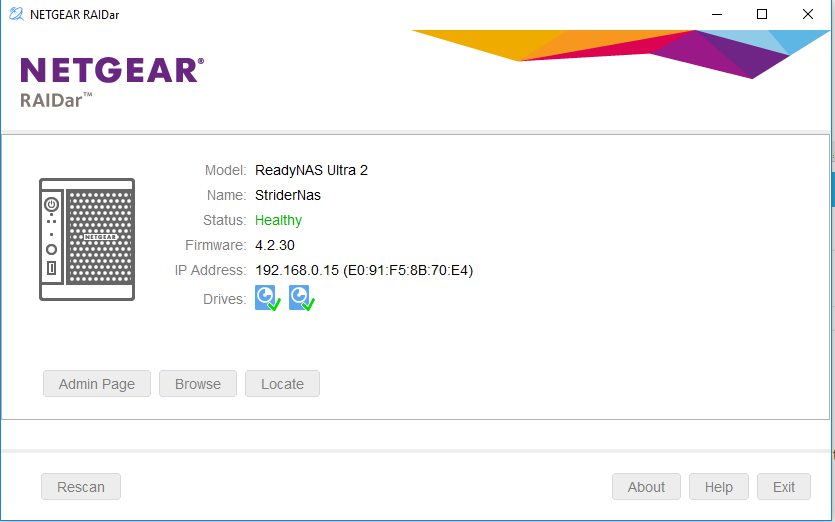
restarting my PC removed the old mapped drives from my windows explorere however the same error persists if I try to access the readynas from file explorer. The drive still appears healthy via RAIDar.
Related Content
NETGEAR Academy

Boost your skills with the Netgear Academy - Get trained, certified and stay ahead with the latest Netgear technology!
Join Us!
