NETGEAR is aware of a growing number of phone and online scams. To learn how to stay safe click here.
Forum Discussion

cmavroudis
Oct 19, 2016Aspirant
Can no longer browse ReadyNas
Hi, I have a ReadyNAS Ultra 2 [X-RAID2], RAIDiator 4.2.30 and have been running it succesfully for a couple of years. Suddenly as of yesterday I can no longer browse the Nas drive via file ex...

cmavroudis
Oct 20, 2016Aspirant
Thanks, before I do, will this delete any of my data?
cmavroudis
Oct 20, 2016Aspirant
Hi Stephen,
I ran the cmd command succesfully (although the two mapped drives still show up in my file explorer). I still get the same error is I try to access the nasdrive via "\\SERVERNAME"
I also looked in the Windows Credentials and there is no mention of Readynas, the only entries I have in there are for Windows Live.
- cmavroudisOct 20, 2016Aspirant
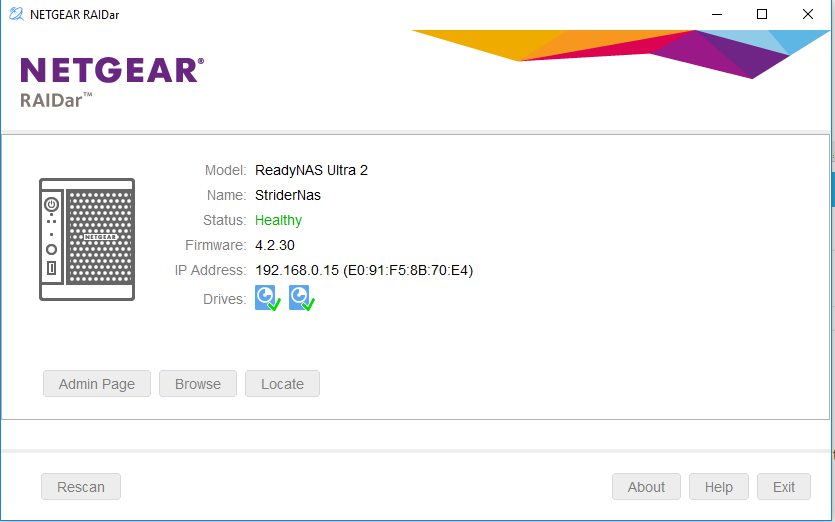
restarting my PC removed the old mapped drives from my windows explorere however the same error persists if I try to access the readynas from file explorer. The drive still appears healthy via RAIDar.
 StephenBOct 20, 2016Guru - Experienced User
Try running cmd again and entering
net use * /delete
net use t: \\192.168.0.15\data /user:admin nas-admin-password
That should mount the NAS data volume as drive letter t. Use the real admin password of course.
Though you don't have NAS credentials in the windows credentials manager now, try adding them.
- cmavroudisOct 20, 2016Aspirant
I tried and get this error after running the second command.
System error 67 has occurred.
The network name cannot be found.
Related Content
NETGEAR Academy

Boost your skills with the Netgear Academy - Get trained, certified and stay ahead with the latest Netgear technology!
Join Us!
