NETGEAR is aware of a growing number of phone and online scams. To learn how to stay safe click here.
Forum Discussion

rudeen
Aug 04, 2021Aspirant
Connecting Readynas Duo RND 2150 to router
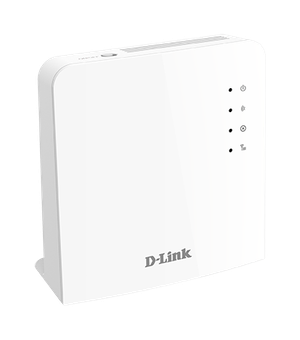
Hello Team Please I have the Readynas Duo RND2150 v2 but some members have let me know its actually version 1.Please I am trying to connect to my home router D-Link dwr-921E router .Router IP ...
rudeen
Aug 04, 2021Aspirant
Hi Stephen
well its my first time connecting the readynas via a router.I have been able to access it via a web browser UI or via windows explorer and also Raidar.Please tell me.are all the settings ok.what could be wrong with my configuration.Because when I disconnect and then set my pc LAN IP to 192.168.1.XX I am able to reach the readynas.

StephenB
Aug 05, 2021Guru - Experienced User
rudeen wrote:
Because when I disconnect and then set my pc LAN IP to 192.168.1.XX I am able to reach the readynas.
What address is the router assigning to your PC?
Have you tried just setting the NAS to use DHCP instead of assigning it a static IP address?
- rudeenAug 27, 2021Aspirant
Have not tried that yet.I was hoping to use a static IP since my router or network runs on a static IP but not DHCP.
- StephenBAug 27, 2021Guru - Experienced User
rudeen wrote:
Have not tried that yet.I was hoping to use a static IP since my router or network runs on a static IP but not DHCP.
Are you saying that the router doesn't support dhcp?
The goal here is to re-establish connectivity, then you can change the NAS IP configuration any way you want.
Related Content
NETGEAR Academy

Boost your skills with the Netgear Academy - Get trained, certified and stay ahead with the latest Netgear technology!
Join Us!
