NETGEAR is aware of a growing number of phone and online scams. To learn how to stay safe click here.
Forum Discussion

GregH101
Sep 02, 2015Aspirant
Disk Failure- best practice advice
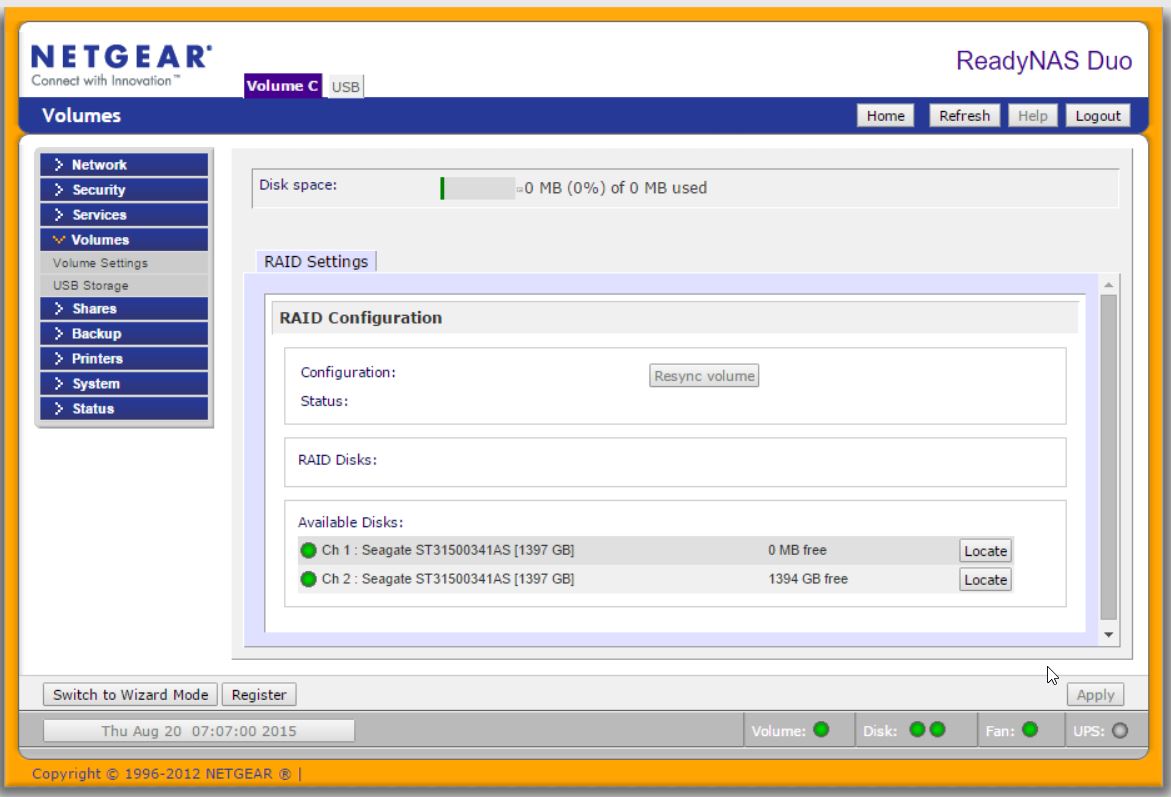
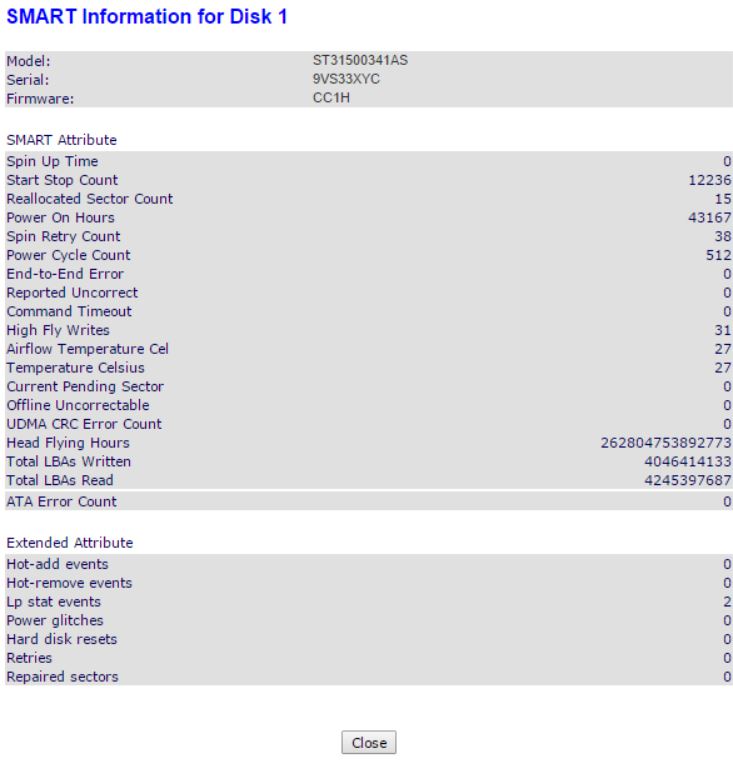
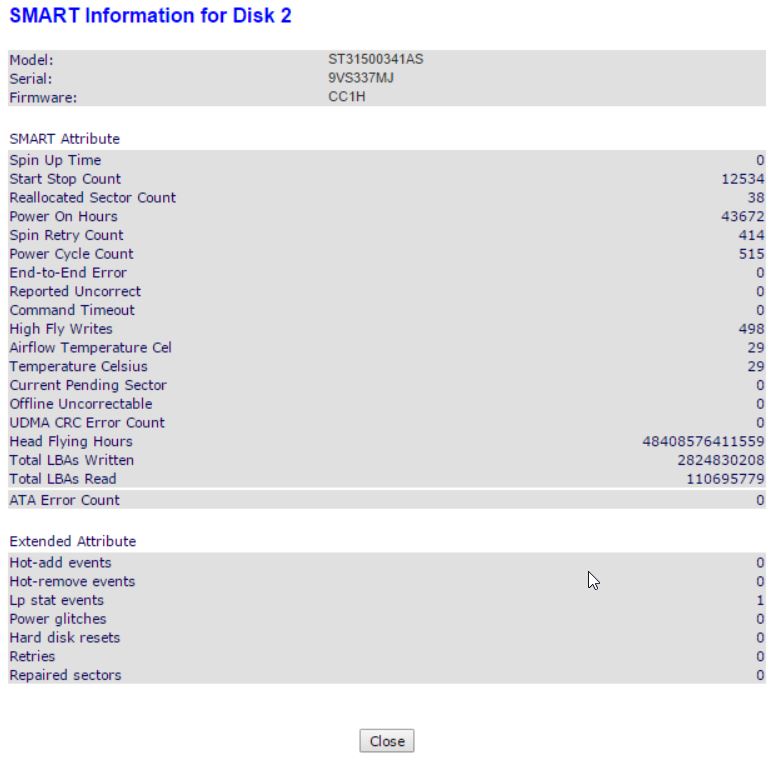
It looks like I have a disk failure. Can anyone advise the best path here? I have taken both disks out and put them in a USB drive, and it appears that neither have any retreivable data on them. I think that 1 has failed and the Raid has then maybe tried to rebuild the other and wiped it, is that a likely scenario? As you can see from the screengrab below, channel 1 says 0% of 0MB used.
I have had a look at Seagate's data retreival software and so far it found nothing on either disc, said there were no valid partitionson one of them but on one the other it also advised to NOT use the tool to prevent further damage, but rather send the disk in to them for proffessional retreival. Problem now is even if I was going to do that, which disk would I send?? Sending both would get (even more) expensive!
I have most of the most important data that was on them backed up, or else it was non critical - but it will still be a considerable effort to retreive everything that was stored here from the various locations, and collate it into a single repository again without duplication. I was naiive in thinking that because it was a mirrored raid that a single disk failure would not lead to data loss.
Any help that would save me some time would be greatly appreciated.
Regards,
Greg


3 Replies
- GregH101Aspirant
Let me try inserting those images again, I have run out of time to edit the original message so apologies.
 StephenBGuru - Experienced User
Did you try booting up the NAS w/o disk 1 (just disk 2 in slot 2)?
The v1s have data disks and partity disks. On the duo, the data disk is disk 1, but not always.
Windows of course cannot read linux file systems. Linux Reader is a tool that can read v1's data disk (but not the parity disk). Might be worth a try, but the screens you posted are suggesting its a long shot.
http://www.diskinternals.com/linux-reader/
Netgear also offers a data recovery service, and they can investigate remotely (for a fee).
- GregH101Aspirant
Hi Stephen,
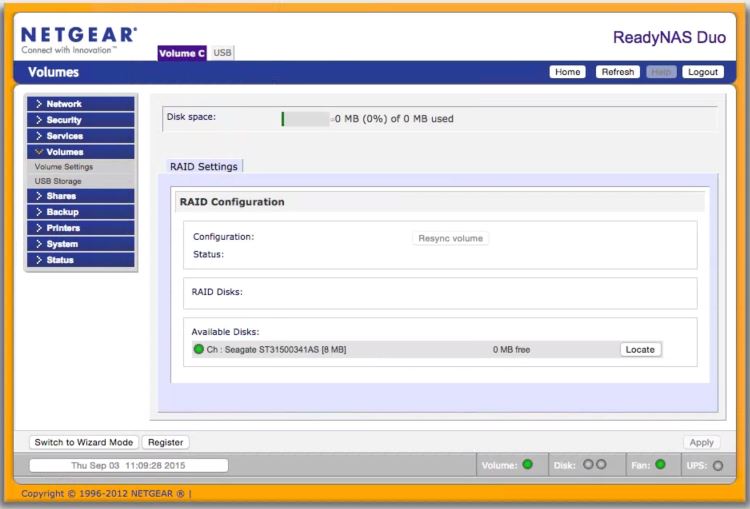
Thanks for the response, I have tried that now and it didn't give me much. I don't think it was happy with only one disk becaause the channel parameter is blank here now.
What I was tyrying to use to read the filesystem was in fact seagate's recovery software which even though it was installed on Windows, I think is doing a lower level operation to read the data segments.
Thanks again, but it looks like I'm outa luck. Won't bother with a raid again, I think I'll just rather work with a single disk and an external backup. Live & Learn.
Regards,
Greg
Related Content
NETGEAR Academy

Boost your skills with the Netgear Academy - Get trained, certified and stay ahead with the latest Netgear technology!
Join Us!
