NETGEAR is aware of a growing number of phone and online scams. To learn how to stay safe click here.
Forum Discussion

Devs2008
Sep 27, 2016Aspirant
Error message
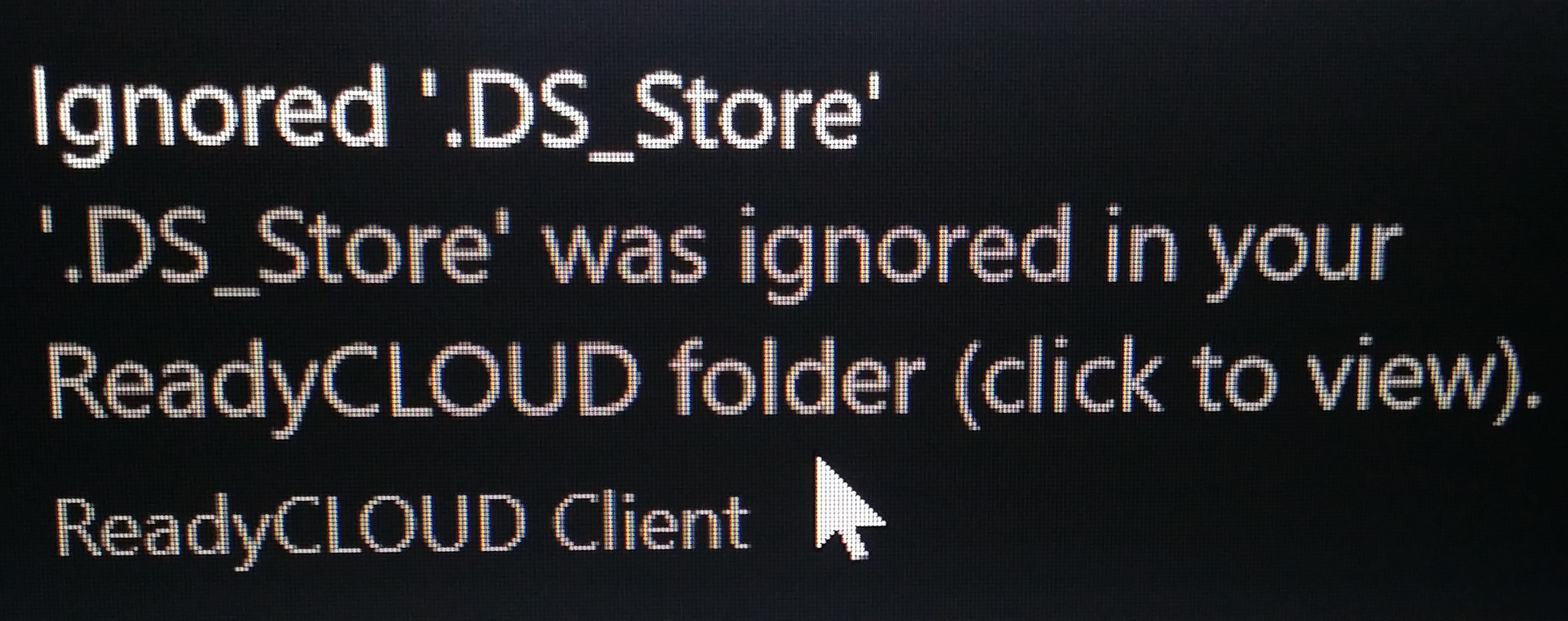
After updating my windows 10 I kbow get a error message when saving to my readynas ( DS file ignored ) does any one know how to fix this

JennC
Sep 29, 2016NETGEAR Employee Retired
Hello Devs2008,
We may need more info about this issue you raised.
- Where and how do you see and get the error message? Please post a screenshot
- What is the model number of your NAS?
- What is the current firmware version?
Welcome to the community!
Regards,
- Devs2008Sep 30, 2016Aspirant
thank you for the reply have added the error message below
i get this message saving a documet to my readyns which model number 102 firmware version 6.5.2
- Devs2008Sep 30, 2016Aspirant
should also have added i am running window 10
- JennCSep 30, 2016NETGEAR Employee Retired
Hello Devs2008,
I'm sorry but how exactly do you get this? I mean how do you save a document? Is it when accessing the NAS via SMB? I am asking because the background of the error message is black that seems to be a command prompt. If you can post the wole screen, please do, just cover the important ones that you do not want to be viewed by others. (Or PM me the screenshot)
What's the Windows version of this computer prior to the upgrade, by the way?
Regards,
Related Content
NETGEAR Academy

Boost your skills with the Netgear Academy - Get trained, certified and stay ahead with the latest Netgear technology!
Join Us!
