NETGEAR is aware of a growing number of phone and online scams. To learn how to stay safe click here.
Forum Discussion

okulo
Aug 03, 2015Aspirant
External USB backup failed, deleted, replaced, still there. #25539498
I'm a bit lost on this new site and I can't log in with my ReadyNAS ID so I only seem to have the option of using an ID I created when I registered my DGND3300 years ago.
I'm sure there used to...

okulo
Aug 04, 2015Aspirant
Hello.
Thanks for the reply.
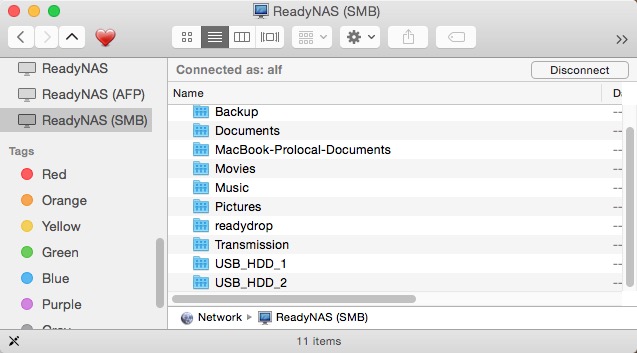
I had already restarted my Mac but I have tried it again this morning without any change. I have found in the past that if there is a connection problem with my ReadyNAS, I can clear it by restarting the Finder which is a lot quicker and saves closing anything I might be working on but that hadn't helped so I rebooted.
I tried 'clear recent servers' under Connect to Server but that seemed to cause the Finder to crash and it would not restart so I rebooted again after which USB_HDD_1 is still there.

JennC
Aug 04, 2015NETGEAR Employee Retired
Hi okulo,
Do you see the the USB under System - Overview? Have you tried ejecting from there then reboot NAS, then plug the USB back to the NAS before it boots up?
Please also check on another computer if it sees the USB_HDD_1 it when you map the NAS' IP.
Hope it helps.
Regards,
- okuloAug 04, 2015Aspirant
Thanks for your reply.
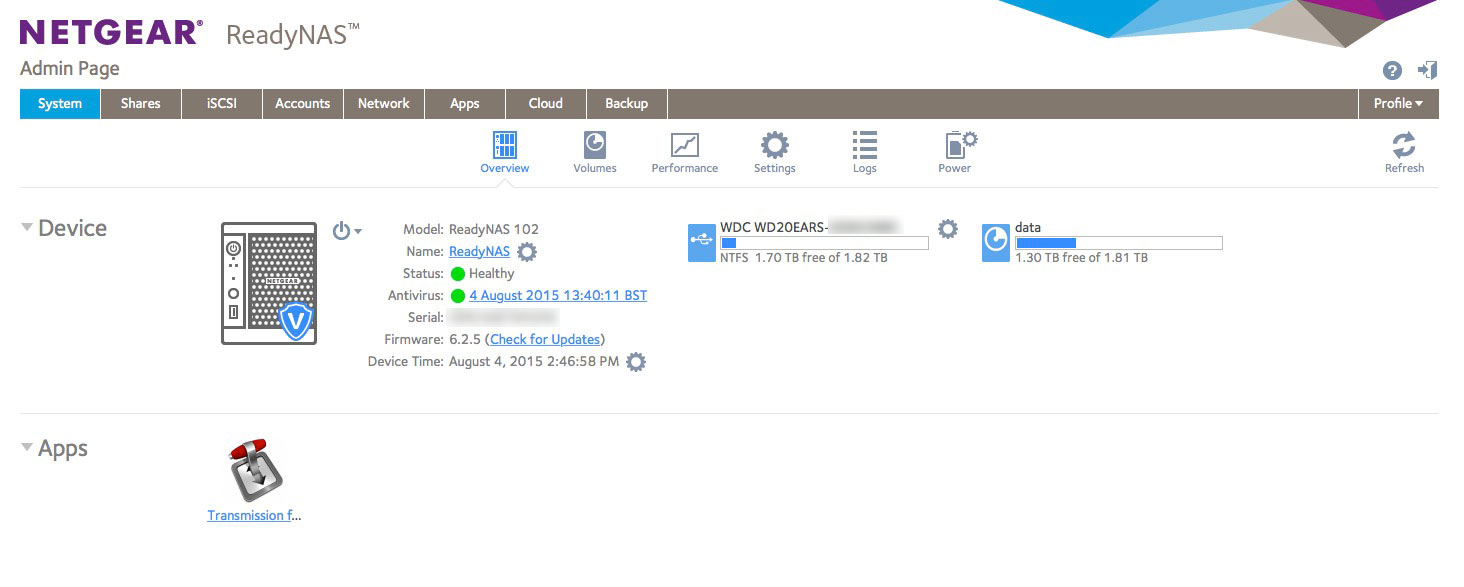
As can be seen from the screen grab, there is nothing in Overview apart from the USB drive which is now in use; i.e. USB_HDD_2, although it is not identified as such in Overview.
It was a good idea to check from another computer and yes, both USB_HDD_1 and USB_HDD_2 appear as shares on a Mac from which I have never connected to either of the USB drives.
- JennCAug 04, 2015NETGEAR Employee Retired
Hello okulo,
Thanks for getting back.
Can you try ejecting the USB from Overview? Then reboot NAS, then plug the USB HDD? This might affect the current backup job with the USB disk but should work again once reconfigured.
Regards,
- okuloAug 04, 2015Aspirant
I am part way through doing as you asked - I am just waiting for the ReadyNAS to reboot but I thought it worth mentioning that after ejecting USB_HDD_2 (I assume) in Overview, USB_HDD_1 was still visible in the Finder SMB window whilst USB_HDD_2 had disappeared.
Related Content
NETGEAR Academy

Boost your skills with the Netgear Academy - Get trained, certified and stay ahead with the latest Netgear technology!
Join Us!
