NETGEAR is aware of a growing number of phone and online scams. To learn how to stay safe click here.
Forum Discussion

browerjs
Nov 22, 2016Apprentice
Issues with NV+
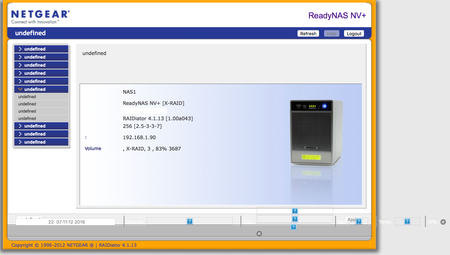
I have been using my NV+ for several years without issue, but the other day when trying to access it, I lost all access to my shares and it was reporting 0MB/0MB in frontview. On the NAS display, it...
 Nov 22, 2016
It does sound like a filling OS partition.
A Netgear Mod could offer courtesy help; other options include (paid) per-incident support from Netgear, and booting the system into tech support mode yourself, and useing telnet to access the system. That last option requires that you mount the OS partition manually.
Another approach is to connect the disks to a PC, and back up the remaining data. Then do a factory reset/rebuild the NAS. R-Linux for windows is one tool that I've heard will work. Or use a linux "live cd" and this procedure: http://home.bott.ca/webserver/?p=306
StephenB
Nov 22, 2016Guru - Experienced User
It does sound like a filling OS partition.
A Netgear Mod could offer courtesy help; other options include (paid) per-incident support from Netgear, and booting the system into tech support mode yourself, and useing telnet to access the system. That last option requires that you mount the OS partition manually.
Another approach is to connect the disks to a PC, and back up the remaining data. Then do a factory reset/rebuild the NAS. R-Linux for windows is one tool that I've heard will work. Or use a linux "live cd" and this procedure: http://home.bott.ca/webserver/?p=306

browerjs
Nov 22, 2016Apprentice
I've found these two links, that you've commented in, but I think I need a bit more info before attempting.
How do I start the RAID?
Where do the log files live, after I mount?
Here is what I think the process is:
1. Put into Tech Support Mode (Hold Down Reset, Power On, Wait till you see Boot Menu, Release Reset, Use backup button to select Tech Support, Reset Button again?)
2. Telnet into NV+
3. start RAID (how?)
4. mount OS partition
5. cwd to log file location (where is this?)
6. rm *.log files (what are the filenames I'm looking for)?
7. Now what, restart via power button? Reinstall os again?
- StephenBNov 22, 2016Guru - Experienced User
browerjs wrote:
3. start RAID (how?)
4. mount OS partition
browerjs wrote:
I've found these two links, that you've commented in, but I think I need a bit more info before attempting.
How do I start the RAID?
Where do the log files live, after I mount?
Here is what I think the process is:
6. rm *.log files (what are the filenames I'm looking for)?
It's best not to delete them. Truncate them to 0 size instead by using
echo > logfilename.log
The logs are in /var/log. You should be looking for large ones (hundreds of megabytes).
- browerjsNov 22, 2016Apprentice
I'm making some progress. I'm telneted in, and have started the RAID and mounted. However the df commands give me: df: not found
I go into /var/logs, and see a bunch of stuff (including a bunch of *.log.old.old.old, etc files)
I just need to know what to delete
- browerjsNov 22, 2016Apprentice
More progress, had to run the command with the path (my unix is very rusty).
My os is indeed full:
/dev/hdc1 1.9G 2.0G 8.9M 100% /sysroot
when I do a:
/sysroot/usr/bin/du -csh /sysroot/var/log/*
It looks like the offending file is
1.5G /sysroot/var/log/upnp-av.log
which is 1.5G of my 1.6G of log files.
should I just delete this using rm?
Related Content
NETGEAR Academy

Boost your skills with the Netgear Academy - Get trained, certified and stay ahead with the latest Netgear technology!
Join Us!
