NETGEAR is aware of a growing number of phone and online scams. To learn how to stay safe click here.
Forum Discussion

Soulution
Feb 24, 2017Aspirant
No automatic Backup (full or incremental) Ready NAS 102
Hello at all, I am using a Ready NAS 102 (Firmware 6.6.1) and created two Backup. It should backup two local shares with an external USB-HDD on USB Port (at back bottom) Starting it first everthing...

StephenB
Feb 26, 2017Guru - Experienced User
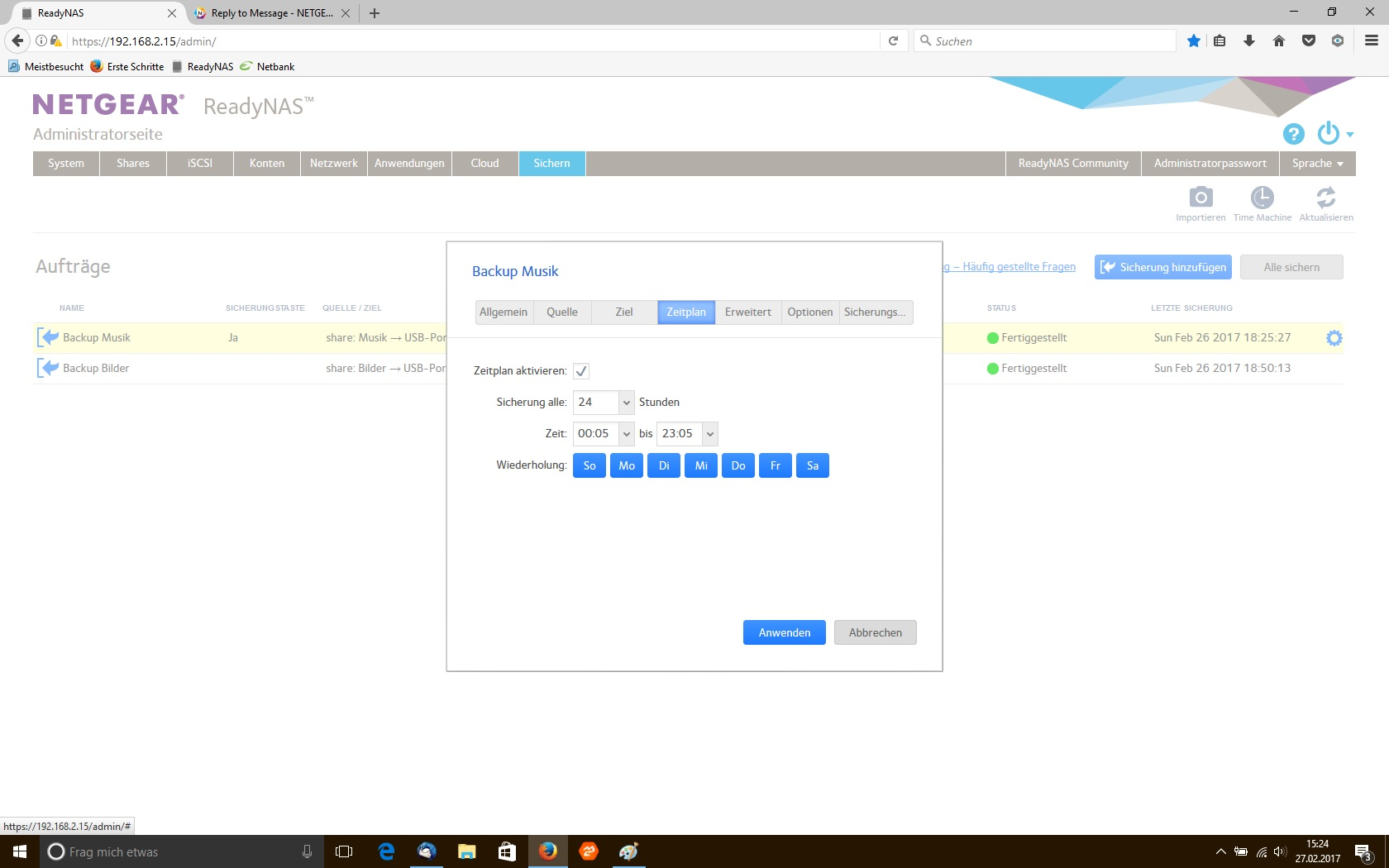
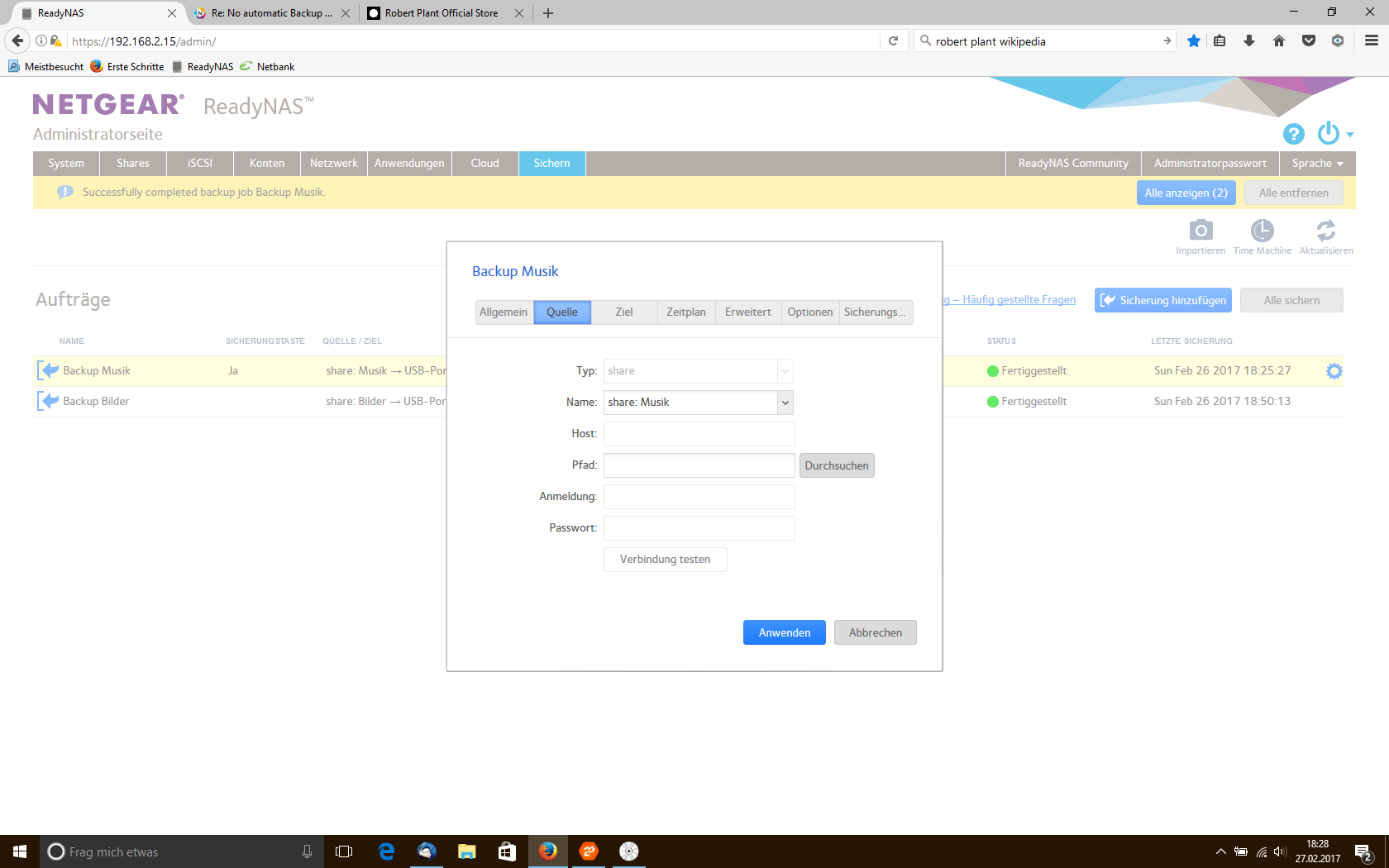
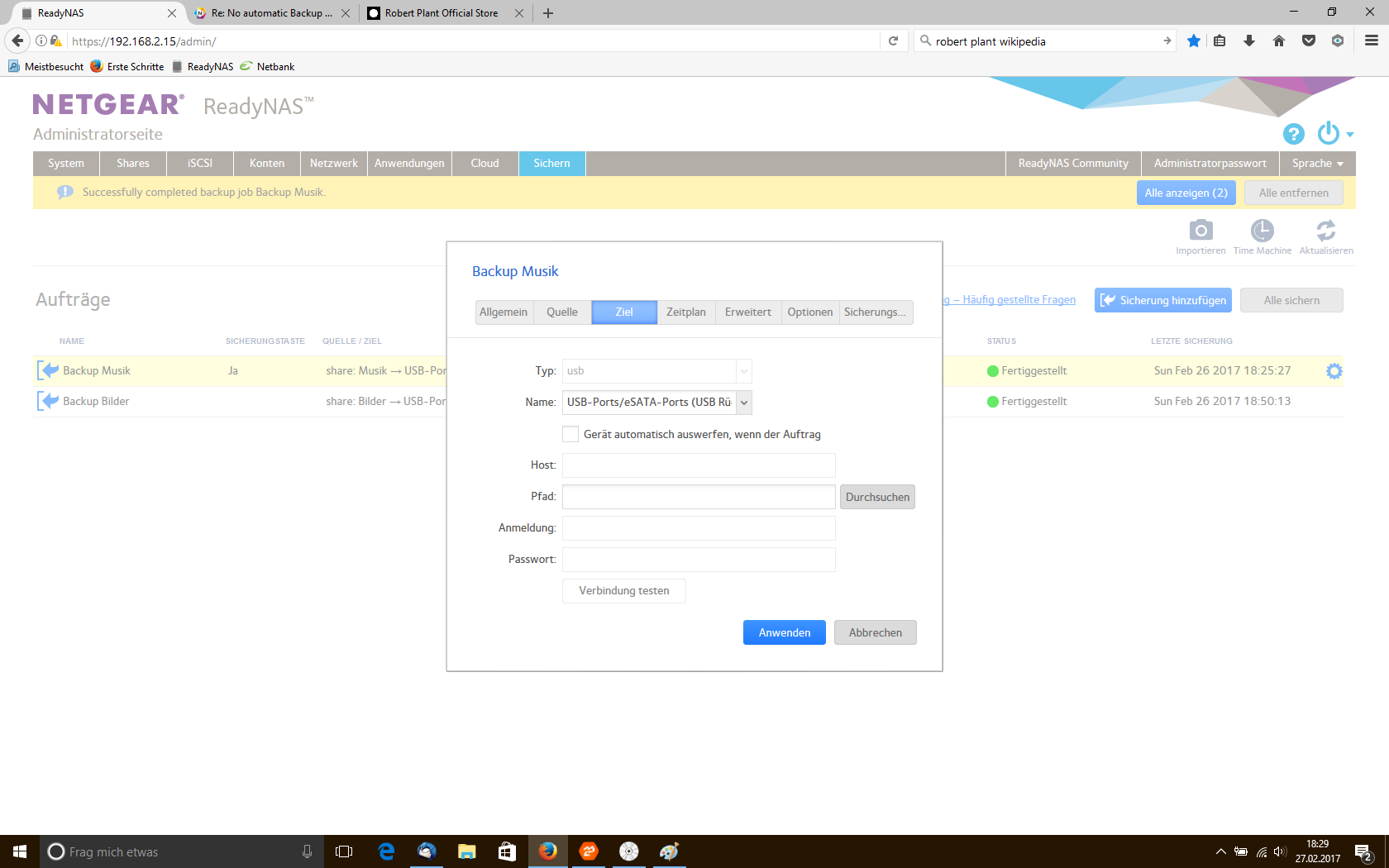
Can you post screenshots of the source, destination and schedule for the backup job?
Soulution
Feb 27, 2017Aspirant
Hello StephenB, I cant found an option to insert a Hardcopy or send an jpg-file. Can you tell me how I can do?
- StephenBFeb 27, 2017Guru - Experienced User
There's an image icon in the post toolbar (right next to the chain link). When you hover the mouse over it, the tool-tip says "Insert/edit image". Click on that, and you'll get a pop-up to choose and attach the image. I recommend png format.
With windows, you can capture the screen area with alt-prtsc (alt-print screen), and then paste it into paint. You can then crop out the extranous parts, and blot out any sensitive information (like public IP addresses). Paint will let you save the file in png format.
- SoulutionFeb 27, 2017Aspirant
- SoulutionFeb 27, 2017Aspirant
- SoulutionFeb 27, 2017Aspirant
- StephenBFeb 27, 2017Guru - Experienced User
Thanks. I was wondering if you were somehow using Windows (Archive) as the backup method. You are using linux copy (cp command) with these settings.
So
(a) backups run as you expect when you run them manually
(b) backups aren't running automatically
This likely sounds obvious, but just in case
- the USB drive is connected at ~midnight?
- the NAS is running at ~midnight?
- the NAS is set to the correct time zone?
Also, is there any backup log at all? Do you have email notifications set up, so you'd receive an email if the backup fails?
Related Content
NETGEAR Academy

Boost your skills with the Netgear Academy - Get trained, certified and stay ahead with the latest Netgear technology!
Join Us!
