NETGEAR is aware of a growing number of phone and online scams. To learn how to stay safe click here.
Forum Discussion

wolfgangcc
Mar 09, 2018Aspirant
ReadyNAS 516 not showing Shares in Frontview (GUI)
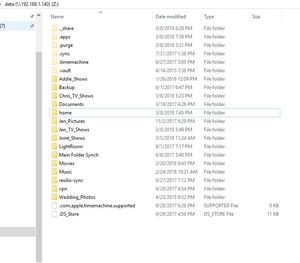
I'm running Firmware 6.9.2 and ran into an issue months ago were i had to recover the NAS. Since the recovery I havent been able to see most of my shares in web interface. If I map the drive i get th...

StephenB
Mar 09, 2018Guru - Experienced User
One thing you could try is
- rename one of the public share folders (subvolume)
- create a new share with the original name
- delete the new subvolume with btrfs subvolume delete -c \data\sharename
- rename the original public share folder to the original name.
If that restores the share to the Web UI, then you could repeat that for the rest of them.
Related Content
NETGEAR Academy

Boost your skills with the Netgear Academy - Get trained, certified and stay ahead with the latest Netgear technology!
Join Us!
