NETGEAR is aware of a growing number of phone and online scams. To learn how to stay safe click here.
Forum Discussion

1liminal1
Apr 05, 2022Aspirant
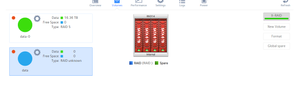
Remove inactive volumes to use the disk. Disk #1,2,3,4.
Hey guys, Screen shots say a thousand words. It seems that the array is damaged and cannot be resynced on its own. ``` [22/04/03 01:00:45 AEDT] warning:volume:LOGMSG_HEAL...
1liminal1
Apr 06, 2022Aspirant
Thanks mate,
I really appreciate that.
Im really not interested in helping the CEO of Netgear buy another yacht
If you could help me out with the name of the split array in the above screen shot ill see if I can find something on my own 🙂
Thanks for letting me know this much though, Im sure Netgear has incentives in place for pushing people toward paid support, Im seeing a lot of that in the forums. So I get it

StephenB
Apr 06, 2022Guru - Experienced User
1liminal1 wrote:
Im sure Netgear has incentives in place for pushing people toward paid support, Im seeing a lot of that in the forums. So I get it
This is a user forum. I don't work for Netgear, and I receive no compensation from them. No incentives to steer people to paid support either.
Did you try the first suggestion I gave you?
There are several possible causes that can lead to an unmountable volume, and it is really difficult to sort out the cause (and therefore the right intervention) in the forum. If you don't already have the needed skills with linux, there is a big risk that your attempts to resolve it on your own will make recovery of the data more difficult or impossible.
I don't want to be in a position where someone trying to follow my advice ends up losing their data. Therefore I always recommend paid support for this. They can access your NAS remotely, trouble shoot the problem, and if needed offer a data recovery contract.
If you have a backup of the NAS, you can of course do a factory default, rebuild it, and restore the data from backup.
You could also connect all the disks to a Windows PC, and use RAID recovery software that supports BTRFS. ReclaiMe is one package that several users have used with success.
- 1liminal1Apr 06, 2022Aspirant
Thanks mate,
Appreciate it, I see a lot of it in the forums here, I wouldn't trust corporations as far as I could throw them. Maybe they give people that are "superusers" 5% purchases as a thankyou... Maybe you don't even notices that you're being incentivised to lead people a certain way... Or maybe I should stop wearing my tinfoil hat. I don't know lol
Anyway, I do have Linux skills, I'm no expert, but generally enough to fix things. I was more asking for shortcuts on Netgear specific thingsThe SSH service wouldn't start and you cant do much from the GUI so I've lost everything anyway in a reformat.
Got SSH running after that and have the logs worked out.
But the volume is still degraded even though all the disks show green.
Now it appears to be disk one, status log is showing me this;warning:disk:LOGMSG_SMART_ATA_ERR_30DAYS_WARN Detected increasing ATA error count: [24021] on disk 1
Which I think is a report from the disk itself from what im reading, An indicator, not a failure.But the system log is showing me this;
FailSpare event detected on md device /dev/md127, component device /dev/sde3sde is disk 1, md127 is the RAID volume
If I follow that to the Kernel log,ata1.00: failed command: WRITE FPDMA QUEUED
Confirmed that ata1 is disk 1
which leads to
smartctl --all /dev/sde
to check the disk,
=== START OF READ SMART DATA SECTION ===
SMART overall-health self-assessment test result: FAILED!
Drive failure expected in less than 24 hours. SAVE ALL DATA.
See vendor-specific Attribute list for failed Attributes.Its clearly done for.
But why is the volume degraded? Yet the drive still showing as green?
Thank I cant work out 😞- StephenBApr 06, 2022Guru - Experienced User
1liminal1 wrote:
Maybe they give people that are "superusers" 5% purchases as a thankyou...
No discounts on purchases. No incentives at all.
1liminal1 wrote:
Or maybe I should stop wearing my tinfoil hat. I don't know lol
Please do. If you don't have some level of trust, there's no point in my engaging with you.
1liminal1 wrote:
warning:disk:LOGMSG_SMART_ATA_ERR_30DAYS_WARN Detected increasing ATA error count: [24021] on disk 1
Which I think is a report from the disk itself from what im reading, An indicator, not a failure.It is an error, meaning that there was an error detected when transmitting data over the SATA bus. It doesn't necessarily mean the disk is failing, as it might be the ReadyNAS (or computer), or a connector/cabling issue. But definitely an error.
1liminal1 wrote:
But the volume is still degraded even though all the disks show green.
Now it appears to be disk one, status log is showing me this;=== START OF READ SMART DATA SECTION ===
SMART overall-health self-assessment test result: FAILED!
Drive failure expected in less than 24 hours. SAVE ALL DATA.
See vendor-specific Attribute list for failed Attributes.Its clearly done for.
But why is the volume degraded? Yet the drive still showing as green?
I've seen several situations where is about to fail (or has failed), but the GUI still shows it as healthy. I don't know what the admin UI is looking at, but I don't think it's looking at enough.
I'd trust your ssh info on this - the volume is degraded because linux has detected that disk 1 has failed.
Lost writes (perhaps related to the ATA errors resulting in missed commands) is one possible cause of your original inactive volume problem. RAID (mdadm) puts transaction counters on each disk, and if they are significantly off the volume won't mount.
Related Content
NETGEAR Academy

Boost your skills with the Netgear Academy - Get trained, certified and stay ahead with the latest Netgear technology!
Join Us!
