NETGEAR is aware of a growing number of phone and online scams. To learn how to stay safe click here.
Forum Discussion

CChewie
Mar 14, 2017Aspirant
RND2000v2 (ReadyNAS Duo v2) stuck on 'system starting up' RAIDar
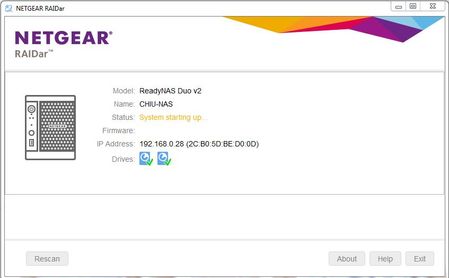
Hi All, I'm hoping someone can help me please. I'm pretty stuck and not sure what else to try. I have a ReadyNAS Duo v2 which has been working fine for a number of years. It has 2x3TB HDDs ins...

StephenB
Mar 14, 2017Guru - Experienced User
CChewie wrote:
2. Installed each drive individually into a USB HDD Caddy and connected to my windows PC. Although both drives are healthy/omline in the below screenshot and within windows disk manager, I can not assign drive letters to the partitions or mount them. I can see three partitions on each drive. Two small and one large which i presume is a my data partition.
This is normal behavior, since Windows has no support for linux formatting.
Try installing r-linux for windows (http://www.r-tt.com/free_linux_recovery/Download.shtml ) and see if it can see the data.
Once you've off-loaded the data, try doing a factory reset. If that succeeds, you can restore the data from your backup.
CChewie
Mar 14, 2017Aspirant
Thanks StephenB. Your suggestion is much appreciated!
I will try this and let you know how I get on.
Thanks!
- CChewieMar 14, 2017Aspirant
Hi StephenB.
Apologies. I'm not sure what i am doing with R-Linux. I think i have the see the correct partition.
But when i click Open Drive Files, it says the below:
I'm wondering if I am missing a step(s) here or something. Could you possibly provide me with a few high level steps or tips in using R-Linux for windows please?
Thanks in advance! Kind regards.
- StephenBMar 14, 2017Guru - Experienced User
Were you using XRAID on the duo v2?
I think you are actually doing it correctly. Try the other drive.


Related Content
NETGEAR Academy

Boost your skills with the Netgear Academy - Get trained, certified and stay ahead with the latest Netgear technology!
Join Us!
