NETGEAR is aware of a growing number of phone and online scams. To learn how to stay safe click here.
Forum Discussion

JWolberg
Sep 25, 2016Aspirant
RND4000 v1 Unable to get good network performance
Hello-
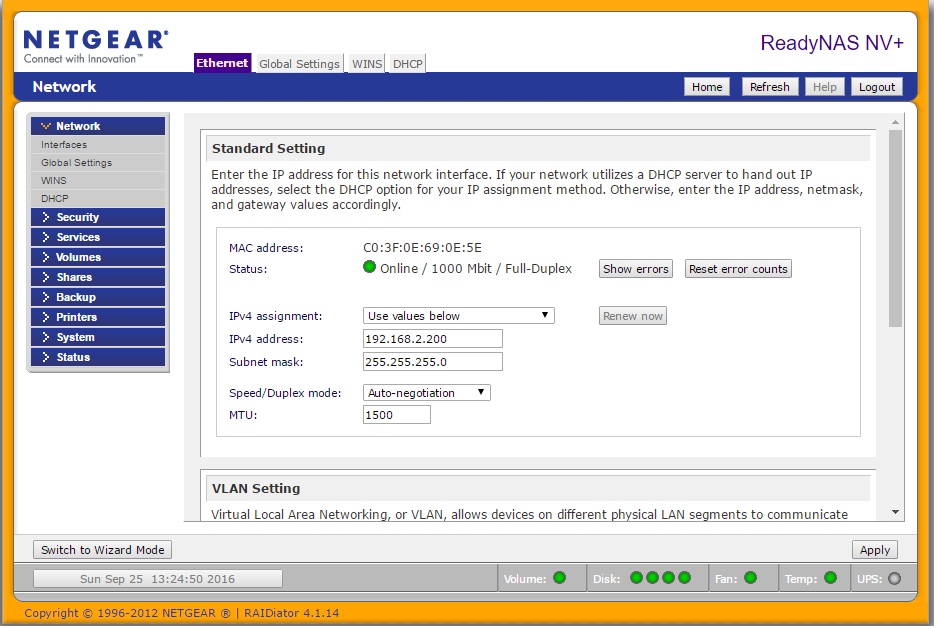
I am running a pretty old RND4000 NV1 v1 ( I know they are EOL but other than the issue I am posting about it runs just fine ) and I am unable to get any transfers, either writes to the device or reads from the device, to be over roughly 150Mb/s . Both my computer and the ReadyNAS are connected to a gigabit ethernet switch and both show as being connected at gigabit speeds ( green LEDs on the switch versus orange ) as well as the ReadyNAS admin interface showing 1000Mbit connection. I have 4 Seagate ST2000DM001 drives in a RAID5 running on software version 4.1.14. I know there is a newer version, 4.1.15, but I have not installed it yet. Some pictures are below for further information.
ReadyNAS config screen showing 1000Mbit connection.
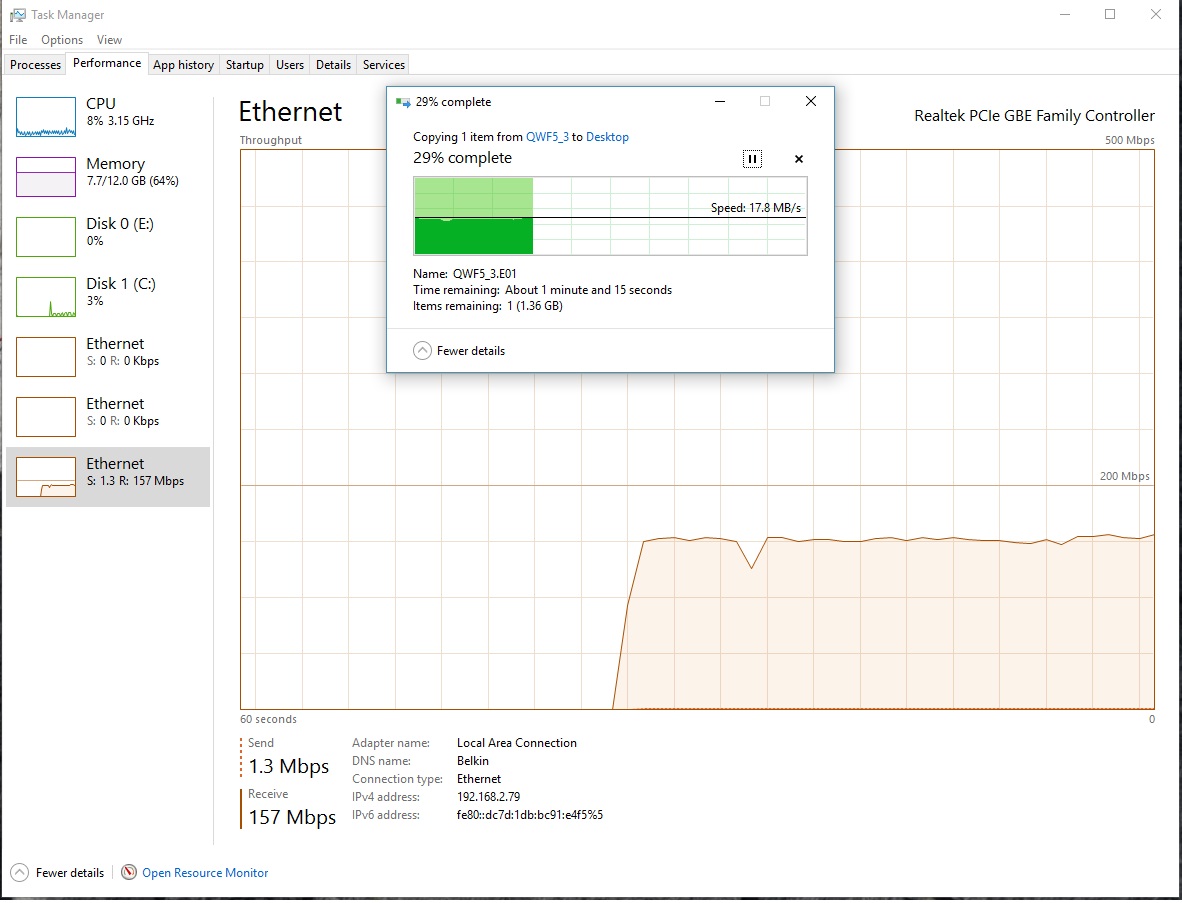
Pulling a large file from the NAS to my PC ( reads ):
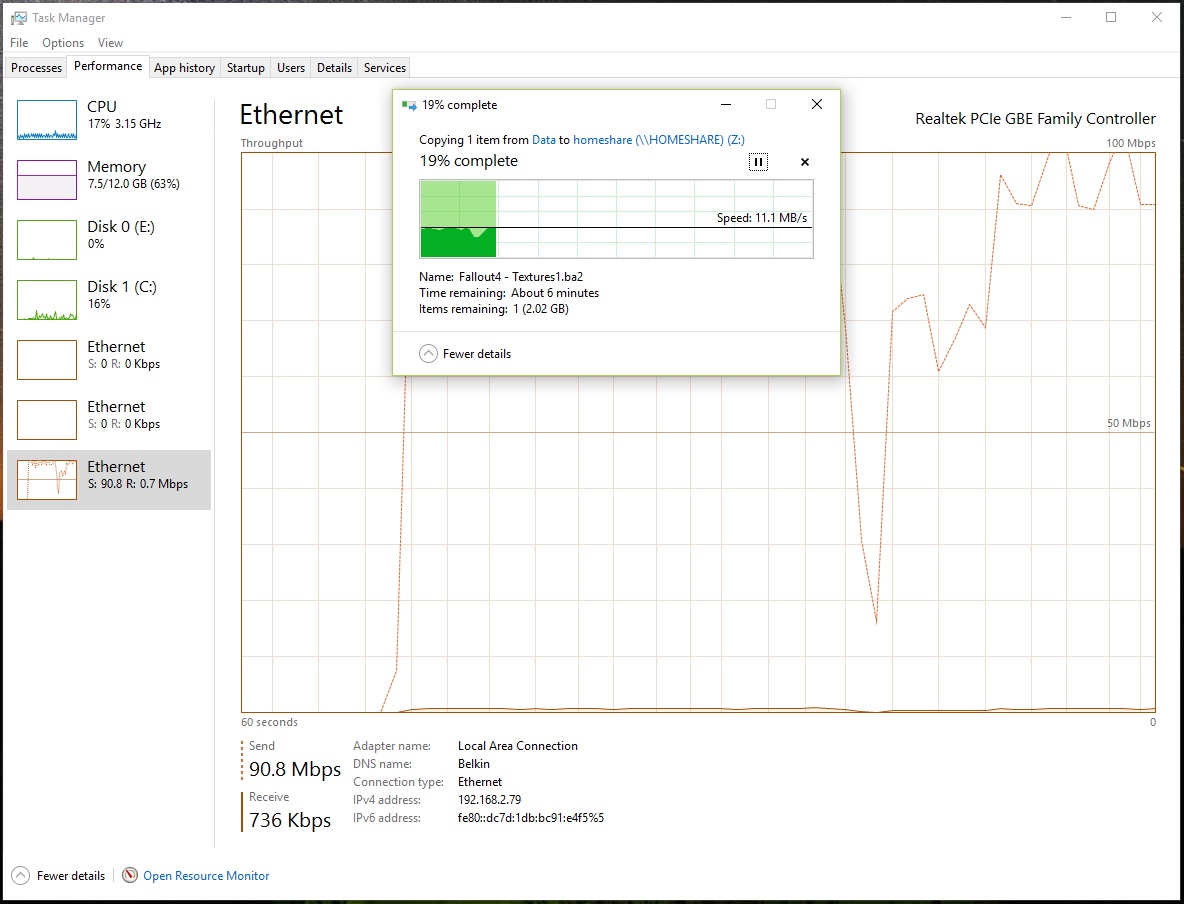
Pushing a large file from my PC to the NAS ( writes ):
I should note that I have disk write cache turned on and journaling disabled. Is there anything I can do to improve the performance of this device other than buying a new one? While I do intend on upgrading at some point ( and I know it'll be a forklift upgrade since the drives in here will not be compatible with newer models, so i'll have to copy off, format them, copy back ) I'd like to get the best performance out of my current device. Can the memory perhaps be upgraded from the standard 256MB? If so, how high can it go and would that help the performance issue I am seeing here? Any recommendations are welcome. Also, please feel free to ask any questions for anything that I did not put in the post. I appreciate any advice anyone could give. Other than this, it's a wonderful product.
Thanks.
22 Replies
Replies have been turned off for this discussion
- JWolbergAspirant
I should also note that by looking at the logs that my disks are already 4k sector aligned and my block size is already 16384.
- JWolbergAspirant
While waiting for a response I went ahead and enabled jumbo frames as the switch connecting the ReadyNAS to the network and my PC supports this. I rebooted the ReadyNAS as required and set my NIC to match the MTU of the ReadyNAS:
C:\WINDOWS\system32>netsh interface ipv4 show subinterface
MTU MediaSenseState Bytes In Bytes Out Interface
------ --------------- --------- --------- -------------
1500 1 115128 5127518 VMware Network Adapter VMnet1
4294967295 1 0 941355 Loopback Pseudo-Interface 1
1500 1 115128 5065542 VMware Network Adapter VMnet8
7936 1 1275844753 138518760 Local Area Connection
C:\WINDOWS\system32>I ran the same push and pull tests again. Reads from the ReadyNAS to my PC fell to around 130Mb/s from nearly 160Mb/s but writes took the biggest hit and went from 90Mb/s to between 7 and 11 Mb/s. I am also unable to ping the ReadyNAS with jumbo frames larger than 1490 bytes without packet fragmentation so perhaps something odd is going on here. I went ahead and set it back to the defaults for now but would also appreciate some advice in this area as well.
 StephenBGuru - Experienced User
The normal ethernet MTU is 1500. So your NAS was already NOT using jumbo frames (which are frames larger than 1500). The NAS itself supports MTU sizes up to 9000. So you probably should start by changing the switch and PC settings back to what they originally were.
As far as ping goes, the way to probe the MTU is to use this version:
ping nasip -f -l payload-size
Vary payload size and find the largest value that doesn't fragment. Add 28 to that value to find the MTU. On standard ethernet, the biggest payload size that doesn't fragment is 1472 (corresponding to an MTU of 1500).
Can you post the switch model?
On performance, the NV+ is much slower than the newer models. 19-20 MB/s is typical for reads. Your original write speeds are a bit slow - you could try disabling journalling. However, you really should have journaling on if the NAS is not protected by a UPS.
- JWolbergAspirant
The RAM arrived today and I went ahead and installed it. The ReadyNAS admin page recognizes the change from 256MB to 1024MB. I have yet to upgrade to firmware 4.1.15 and am instead still running 4.1.14.
With the new RAM installed, write performance went from 11.1MB/s ( 90.8Mbps ) to a max of 12.8MB/s ( 105Mbps ). Read performance went from 17.8MB/s ( 157Mbps ) to a max of 18.4MB/s ( 161Mbps ).
This is a 15% increase in write performance and a 3% increase in read performance. The total cost for the 1GB DIMM was right around $40. For the tests, I simply copied very large files ( 2TB+ ) back and forth between my desktop ( running a SSD ) and the NAS.
Related Content
NETGEAR Academy

Boost your skills with the Netgear Academy - Get trained, certified and stay ahead with the latest Netgear technology!
Join Us!
