NETGEAR is aware of a growing number of phone and online scams. To learn how to stay safe click here.
Forum Discussion

nsne
Dec 22, 2016Virtuoso
Sluggish AFP access, Finder hangs: Permissions issues?
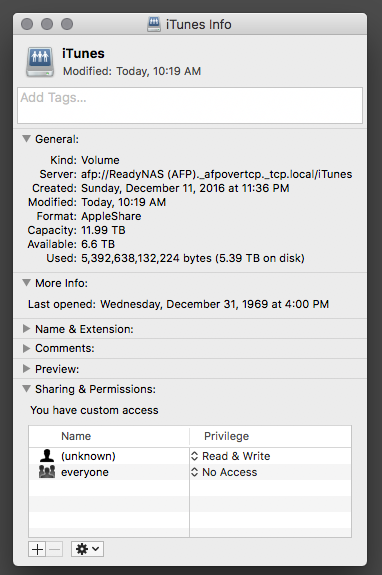
I recently did a factory reset of my 314. As part of that process, I had to backup all my data to a spare NTFS-formatted drive and then transfer it back to the NAS. Since restoring, I've experien...

StephenB
Dec 22, 2016Guru - Experienced User
Perhaps just reset the permissions on the share, and then change the network permissions back so admin is read/write and everyone else is read-only.

nsne
Dec 22, 2016Virtuoso
That didn't work, unfortunately.
It's still so unbelievably sluggish. Even Time Machine seems to be taking ages to back up, saying that it's going to take 7 hours to back up 400MB of files.
Maybe I need to do some system maintenance? What order is recommended: Defrag, Scrub and then Balance?
- mdgm-ntgrDec 22, 2016NETGEAR Employee Retired
How full is your volume? Can you send in your logs (see the Sending Logs link in my sig)?
- nsneDec 22, 2016Virtuoso
The volume is only about 55% full. Will send you my logs asap.
Just found another post of yours, mdgm-ntgr, that offers recommended maintenance routines and answers my question above. Thanks!
- mdgm-ntgrDec 25, 2016NETGEAR Employee Retired
So do you still have performance issues?
If so, you could try turning off some apps, disabling disk spin-down etc. to try to isolate if any of those are related to the problem.

Related Content
NETGEAR Academy

Boost your skills with the Netgear Academy - Get trained, certified and stay ahead with the latest Netgear technology!
Join Us!
