NETGEAR is aware of a growing number of phone and online scams. To learn how to stay safe click here.
Forum Discussion

stitchchee
Nov 18, 2024Aspirant
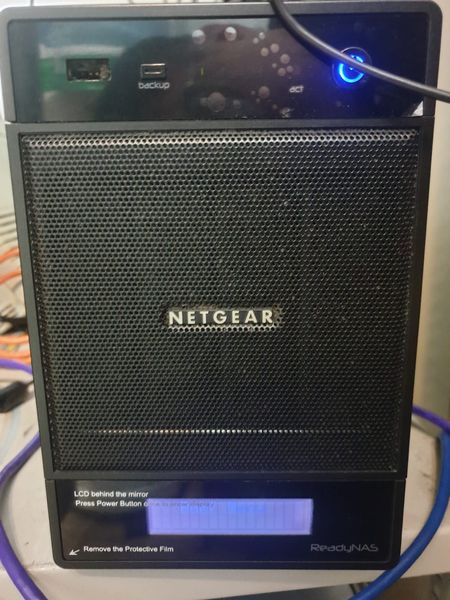
Unable to Reset for OS reinstall and RNDP4000 Pro 4 Now Not Able to Access Admin Page
Model: RNDP4000 RAIDar ver: Maybe 4.x ++ I forget the password and I did reset the password from "https://ReadyNAS_IP_address/password_recovery" but then I did not receive the password reset ...
 Dec 04, 2024
stitchchee wrote:
I tried to HDD docking to read the NAS' HDD but it able to detect my disk but unable to display on the "This PC" there.
That is expected behavior. Windows does not recognize the file systems used by the NAS. You will only see the disk listed in the windows disk manager.
As I said, you need to connect all the disks to the PC at the same time. You cannot recover files from a single disk, because of the way the RAID is constructed. The data is "striped", so the files are spread over all the disks.
Also, as I said above, you will need to purchase RAID recovery software to access the files on the disks from Windows. This will let you copy the files, so you will need additional storage to copy them to.
Which software you need depends on whether you ever converted the NAS to OS-6.
If you never converted to OS-6, then you can use something like R-Studio
You'd need the license listed on the far left ($79.99) as that supports linux file systems.
If you did convert to OS-6 (or aren't sure), then ReclaiMe Ultimate will work.
However, it is quite a bit more expensive.
You can download these packages before purchase, so you can see whether they can find your files before you buy them.
stitchchee
Nov 24, 2024Aspirant
I have tried the method that you guys provided, I am still not able to boot up my NAS.
Now I have another plan is, I going to buy a diskless NAS, and move the current HDD to the new NAS, so my question is am I able to view my files on the New NAS after this manual migration?
- SandsharkNov 25, 2024Sensei
Without knowing exactly what went wrong with your current NAS, it is impossible to know for sure that a replacement will be able to boot with your drives installed. If whatever caused your NAS to get into this condition in the first place didn't damage the volume, then you will be able to access it. Given your set of symptoms, I'd say your chances are very good that all will be fine.
All configuration data is stored on the drives, not in flash, so it would boot just like the old one as long as the new one is also running OS4.2.x. There is a method of accessing a 4.2.x volume with an OS6 NAS, but only to download the data, so your best solution is to stick with 4.2.x.
- stitchcheeNov 25, 2024Aspirant
Initialy I forget the admin password, I wanted to know my password for my Nakivo backup so I reset it through the reset link on the admin panel (this time I still able to access the admin page) but i didnt receive the reset link from my email, so I proceed to the online guide and performed manual reset and from the reset button behind the NAS to the OS rebuild boot menu
I power off the NAS > pressed the reset by paperclip > reboot the NAS > pressing the reset and backup button > HANGING in the boot menu (not able to select the option that I want which is OS rebuilding). But it able to reboot many times but it just stuck and showing "Boot Menu" then nothing else. Also, the 2 LAN cable ports seems faulty after reset no blinking at all when plugging in.
The files and admin page were able to access before I doing the above things.
So now I can only think about plan b, which is buy new NAS and switch the old disk to the new diskless NAS to view my files and continue my Nakivo backup process. Not sure this will work for me?
- StephenBNov 26, 2024Guru - Experienced User
stitchchee wrote:
So now I can only think about plan b, which is buy new NAS and switch the old disk to the new diskless NAS to view my files and continue my Nakivo backup process. Not sure this will work for me?
As Sandshark says, there are no guarantees that this will work. It might, or might not.
If you have access to a Windows PC, you could also purchase enough USB adapter/dock(s) to let you connect all the disks to the PC. For example, get two 2-bay docks. Then purchase RAID recovery software and use that to offload the data.
You said earlier that you weren't sure if the NAS was running OS-4 or OS-6. I think you would have recalled if you had ever converted the NAS to OS-6. Did you purchase this NAS new, or was it used?

Related Content
NETGEAR Academy

Boost your skills with the Netgear Academy - Get trained, certified and stay ahead with the latest Netgear technology!
Join Us!
