NETGEAR is aware of a growing number of phone and online scams. To learn how to stay safe click here.
Forum Discussion

stitchchee
Nov 18, 2024Aspirant
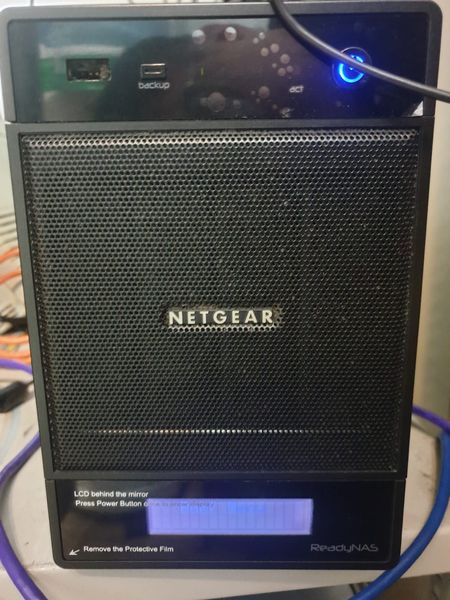
Unable to Reset for OS reinstall and RNDP4000 Pro 4 Now Not Able to Access Admin Page
Model: RNDP4000 RAIDar ver: Maybe 4.x ++ I forget the password and I did reset the password from "https://ReadyNAS_IP_address/password_recovery" but then I did not receive the password reset ...
 Dec 04, 2024
stitchchee wrote:
I tried to HDD docking to read the NAS' HDD but it able to detect my disk but unable to display on the "This PC" there.
That is expected behavior. Windows does not recognize the file systems used by the NAS. You will only see the disk listed in the windows disk manager.
As I said, you need to connect all the disks to the PC at the same time. You cannot recover files from a single disk, because of the way the RAID is constructed. The data is "striped", so the files are spread over all the disks.
Also, as I said above, you will need to purchase RAID recovery software to access the files on the disks from Windows. This will let you copy the files, so you will need additional storage to copy them to.
Which software you need depends on whether you ever converted the NAS to OS-6.
If you never converted to OS-6, then you can use something like R-Studio
You'd need the license listed on the far left ($79.99) as that supports linux file systems.
If you did convert to OS-6 (or aren't sure), then ReclaiMe Ultimate will work.
However, it is quite a bit more expensive.
You can download these packages before purchase, so you can see whether they can find your files before you buy them.
stitchchee
Dec 04, 2024Aspirant
I tried to HDD docking to read the NAS' HDD but it able to detect my disk but unable to display on the "This PC" there. How can I view and move the data from this disk. Because I already purchased new NAS when I plugged the old disks, it unable to view my file, so I only try HDD docking to view and backup my file.
StephenB
Dec 04, 2024Guru - Experienced User
stitchchee wrote:
I tried to HDD docking to read the NAS' HDD but it able to detect my disk but unable to display on the "This PC" there.
That is expected behavior. Windows does not recognize the file systems used by the NAS. You will only see the disk listed in the windows disk manager.
As I said, you need to connect all the disks to the PC at the same time. You cannot recover files from a single disk, because of the way the RAID is constructed. The data is "striped", so the files are spread over all the disks.
Also, as I said above, you will need to purchase RAID recovery software to access the files on the disks from Windows. This will let you copy the files, so you will need additional storage to copy them to.
Which software you need depends on whether you ever converted the NAS to OS-6.
If you never converted to OS-6, then you can use something like R-Studio
You'd need the license listed on the far left ($79.99) as that supports linux file systems.
If you did convert to OS-6 (or aren't sure), then ReclaiMe Ultimate will work.
However, it is quite a bit more expensive.
You can download these packages before purchase, so you can see whether they can find your files before you buy them.
Related Content
NETGEAR Academy

Boost your skills with the Netgear Academy - Get trained, certified and stay ahead with the latest Netgear technology!
Join Us!
