NETGEAR is aware of a growing number of phone and online scams. To learn how to stay safe click here.
Forum Discussion

trob787
Nov 25, 2020Aspirant
CM2000 keeps losing downstream connection.
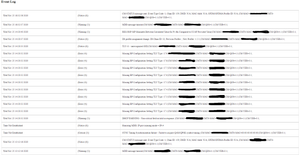
Hi all, Having a sporadic issue with my new Netgear CM2000 modem. I keep losing the downstream connection, or so it seems, the LED blinks and I have no connectivity. Rebooting the modem fixes the...
nbob
Feb 15, 2021Aspirant
I might have to go with an a different modem. Can you provide the resources where it said this modem does not work well with RCN?
trob787
Feb 15, 2021Aspirant
nbob this is the thread that I interpreted that from.
https://community.netgear.com/t5/Cable-Modems-Routers/CM1200-Modem-Dropping-Connection/m-p/2044053
Not an exact quote but I had a similar experience.
- BRansom1978Apr 27, 2021AspirantSo yes, both the CM1200 and CM2000 no longer work with RCN (at least in PA) following the most recent firmware update. I have 4 neighbors, and we all have the modem notes above, and all have the exact same issues with the downstream channels not locking. RCN does not provide support for the modems and really pushes the consumer to use their equipment. The modem will work for 2-6 hour increments, but then requires resetting. Very frustrating to buy this high-end equipment only for it to not work, and then NETGEAR points to RCN, and RCN blames NETGEAR. Both sides point to a firmware problem, no body takes action and the poor consumer takes it in pocketbook. Go figure.
- FURRYe38Apr 27, 2021Guru - Experienced User
Can try a different modem brand or model and see if the problem continues.
What happens when the DOCSIS spec allows the ISPs to support pushing FW updates to users owned modems, or NOT. For these ISPs, if users are having problems with user bought modems and the ISP will not fully support it or places blame, then we would recommend to users to avoid all the hassles with these certain ISP, use the ISPs equipement or find a different ISP service, if available. Apparrently ISPs have been burned on historical accounts, pushing untested or not fully tested FW to user owned modems which broke the modem. Thus the user claimed that there equipement was now broke due to the ISP pushing bad FW and the ISP had to replace the modem at there cost and expence. So ISP stopped pushing FW and developed a policy for user owned modems. So some ISPs throws this out at users. So if something isn't working right at the users modem. Sorry, ISPs are hands off. There only responsible for the line and signal up to the modem and thats it.
Some bigger ISPs have there own testing processes in which modem mfrs like NG will send them FW updates. Those ISP will test the new FW out before pushing to users owned modems or push on a as needed basis.
