NETGEAR is aware of a growing number of phone and online scams. To learn how to stay safe click here.
Forum Discussion

MrReeceNC
Dec 03, 2019Star
Having trouble configuring intial setup on XR500
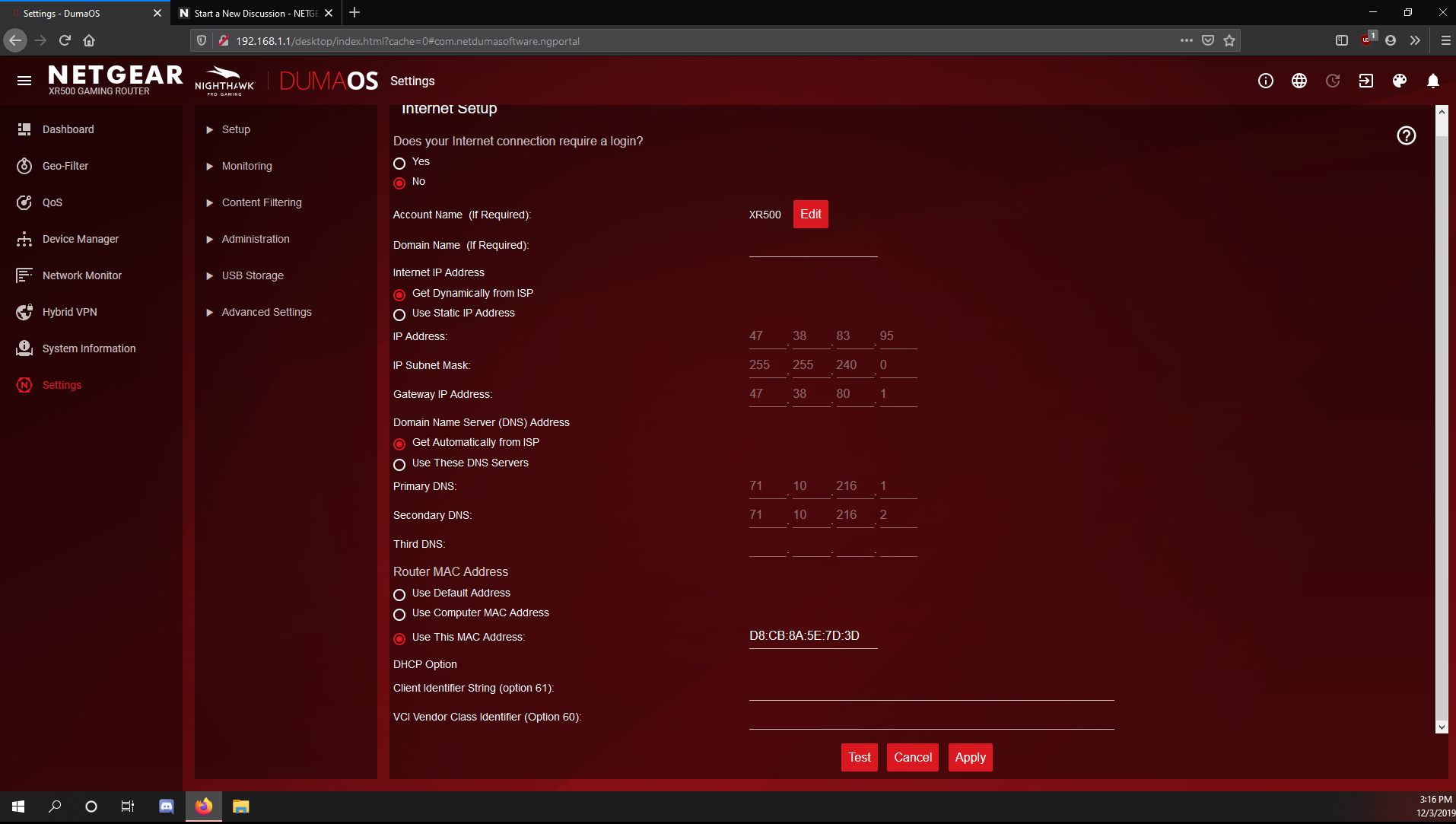
I just bought a Netgear XR500 and I seem to have a issue with the initial setup on netgear routers. Everytime I go to do initial setup it doesn't detect my internet connection. Yes I always power cycle the modem when installing a new router. For some reason I have to config myself to get past that part, then I reboot the modem and router and it works. It's currently using my computer's MAC address instead of the routers. Is there any way to fix this because I'm also getting only half of my download speeds. I'm no expert on this but I want to get it properly configured because I don't see why it has to use my computer MAC address in the first place. My only idea is that I originally had a linksys and replaced it a year ago with the R6400v2 and had the same exact issue. It's like my modem doesn't play nice with netgear routers or something. I attached a picture of my settings. If you need more info which I'm sure you will just let me know.
8 Replies
Update: Updating the firmware fixed the half download speed issue for me.
- Netduma-FraserNetDuma PartnerIf you change it now in Internet Setup to use the Default address and then apply what happens it can't get a connection? In the QoS page click on the 3 line icon for Anti-Bufferbloat and input your expected speeds, that should resolve that issue.
Yeah I just tried it and it killed the connection, had to reboot both modem and router at the same time like I used to with my old R6400v2. I mean the internet is working and all but I just wish I knew why these routers aren't picking up the connection on setup wizard. The speed issue was remedied after a firmware update and reboot though.
- Netduma-FraserNetDuma PartnerThat's very strange. What ISP are you with? Do you require PPPoE or VLAN at all? Whats your modem model?