NETGEAR is aware of a growing number of phone and online scams. To learn how to stay safe click here.
Forum Discussion

justinrobert80
Oct 14, 2021Aspirant
QoS rules for a Nighthawk R7000P
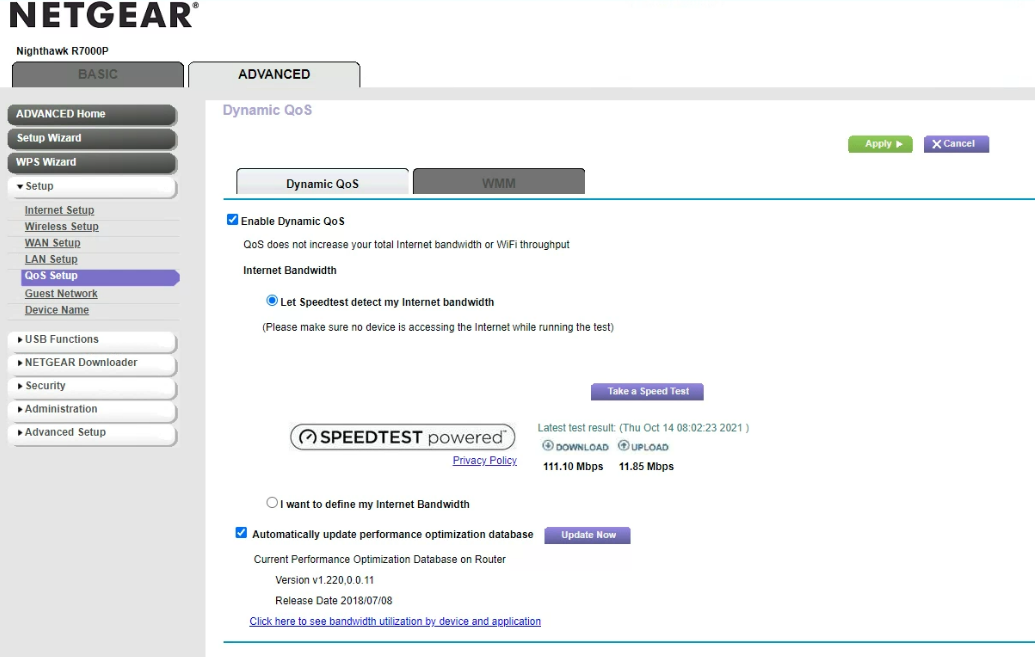
I have searched and I find several places that walk thru the process but my web portal doesn't not give me the option to set up any rules. I do need to update my firmware which I will do asap. I am at work right now and don't have physical access to the router. Was that a feature they added or is it just not possible on this model (which I would find really frustrating).
7 Replies
- plemansGuru - Experienced User
what speeds do you pay for?
- justinrobert80Aspirant
I don't have a problem with it not being fast enough. I am actually trying to single out one device and slow it's speed down. I have completed the firmware update however after doing some more reading on here it appears that Netgear has removed that as a feature from my model. Seems kind of a Hole thing to do but I guess it doesn't matter. I just won't be able to do it unless I purchase a different router that doesn't have that feature removed.
- plemansGuru - Experienced User
The reason I asked about speeds is that qos isn't recommend if your speeds are greater than 250mbps.