NETGEAR is aware of a growing number of phone and online scams. To learn how to stay safe click here.
Forum Discussion

Toast97
Jul 14, 2023Aspirant
Unable to update plex server
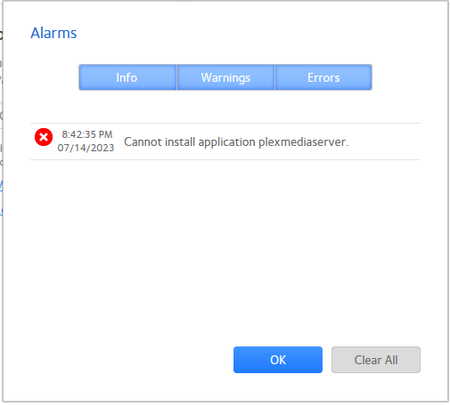
I have an Ultra 2 Plus running with ReadyNAS OS 6. I recently turned it on after not doing so for several months. Everything came up normally, including the 2 apps I have installed. I then u...

StephenB
Jul 15, 2023Guru - Experienced User
Toast97 wrote:
How is the 6.10.8 repo broken
Almost all the files/folders are either missing or have wrong permissions set so they cannot be accessed. So it is incomplete. A normal 6.10.x repo has about 1000 files. The 6.10.8 only has 34 accessible files.
Toast97 wrote:
why would Netgear push an update to a "broken" repo but not a newer one (6.10.9) that would fix at least some the issue(s)?
No idea why Netgear hasn't fixed their 6.10.8 repo, or when/if they will push the 6.10.0 release from their update servers.
Toast97 wrote:
I read through that 2nd thread. Any idea of how much available disk space is required to do a manual firmware/debian update like that described in the posts there?
I'm guessing you mean apt-mirror??? Assuming yes, the full repository (armel, armhf, and amd64) takes about 300GB. That includes all the libraries in the thread (plus Netgear repositories for 6.10.0 through 6.10.9).
Toast97 wrote:
I believe my NAS is running on an Intel Atom processor so I would presumably get the https://www.downloads.netgear.com/files/GDC/READYNAS-300/ReadyNASOS-6.10.9-x86_64.zip update.
Correct.
Toast97
Jul 16, 2023Aspirant
It seems like more of a hassle to upgrade to 6.10.9 right now than it is to rollback to my previous firmware version of 6.10.7. Is a downgrade as simple as Manual Firmware Install of the previous firmware (https://kb.netgear.com/000064653/ReadyNAS-OS-6-Software-Version-6-10-7)from the Settings page of the Admin UI?
Has Netgear responded to any inquiries about their future ReadyNAS plans?
- StephenBJul 16, 2023Guru - Experienced User
Toast97 wrote:
Is a downgrade as simple as Manual Firmware Install of the previous firmware
Yes, it is the identical process (so the same amount of work).
Toast97 wrote:Has Netgear responded to any inquiries about their future ReadyNAS plans?
No.
Indications are that they have been quiet-quitting the ReadyNAS market for some time. In no particular order:
- The most recent platform was introduced back in 2017.
- No sales inventory at most storefronts for some years now.
- No new features added for several years (just bug fixes and security updates).
- Increasing difficulty when trying to access support
- ReadyNAS dropped from the main Netgear webpage
- Discontinuing ReadyCloud.
But they haven't said anything (and have ignored questions on the subject here).
Related Content
NETGEAR Academy

Boost your skills with the Netgear Academy - Get trained, certified and stay ahead with the latest Netgear technology!
Join Us!
