NETGEAR is aware of a growing number of phone and online scams. To learn how to stay safe click here.
Forum Discussion

michiw1
Jan 11, 2022Aspirant
ReadyNAS Duo RND2000 v2 - no connection after Power Outage
Hi there, After an power outage i couldn´t access my ReadyNAS anymore. After a ot of googling and following different advice from the community and different forums on the web, i´m desperate and tr...

StephenB
Jan 13, 2022Guru - Experienced User
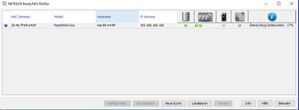
RAIDar is saying you have the original Duo (Spark CPU), not the later v2. Though the labeling can be very misleading. A v2 in the part number just means a small hardware revision (not the second generation platform, which is very different from the original, and runs completely different firmware).
It looks like it is doing a file system check when it is operational - not sure if that is failing later on, or not.
Try
- powering down
- remove the two disks (label by slot)
- power up
See it if remains up with the correct IP address, and showing a no disks status in RAIDar
What RAID mode are you using?
- michiw1Jan 13, 2022AspirantThank you for your answer.
Yes it stays visible with the 192.168.168.168 IP.
the status is something “Discs missing”. (Direct translation “no harddrives recognized”).
Via direct LAN connection, it’s still not possible to open admin page.
Edit: ping 192.168.168.168 works.
Edit2: RAID mode as far as I remember is RAID0
Any further ideas?- StephenBJan 13, 2022Guru - Experienced User
You could try booting up while skipping the volume check - see pages 15-16 here: https://www.downloads.netgear.com/files/GDC/RND2110/Duov1_NV+v1_HW_en_06Dec11.pdf
You could also connect the disks to a Windows PC and test them with vendor tools (Seatools for Seagate, Dashboard for Western Digital).
Though RAID0 is very fragile - it is possible that the power failure resulted in lost writes that gave you a volume that is out of sync. Do you have the data backed up? If you do (or don't mind losing it), you could also do a factory default, and set the NAS up from scratch.
- michiw1Jan 14, 2022AspirantThanks so far, really appreciate your help.
Skipping the test did nothing.
Without HDs: “Harddrives missing”, still 192.168.168.168, admin panel not opening,
HDs back in, reset: “Drive creation” (direct translation of “laufwerkserstellung”, after a while „Booting up“ (direct translation of „hochfahren“. After a while the Activities LED and drive 2 is still blinking and drive 1 is green all the time.
According to the manual it could be a problem, not a problem or a serious problem. 🤦🏻♂️
I hope for indexing but think it’s just broken.
Edit: can you tell me from which point in the boot up process the device SHOULD be visible in raider? And from when on should be the admin panel accessible? Directly after hard resetting, how long should it take to be able to access the admin/setup page?
It doesn’t show up in RAIDar anymore neither over router nor direct LAN.
Since I’m leaving for the weekend, I will just wait if the blinking stops till Monday at some point and if so, if it’s showing up in RAIDar. If not it’s going to fly out of the window and I will look for something new. Not worth all the time and Energy I already put to it…
Related Content
NETGEAR Academy

Boost your skills with the Netgear Academy - Get trained, certified and stay ahead with the latest Netgear technology!
Join Us!
