NETGEAR is aware of a growing number of phone and online scams. To learn how to stay safe click here.
Forum Discussion

Nathann
Feb 04, 2018Aspirant
Windows Backup error: "The mounted backup volume is innaccessible"
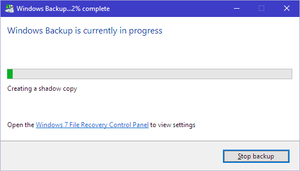
Prior to upgrading to ReadyNAS 6.9.1 my backup process was functioning perfectly. I had File History backing up to a shared folder and I had system images running weekly as well utilizing the "Window...

Nathann
Feb 14, 2018Aspirant
Marc,
I switched the settings on the firmware update options to install Beta firmwares. It installed version 6.9.3-T223 (beta 2) and the same result occurred. The mounted backup volume is inaccessible. Please retry.
I retried and got the same result. Downloaded and installed RC1 with the same result.
The second computer I tried this on was my Mac running a VM of Windows 10 (so this is proof that running it on a second computer failed as well).
Any other ideas?
Nathann
Feb 15, 2018Aspirant
Marc,
I purchased an RN212 today and put a pair of 2 TB drives in it that had previously been setup in my RN102. They were running firmware 6.9.2 and had been formatted to factory defaults. I created a share and started a backup and it worked without any issues at all. I then put those drives back into my RN102 and attempt the backup again and it worked.
What do you make of this?
- Marc_VFeb 18, 2018NETGEAR Employee Retired
Hi Nathann
I really cannot think of a reason why would it act that way, there might have been some settings that needs to be reset.
- NathannFeb 28, 2018Aspirant
Hi Marc_V
More info for you to noodle on. Soooo, I installed completely blank drives into my ReadyNAS 102. The ReadyNAS installed OS 6.9.3 RC2. I logged in and allowed the NAS to configure the drives and system with all the default settings. I then configured a brand new install of Windows 10 Pro within a Hyper-V installation and attempted a backup to the NAS and it completed successfully. I then attempted a backup using my primary computer and it failed with the same message as before.
I removed the drives, "cleaned" them using DISKPART in Windows Command Prompt, plugged the drives back and ran through setup the same way as before allowing the NAS to configure the drives and left all the system settings at default settings. This time I started the backup first from my primary computer, and I am more than halfway through the backup and it appears as though it will complete successfully.
Does this give you any additional insights?
Nathan
- Marc_VFeb 28, 2018NETGEAR Employee Retired
Hi Nathann
This might need escalation, have you tried contacting NETGEAR Support to have a case logged? Or other members might have experienced the same issue and share any work around or resolutions.
Regards

Related Content
NETGEAR Academy

Boost your skills with the Netgear Academy - Get trained, certified and stay ahead with the latest Netgear technology!
Join Us!
