NETGEAR is aware of a growing number of phone and online scams. To learn how to stay safe click here.
Forum Discussion

pdaly12
Feb 09, 2022Aspirant
Zero Bytes after a few seconds
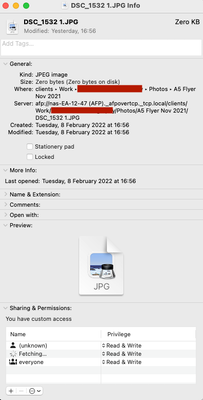
We've been receiving a strange zero bytes issue when saving files. We are running a few iMacs on the network, it's a mix machines running MacOS Monterey down to High Sierra. We can save a varie...

StephenB
Feb 09, 2022Guru - Experienced User
pdaly12 wrote:
  ER -- ST COUNT  LBA_48  LH LM LL DV DC
  -- -- -- == -- == == == -- -- -- -- --
  40 -- 51 05 40 00 00 3f 3b 24 58 40 00  Error: UNC at LBA = 0x3f3b2458 = 1060840536
The times can be very useful here (though you have to translate them from power-on hours to actual time).
Also, after you replace the disks, I suggest setting up a maintenance schedule (settings wheel of the volume). You can schedule
- defrag
- balance
- scrub
- disk test
Personally I run one of these each month (cyclling through all 4 3X a year).
Definitely wait until you have healthy disks installed though.

pdaly12
Feb 10, 2022Aspirant
To be honest, I'll just take a hammer to the old disks, not really worried about the timings, etc. I'm hoping this is the cause of the bizarre issues we've been experiencing.
Yes I have the defrag and scrub running once a month. Didn't know about the balance until I saw that setting yesterday.
We're trying to avoid using the NAS until the disks arrive in the next hour or so. I did a smart check on our web servers just in case and one of those has a high error rate, so We're getting that one replaced too.
I might grab another readynas and install it at home as a spare and mirror this one to it as a nice offsite backup.
Related Content
NETGEAR Academy

Boost your skills with the Netgear Academy - Get trained, certified and stay ahead with the latest Netgear technology!
Join Us!
