NETGEAR is aware of a growing number of phone and online scams. To learn how to stay safe click here.
Forum Discussion

Dmaldonado
Jan 01, 2019Aspirant
NIghthawk X6s Tri Band Extender won't allow me to Enter the password for existing network
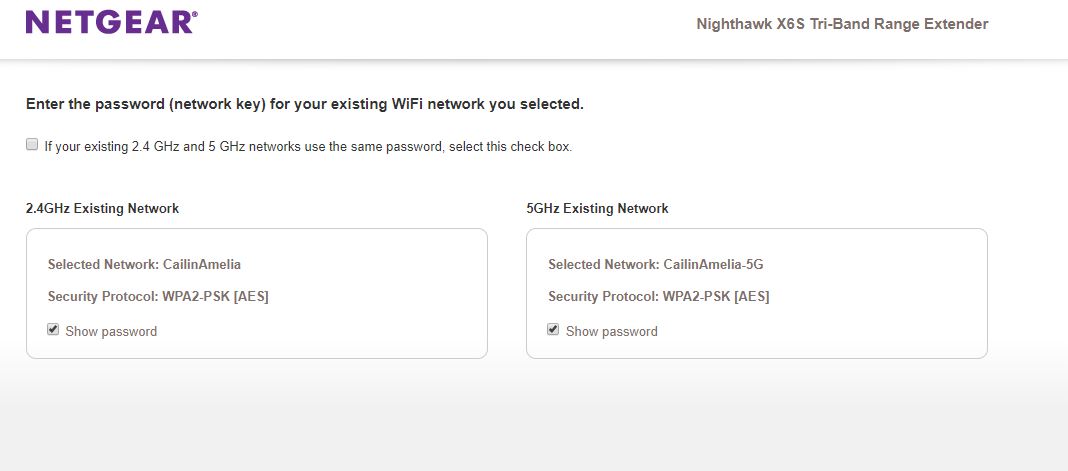
I upgraded the firm ware for my Wifi Router and extenders -Nighthawk X6s Tri Band Extender. Now when I do a wifi extender setup, I can select the 2.4 Ghz and 5 Ghz Network that I want to extend, but when I get to the next page where it wants me to Enter the password (network key) for your existing WiFi network you selected. I can check the box where it says "If your existing 2.4 GHz and 5 GHz networks use the same password, select this check box." but I cannot click the "next" button. As a result, the extenders will not connect to my router.

4 Replies
- DmaldonadoAspirant
I have a Nighthawk R8500 router
 StephenBGuru - Experienced User
Did you try not checking the "same password" box, and just entering the password(s)?
- DmaldonadoAspirant